Players with lots of abilities
If you want to trigger in-game commands with your thumb, look for buttons you can reach comfortably with your grip and assign usefully in-game.


Start by deciding which in-game commands you want to trigger with your mouse. Then check whether the button positions, shape and connection suit your setup. On a large screen, being able to adjust cursor movement in-game matters more than choosing the highest possible DPI setting; the right setting also depends on your resolution and the game you play. More side buttons give you more options for assigning commands, but they may take some getting used to and need to be within reach for your grip.
If you want to trigger in-game commands with your thumb, look for buttons you can reach comfortably with your grip and assign usefully in-game.
If you want to control movement across your screen, the right setting for the game you’re playing matters more than choosing a mouse based solely on its maximum DPI.
If you play longer matches, choose a mouse that feels comfortable in your hand and connects to the ports you have available. Also consider whether you’d rather charge it or replace its batteries.
A good fit if: You can assign several regularly used commands to the mouse and reach the buttons with your grip.
Trade-off: A large button panel doesn’t guarantee a comfortable fit or better control, and may take some getting used to.
A good fit if: You only want to trigger a few abilities with your mouse and prefer to keep using the keyboard for others.
Trade-off: Check that the buttons you need are in the right place for your grip. Different versions in the same product family may have different features.
A good fit if: Choose a wired mouse if you don’t want to plan for charging and the cable won’t get in the way. Go wireless if you want to play without a cable.
Trade-off: For wireless models, check that you have the right receiver or Bluetooth support, as well as a suitable power source. These connection types aren’t interchangeable.
| Priority | What to check before buying | Who should pay particular attention? |
|---|---|---|
| Buttons within reach | Compare the commands you need with the number, position and programmability of the specific model’s buttons. | If you want to trigger frequently used abilities with your thumb, make sure the buttons are within comfortable reach and can be assigned as needed. Around 33% of consumers put accessible in-game commands first. |
| Cursor movement | Check the adjustable DPI settings and test how the mouse moves with your game and display settings. | If you want to control the cursor precisely on a large screen, adjust the sensitivity to suit the game and resolution. Around 27% of consumers prioritise controllable cursor movement. |
| Fit | Compare the mouse’s handedness, shape and thumb reach with your grip. If possible, try the buttons you’ll use most often. | If hand shape and reachable buttons matter more to you than having lots of buttons, check the specific mouse’s shape. Around 20% of consumers put fit first. |
| Connectivity and power | Check the ports and wireless receiver on your gaming device, as well as the charging or battery setup. | If your setup determines how you connect, or you want to avoid charging, make sure the cable, receiver and power source are suitable. Around 20% of consumers prioritise the right connection. |
DPI affects how far the cursor moves, but on its own it doesn’t tell you whether you’ll be able to control movement comfortably in your game.
Check that the settings are adjustable and test the mouse with your game and display settings.
A fixed or adjustable button panel may or may not suit your grip. The number of buttons alone won’t tell you whether you can reach them comfortably.
Compare the commands you need with the layout and programmability of the exact model.
The G502 LIGHTSPEED, G502 HERO and G502 X LIGHTSPEED are different products. For the G502 X LIGHTSPEED, the German manufacturer’s website lists a HERO 44K sensor, while a Joybuy product page lists HERO 25K.
Before buying, check the full model name and its specific features rather than assuming that features carry over between versions.
With its 12-button side panel, the Aerox 9 Wireless is aimed at players who want to trigger lots of commands with their thumb.
The Naga range includes models with plenty of thumb buttons; features and side panels vary by model.
The Scimitar Elite Wireless SE features a sliding Key Slider, making it a good option for players who care about the position of the thumb buttons.
The G502 family includes models with configurable controls rather than a 12-button thumb panel. The G502 HERO is wired, while the G502 X LIGHTSPEED is wireless.
This selection includes gaming mice with different button layouts, as well as wired and wireless options. Check which features suit your game, grip and connection.
 No image available
Could be worth considering if you’re looking for a wireless mouse described as ultra-light. According to the product details, its shape is designed for right-handed users.
The product is listed with a Focus Pro 30K Sensor and in White.
 No image available
Could suit you if you’re looking for a wireless mouse with programmable buttons and adjustable cursor sensitivity.
The product details list a weight of 54 g, a Focus Pro 35K Sensor and 8000 Hz. According to the description, a HyperPolling Dongle, sold separately, is required to use 8000 Hz.
 No image available
Could be worth considering if you want to assign several commands to a wired mouse and its shape suits your right-handed grip.
The product details list 11 programmable buttons and up to 35,000 DPI.
 No image available
Could suit you if you want to assign a few in-game commands to your mouse and choose between different connection types.
The product details list a weight of 62 g, five programmable buttons and up to 22,000 DPI. Connections include 2.4 GHz, Bluetooth and USB-C. A charging dock and grip tape are also listed.
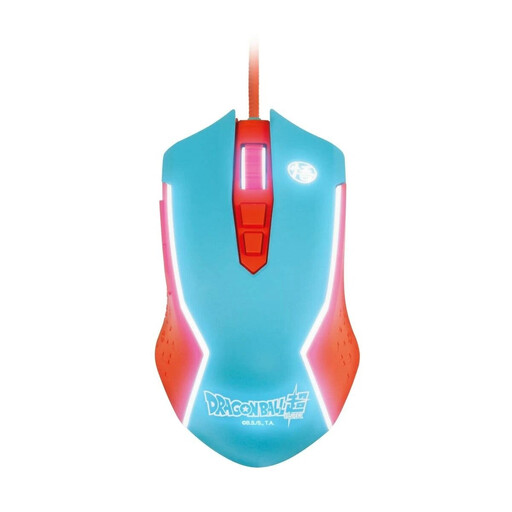 No image available
Could be worth considering if you’re looking for a wired gaming mouse and can accommodate the cable in your gaming space.
The product name describes it as a wired PC gaming mouse.
No. Set cursor movement to suit your resolution, game and the way you move the mouse; a large screen alone doesn’t determine the right DPI. On a Windows PC, you can also adjust the pointer speed in the mouse settings.
First, decide which commands you use most often. Then check which buttons you can assign using the software for the specific model and which you can reach comfortably with your grip. Having a button doesn’t guarantee you can assign every command you want to it.
Check that your gaming device supports the required receiver and connection, and plan for charging or replacing the batteries. For the Aerox 9 Wireless, SteelSeries describes 2.4 GHz and Bluetooth as separate connection modes with model-specific polling rates.
For a standard online purchase from a trader, you generally have a 14-day right to cancel from the date of delivery. Faulty goods are covered by a statutory minimum guarantee of two years. This is separate from any additional manufacturer’s guarantee; exceptions and the specific terms of purchase should be checked separately.