
Lieferung heute & morgen

Qualitätsgarantie

Willkommens-Angebote freischalten: KOSTENLOSE Lieferung | Bis zu 80 % RABATT | Kostenlose 30-Tage-JoyPlus-Testphase
App herunterladen
The search for the right gaming mouse can quickly become overwhelming. Manufacturers advertise ever-higher DPI counts, spectacular RGB lighting, and a multitude of buttons. However, not every advertised feature is equally relevant for every user. In fact, these marketing focal points often lead to poor purchasing decisions. This guide will help you identify the crucial features, avoid common pitfalls, and make an informed decision.
Before we dive into the technical details, it's important to be aware of three common marketing traps that often lead to unsuitable purchases.
To make a well-informed choice, you should focus on the following three core aspects. These largely determine the performance and user comfort of your future PC mouse.
The sensor is the heart of every gaming mouse. Instead of a maximum DPI number, sensor precision is what's crucial. A high-quality optical sensor ensures flawless tracking without unwanted acceleration or smoothing. Look for models with proven sensors that offer consistent performance across a wide DPI range. What's important is not the maximum value, but the ability to flexibly adjust the DPI levels to suit your needs and different games.
The choice of connection technology depends on your personal preferences.
These three factors determine how the mouse feels and handles in practice.
Here are some recommendations tailored to different user profiles and their specific requirements.
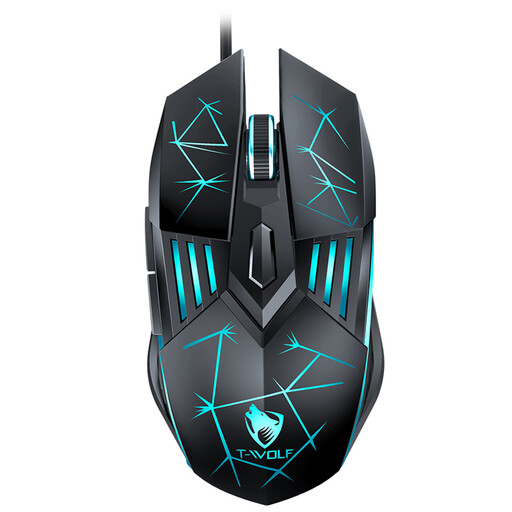
Why This Fits Their Persona: This model offers all the essential gaming features at an accessible price point. It's a solid choice for gamers looking to upgrade from a standard office mouse without a large investment.
It focuses on the essentials: an ergonomic shape and adjustable DPI levels (up to 3600) that are sufficient for most games, rather than advertising inflated DPI values.
Simple plug-and-play installation via USB and four customisable DPI levels for flexible control.
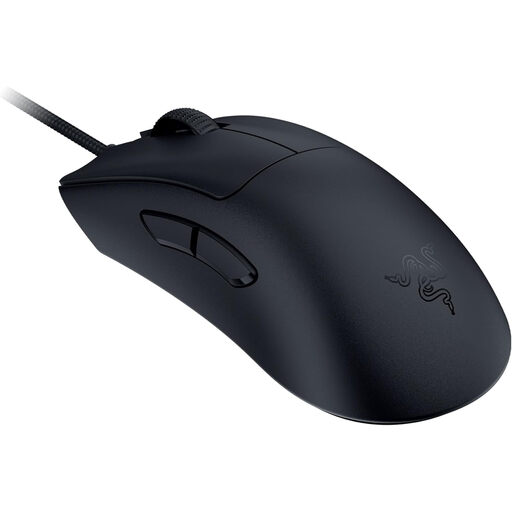
Why This Fits Their Persona: This mouse is engineered purely for performance. Its extremely low weight and high polling rate are designed for players where reaction speed and precision decide victory or defeat.
Instead of focusing on RGB effects, this model concentrates on measurable performance advantages: a weight of just 59 grams and 8000 Hz HyperPolling technology for minimal latency.
Ultra-lightweight design for rapid manoeuvres and a high-precision Razer Focus Pro 30K Sensor.
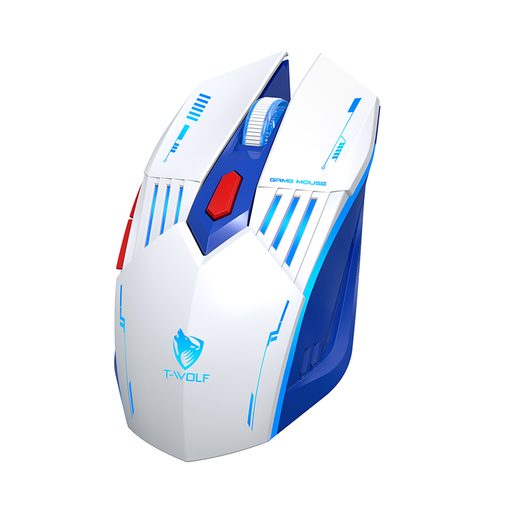
Why This Fits Their Persona: For users who want a single mouse for gaming, work, and on-the-go. The three connection modes allow for seamless switching between different devices like a gaming PC and a work laptop.
The focus is on the practical versatility of tri-mode connectivity, rather than getting lost in a single, exaggerated feature. The DPI levels are practically chosen for mixed-use cases.
Maximum flexibility with wired, 2.4 GHz, and Bluetooth modes, plus charging via a modern Type-C port.
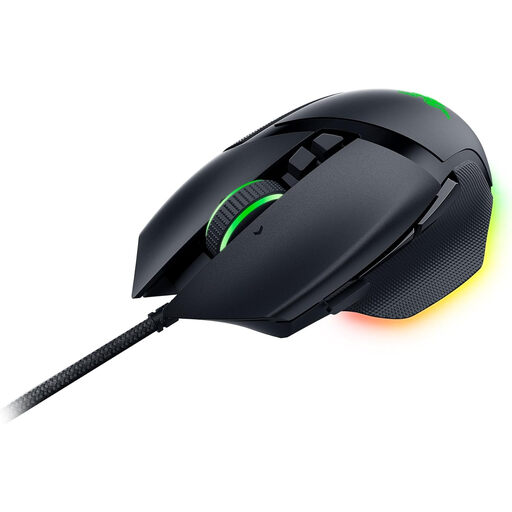
Why This Fits Their Persona: Ideal for gamers who want to customise their gear down to the finest detail. With 11 programmable buttons and extensive RGB lighting, the mouse can be perfectly tailored to one's personal style and the demands of games like MMOs.
Although aesthetics play a major role, performance is not neglected. The mouse combines its 11-zone RGB lighting with a powerful sensor and versatile buttons, so form and function go hand in hand.
Comprehensive customisation options through 11 programmable buttons and the Razer HyperScroll Tilt Wheel for precise or rapid scrolling.
We have compiled a complete, up-to-date list of products that fully meet these strict selection criteria and German safety regulations.
1. Is a high DPI count really important for a gaming mouse? No, an extremely high DPI count is not crucial for most users. More important is a precise sensor that operates flawlessly at your preferred, usually lower, DPI settings (typically 400–1600). The ability to easily adjust DPI levels is more useful than a high maximum value.
2. How long does the battery of a wireless gaming mouse last? Battery life varies greatly depending on the model, usage, and settings. Mice without RGB lighting can often last over 100 hours on a single charge. With lighting activated, the battery life can be significantly shorter, often between 20 to 50 hours. Many models can be used via cable while charging.
3. Do I need a mouse with programmable buttons? That depends on the games you play. For fast-paced shooter games (FPS), the standard buttons and two thumb buttons are usually sufficient. However, if you play complex games like MMOs (e.g., World of Warcraft) or MOBAs (e.g., League of Legends), a mouse with programmable buttons can be very useful for activating abilities and items quickly and efficiently.