
Lieferung heute & morgen

Qualitätsgarantie

Willkommens-Angebote freischalten: KOSTENLOSE Lieferung | Bis zu 80 % RABATT | Kostenlose 30-Tage-JoyPlus-Testphase
App herunterladen
The search for the right gaming mouse can quickly become overwhelming. The market is flooded with models advertising high DPI counts, extremely low weights, and flashy lighting. But not every advertised feature is relevant to your gaming experience or worth the extra cost. As a Joybuy Product Recommendation Officer, I'll help you separate marketing hype from genuine performance features. Before you make a decision, you should know the three most common traps that often lead to a bad purchase.
To make the right choice, focus on the technical fundamentals that directly influence your in-game performance.
The heart of every PC gaming mouse is its optical sensor. It is responsible for accurately tracking your movements. Instead of looking for the highest DPI number, you should value the quality of the sensor. Models like the PixArt PAW3395 or the Logitech HERO sensor are known for their flawless tracking (no smoothing, no acceleration). A good mouse offers consistent performance across a reasonable DPI range (e.g., 400 to 6,400 DPI), which can be adjusted via software or a button.
An ergonomic gaming mouse is crucial for comfort and control during long gaming sessions. The ideal shape and weight depend on your hand size and grip style:
The choice between a wired and a wireless mouse depends on your priorities.
Here are some recommendations tailored to specific user profiles that avoid the pitfalls mentioned.
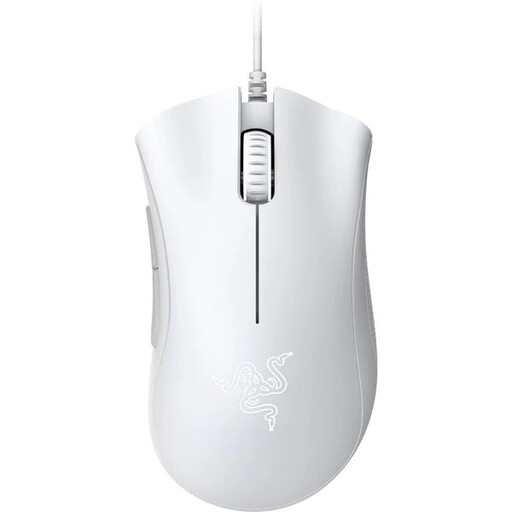
Why This Fits Their Persona: Ideal for gamers seeking a reliable and ergonomic mouse without unnecessary extras. It offers proven performance for entering competitive gaming at an accessible price.
Avoids the DPI myth with a practical 6,400 DPI sensor and forgoes expensive RGB effects to focus on the essentials: ergonomics and sensor performance.
Proven ergonomic shape for long-lasting comfort. Durable mechanical switches rated by Razer for up to 10 million clicks.
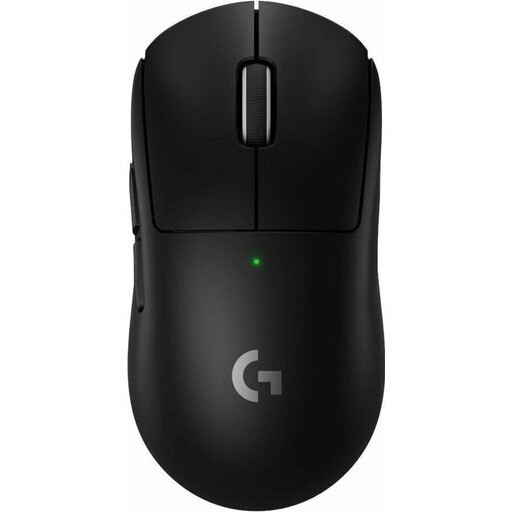
Why This Fits Their Persona: Designed for professional demands where every millisecond and every gram counts. This esports mouse combines low weight with a high-precision sensor and wireless freedom.
Debunks the "ultralight" trap by combining a weight of just 60 grams with a robust build and a powerful battery, without compromising on performance.
Equipped with the HERO 2 sensor for precise tracking and LIGHTSPEED wireless technology for extremely low latency. According to Logitech, the battery life is up to 95 hours.
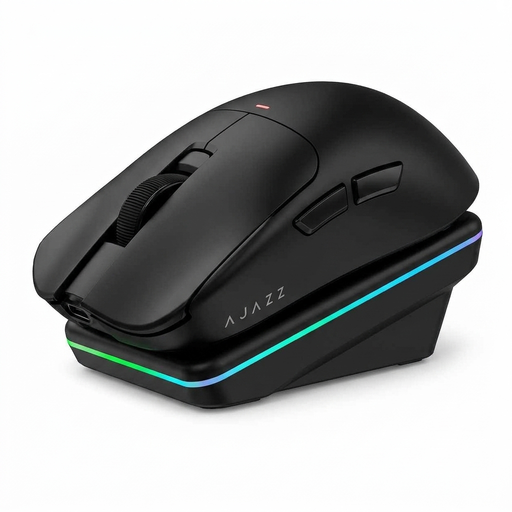
Why This Fits Their Persona: Perfect for users who need one mouse for gaming, office, and creative tasks. The combination of multiple connection modes, a charging dock, and smart features makes it extremely adaptable.
Offers useful additional features like a magnetic charging dock and AI voice control that go beyond mere RGB decoration, creating real value for productivity.
Tri-mode connectivity (2.4G, Bluetooth, USB-C) for seamless switching between devices. The PAW3311 sensor ensures reliable gaming performance.
We've compiled a complete, up-to-date list of products that fully meet these strict selection criteria and German safety regulations.
Battery life varies greatly depending on the model, usage, and settings. With RGB lighting disabled and a standard polling rate of 1000 Hz, many modern models achieve a runtime of 40 to over 100 hours. Models with intense lighting or extremely high polling rates (e.g., 8000 Hz) have a significantly shorter battery life.
For the vast majority of gamers, an extremely high DPI number is not crucial. More important are the quality and reliability of the sensor. A flawless sensor that operates precisely at lower, more controllable DPI settings (typically 400–3200) is more important for consistent in-game performance than a theoretical maximum DPI of over 20,000.
No. There are many models in the entry-level and mid-range segments that meet the core requirements for precision, ergonomics, and durability. Instead of paying for marketing features like exaggerated DPI values or complex RGB systems, you should focus on a proven sensor, a shape that fits you, and solid build quality.