
Lieferung heute & morgen

Qualitätsgarantie

Willkommens-Angebote freischalten: KOSTENLOSE Lieferung | Bis zu 80 % RABATT | Kostenlose 30-Tage-JoyPlus-Testphase
App herunterladen
The search for the right gaming mouse can quickly become overwhelming. Manufacturers advertise ever-higher DPI counts, extremely lightweight designs, and a multitude of features. But not every advertised feature is truly relevant to your gaming experience. As your Joybuy Product Recommendation Officer, I'll help you identify the crucial features and avoid common marketing traps, so you can make an informed decision.
Before we dive into the important specifications, let's look at two common marketing hypes that often lead to buyer's remorse:
To make the right choice, focus on the technical parameters that directly impact your performance.
The sensor is the heart of any gaming mouse. It's responsible for accurately translating your hand movements onto the screen. Modern optical sensors, like those in the PixArt (PAW) series, are considered the industry standard and offer flawless tracking.
The polling rate, measured in Hertz (Hz), indicates how often the mouse reports its position to the computer. The standard for gaming mice is 1000 Hz, which corresponds to a response time of 1 millisecond. For ambitious players, especially in the competitive scene, there are now models with an 8K polling rate. These report their position 8000 times per second (0.125 ms). However, such an advantage is only noticeable when paired with a high-refresh-rate monitor (144 Hz or more).
The choice between a wired and a wireless mouse depends on personal preference.
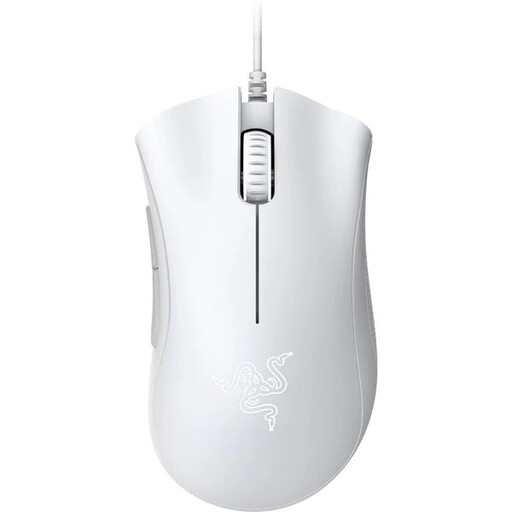
Why it's a good fit: Ideal for gamers looking for a reliable and ergonomic mouse without a large investment. It focuses on the fundamentals that are crucial for a great gaming experience.
This model skips the exaggerated DPI race, instead offering a proven 6,400 DPI optical sensor that is perfectly sufficient for all common game genres.
Its iconic ergonomic shape provides high comfort for long sessions. The mechanical switches are rated by the manufacturer for up to 10 million clicks.
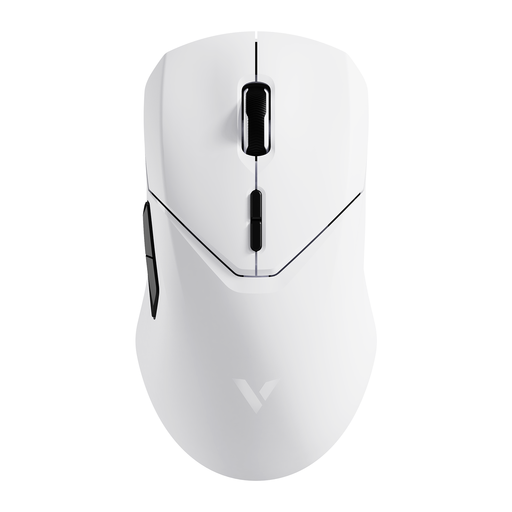
Why it's a good fit: Designed for players where every millisecond counts. Its low weight and high polling rate are engineered for maximum performance in fast-paced FPS games.
Instead of just advertising a high DPI number, this mouse combines a high-performance sensor (PAW3398) with a 4000 Hz polling rate. The low weight of 68 grams is a functional feature for quick manoeuvres, not just a marketing gimmick.
The combination of a 4K wireless polling rate and the PAW3398 sensor ensures extremely responsive and precise control. The battery life of up to 180 hours (according to the manufacturer) is remarkable for such a lightweight mouse.
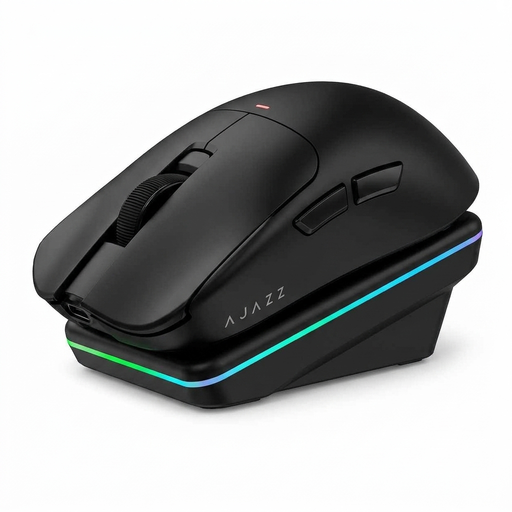
Why it's a good fit: For users seeking a versatile mouse for both gaming and productivity. It offers flexible connectivity options, a convenient charging dock, and modern tech features.
This model offers a well-balanced overall package. The 63g weight is light but not extreme. The tri-mode connectivity (Wired, 2.4G, Bluetooth) provides maximum flexibility, avoiding the limitation of a single connection type.
The magnetic charging dock ensures convenient charging and serves as a tidy base on the desk. The AI features (e.g., voice interaction) are a unique characteristic for tech-savvy users.
We've compiled a complete, up-to-date list of products that fully meet these strict selection criteria.
1. How long does the battery of a wireless gaming mouse last? Battery life varies greatly depending on the model, usage, and lighting settings. Many modern mice offer between 40 and 180 hours of battery life with active use. Models with exceptionally long battery life, like the RAPOO VT3, can even reach up to 750 hours at 1000 Hz, according to the manufacturer. Disabling the RGB gaming mouse lighting can significantly extend the battery life.
2. Is a high-DPI gaming mouse really better? Not necessarily. A high DPI number only means higher sensitivity. The quality of the sensor, flawless tracking (no smoothing or acceleration), and a stable signal transmission are far more important for in-game precision. Most players find their ideal DPI value in the 800 to 3200 range.