
Lieferung heute & morgen

Qualitätsgarantie

Willkommens-Angebote freischalten: KOSTENLOSE Lieferung | Bis zu 80 % RABATT | Kostenlose 30-Tage-JoyPlus-Testphase
App herunterladen
The search for the right gaming mouse can quickly become overwhelming. The market is flooded with models advertising high DPI counts, countless buttons, and aggressive RGB lighting. But not every expensive mouse guarantees better in-game performance. As your Joybuy Product Recommendation Officer, I'll help you navigate the marketing jungle and make an informed decision. We'll focus on the facts that truly matter and uncover common purchasing traps.
Before we look at the crucial features, let's identify the typical pitfalls that often lead to a bad purchase.
To make the right choice, you should focus on three core technical aspects. These determine the actual performance and comfort of your future gaming mouse.
The sensor is the heart of every mouse. Modern optical sensors, like those in the PixArt (PAW) series, offer precise tracking on almost any surface.
The weight and shape of the mouse have a direct impact on handling and fatigue.
The connection type determines flexibility and response time.
Here are a few models tailored to specific needs that cleverly avoid the pitfalls mentioned.
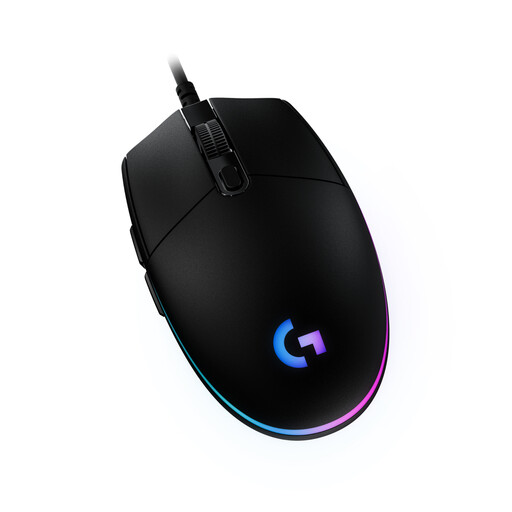
Why It's a Great Fit: The G203 offers the proven performance and reliability of an established brand at an accessible price. Its classic, symmetrical design is suitable for many hand sizes and grip styles, making it a safe choice for beginners.
It focuses on a solid sensor with up to 8,000 DPI—a practical value that's sufficient for all games. Instead of an extreme shape, it offers a universal design that sidesteps the ergonomics trap.
Integration with Logitech G HUB software allows for customisation of RGB lighting and button assignments, which is not a given in this price range.
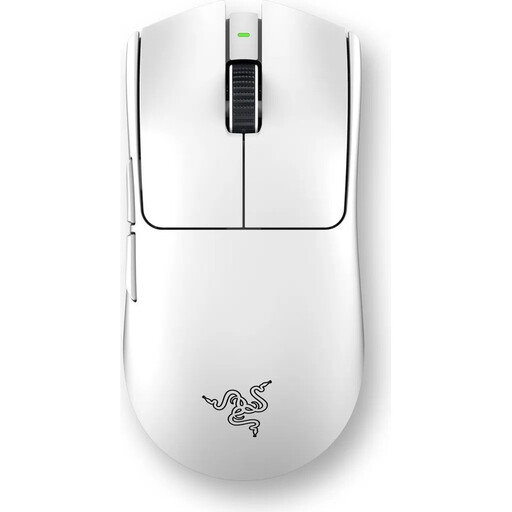
Why It's a Great Fit: This model is engineered purely for competitive performance. The extremely low weight of 54 grams, the high-precision sensor, and the 8000 Hz polling rate provide the technical foundation for minimal latency and maximum control.
It combines a high DPI value with an equally high polling rate, which provides a real performance advantage. The shape was developed with esports pros and is optimised for performance-oriented grip styles, rather than promising a vague "ergonomic" form.
The combination of a mere 54-gram weight and an 8000 Hz wireless polling rate delivers exceptionally responsive and resistance-free control.
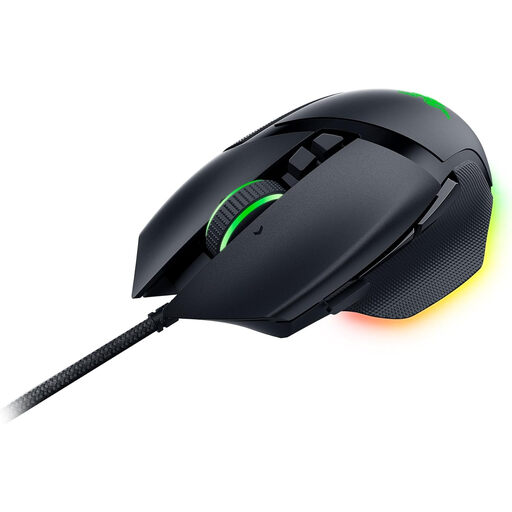
Why It's a Great Fit: The Basilisk V3 is an all-rounder. Its distinct ergonomic shape with a thumb rest offers high comfort for right-handers, while its 11 programmable buttons and smart scroll wheel make it extremely versatile for both gaming and productivity.
Its ergonomic design is clearly defined (for right-handers with a thumb rest) and not just a vague promise. The focus is on real user benefits, like the versatile scroll wheel, not just on raw sensor specs.
The Razer HyperScroll Tilt Wheel can switch between a tactile, notched mode and a free-spinning mode. This is ideal for precisely switching weapons in-game and quickly scrolling through long pages in a browser.
We've compiled a complete, up-to-date list of products that fully meet these strict selection criteria and standards.
Battery life varies greatly depending on the model, usage, and lighting. Many modern mice offer between 40 and 100 hours of playtime on an active 2.4 GHz connection. Some models focused on energy efficiency, like the RAPOO VT2, can even reach up to 750 hours at a 1000 Hz polling rate, according to the manufacturer. Disabling RGB lighting significantly extends the battery life.
Not necessarily. A lightweight mouse (under 80g) reduces inertia and facilitates fast, wide movements, which can be advantageous in fast-paced shooters like CS:GO or Valorant. For players who rely more on precise, small adjustments (e.g., in tactical shooters) or simply prefer a more stable feel, a heavier mouse (over 100g) might be the better choice. It's a matter of personal preference and playstyle.
Most gaming mice work out of the box with plug-and-play for basic functions. However, to unlock their full potential—such as adjusting DPI levels, programming buttons, creating macros, or configuring RGB lighting—the manufacturer's corresponding software (e.g., Razer Synapse, Logitech G HUB) is required. Many mice feature on-board memory to save profiles directly on the device.