
Lieferung heute & morgen

Qualitätsgarantie

Willkommens-Angebote freischalten: KOSTENLOSE Lieferung | Bis zu 80 % RABATT | Kostenlose 30-Tage-JoyPlus-Testphase
App herunterladen
As a Joybuy Product Recommendation Officer, I analyse the market to provide you with objective and practical advice. Choosing a new gaming mouse can be overwhelming, given the countless models and technical specifications. Many manufacturers advertise impressive numbers and features, but not all of them add real value to your gaming experience. This guide will help you separate marketing hype from relevant performance and make an informed decision.
Before we dive into the important specifications, let's look at three common marketing traps that often lead to poor purchasing decisions.
To find the right PC gaming mouse, focus on the following technical features that directly impact your in-game performance.
The sensor is the heart of any gamer's mouse. A high-quality optical sensor ensures precise and flawless tracking on various surfaces. Pay attention to the following values:
The weight and shape of the mouse have a significant impact on handling and comfort, especially during long gaming sessions.
Modern wireless technologies have caught up with wired models in terms of performance. The decision depends on your personal preferences.
Here are some recommendations tailored to different needs and gaming styles.
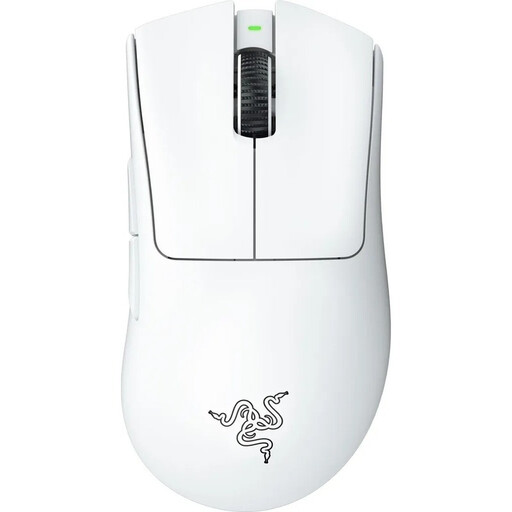
Why it's a great fit: This model is engineered for maximum performance in fast-paced FPS games. The ultra-lightweight design of just 64 grams allows for rapid reactions and changes in direction without fatigue, which is crucial for competitive players.
It focuses on the essentials: an extremely low weight and a high-precision sensor. It deliberately omits heavy RGB elements or an excessive number of buttons.
Ultra-lightweight design (64g) for maximum speed. Razer Focus Pro 30K Sensor for best-in-class precision. Razer HyperSpeed Wireless for an ultra-low latency connection.
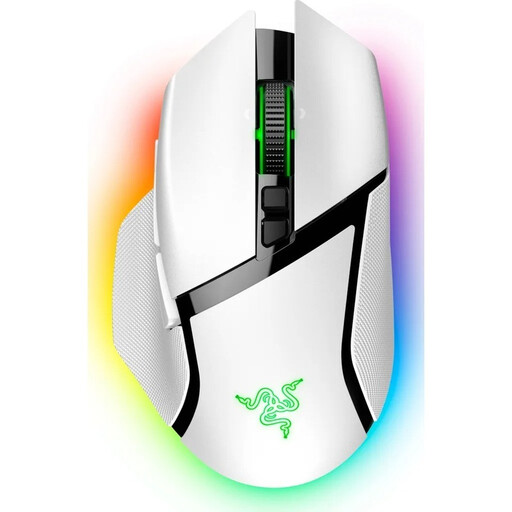
Why it's a great fit: Ideal for gamers who play a variety of genres (MMOs, RPGs, shooters) and want a highly customisable mouse. The 11 programmable buttons and special scroll wheel offer flexibility for complex commands.
The ergonomics are clearly defined for right-handed users with a palm grip. The high button count and RGB lighting are functional additions to a high-performance base, not just visual gimmicks.
11 programmable buttons for macros and commands. Razer HyperScroll Tilt Wheel with two modes for precise or fast scrolling. Comprehensive Razer Chroma RGB lighting with 13 zones.
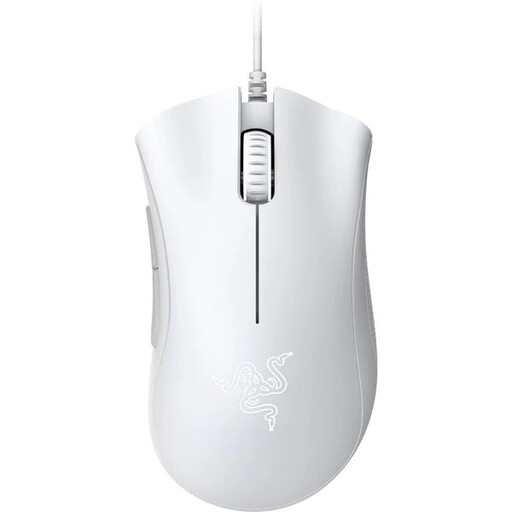
Why it's a great fit: It offers the proven performance and ergonomics of a renowned Razer mouse at a very accessible price. Perfect for gamers looking for a reliable, no-frills mouse to get started.
This model deliberately avoids exaggerated DPI values and RGB lighting. Instead, the focus is on a solid 6400 DPI sensor and durable mechanical switches.
Proven ergonomic shape for long-lasting comfort. 6400 DPI sensor for precise tracking. Durability of up to 10 million clicks according to the manufacturer.
We have compiled a complete, up-to-date list of products that fully meet these strict selection criteria and German safety regulations.
1. How important is the DPI number on a gaming mouse, really? The DPI number is less important than marketing often suggests. Most gamers use values between 800 and 3,200 DPI. A higher maximum DPI is not a mark of quality. More important are a precise sensor that implements these DPI values stably and without deviation, and the ability to adjust DPI levels easily.
2. Do wireless gaming mice keep up with wired models in terms of performance? Yes. Modern wireless gaming mice that use a 2.4 GHz radio connection offer a latency of 1 ms (1000 Hz polling rate), which is identical to that of wired mice. The technology is so mature that wireless models have become the standard even in professional e-sports.
3. How do I find the right mouse size for my hand? A common method is to measure your hand from the tip of your middle finger to your wrist. Hand lengths under 17 cm are considered small, 17-20 cm as medium, and over 20 cm as large. Compare this measurement with the mouse's dimensions (length x width x height) provided in the product details. Also, consider your grip style, as this also influences the ideal mouse shape.