
Lieferung heute & morgen

Qualitätsgarantie

Willkommens-Angebote freischalten: KOSTENLOSE Lieferung | Bis zu 80 % RABATT | Kostenlose 30-Tage-JoyPlus-Testphase
App herunterladen
Choosing a new gaming mouse can quickly become overwhelming. The market is flooded with technical specs, marketing promises, and a seemingly endless variety of models. As a Joybuy Product Recommendation Officer, I'll help you identify the crucial features and sidestep common purchasing traps, so you can make an informed decision.
Much well-intentioned advice and many advertising claims often lead to buyer's remorse. Pay close attention to these three points to avoid falling into the most common traps:
To find the right PC mouse for your needs, focus on the following core technical parameters instead of being swayed by marketing buzzwords.
The sensor is the heart of any gaming mouse. It determines how accurately and reliably your movements are translated to the screen.
Comfort and control are essential for long gaming sessions. The weight and shape of the mouse play a central role.
The type of connection affects both performance and flexibility.
Here are some recommendations tailored to specific user profiles that avoid the pitfalls mentioned.
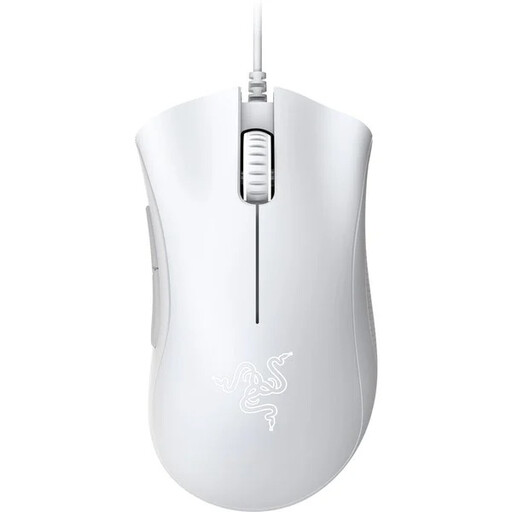
Why This Fits Their Persona: This model provides a solid foundation for gaming without breaking the bank. Its proven ergonomic shape is designed for long sessions, and the reliable sensor delivers the necessary precision for most games.
Instead of focusing on exaggerated DPI numbers, this mouse concentrates on a proven ergonomic shape and a solid 6400 DPI optical sensor, which is more than sufficient for beginners.
Iconic, comfortable shape for right-handers; durable mechanical switches rated by Razer for up to 10 million clicks.
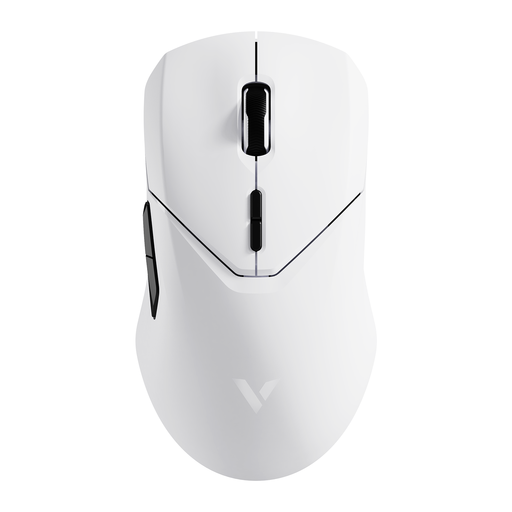
Why This Fits Their Persona: For gamers where every millisecond counts. This mouse combines an extremely lightweight design with a very high polling rate to deliver near-instantaneous input. The high-precision sensor ensures maximum accuracy.
It debunks the myth of wireless lag with a 4000 Hz polling rate. The focus is on measurable performance (weight, latency) rather than just DPI numbers, although the 26,000 DPI sensor offers plenty of overhead.
Very lightweight 68g design; 4K polling rate for minimal latency; PAW3398 sensor for high precision; long battery life of up to 180 hours according to the manufacturer.
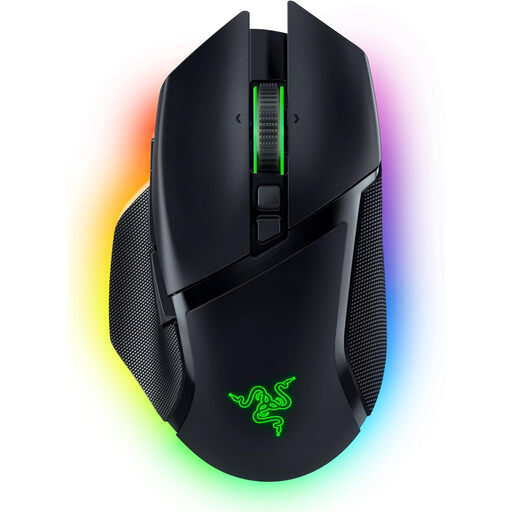
Why This Fits Their Persona: The ideal choice for users who need their mouse for both demanding gaming and productive work. The tri-mode connectivity, numerous programmable buttons, and flexible scroll wheel make it a true all-rounder.
This mouse justifies its extensive features with real-world value. Instead of focusing solely on gaming features, it also offers useful tools for the daily workflow, like Bluetooth and the HyperScroll wheel.
Tri-mode connectivity (2.4 GHz, Bluetooth, Wired); 10+1 programmable buttons; Razer HyperScroll Tilt Wheel for precise or fast scrolling; customizable RGB mouse lighting.
We have compiled a complete, up-to-date list of products that fully meet these strict selection criteria and all relevant safety regulations.
1. How important is the polling rate on a gaming mouse? The polling rate indicates how many times per second the mouse reports its position to the computer. A rate of 1000 Hz (1000 times per second) is the standard for gaming mice today and ensures smooth and responsive cursor movement. Higher rates like 4000 Hz or 8000 Hz can further reduce latency, but the difference is barely perceptible to most players.
2. Can I use a wireless gaming mouse in wired mode? Yes, most modern wireless gaming mice with a rechargeable battery can also be operated in wired mode using their USB charging cable. This is useful when the battery is low or if you prefer a guaranteed interference-free connection in certain situations.
3. What is the difference between an optical and a laser sensor? Optical sensors use an LED to illuminate the surface and are considered very precise and reliable in the gaming world, especially on mouse pads. Laser sensors can work on more surfaces, including glass, but sometimes tend to have slight inaccuracies or built-in acceleration, which can be undesirable in competitive gaming. For this reason, high-quality optical sensors are the dominant technology in gaming mice today.