
Lieferung heute & morgen

Qualitätsgarantie

Willkommens-Angebote freischalten: KOSTENLOSE Lieferung | Bis zu 80 % RABATT | Kostenlose 30-Tage-JoyPlus-Testphase
App herunterladen
The search for the right gaming mouse can quickly become overwhelming. Manufacturers advertise ever-higher DPI counts, extreme polling rates, and a multitude of features. However, not every advertised feature is equally relevant for every user. Setting the wrong priorities often leads to a purchase that doesn't meet your needs and, in the worst case, can even compromise ergonomics at your desk or during gameplay.
As a Joybuy Product Recommendation Officer, I analyse product data and filter out the crucial information to provide you with an objective basis for your purchasing decision. This guide highlights the most common pitfalls and explains which technical parameters truly matter.
Before we dive into the technical details, it's important to be aware of three common marketing traps that often lead to an unsuitable choice:
To find the right PC mouse, you should focus on a few core parameters that have a direct impact on performance and comfort.
The polling rate, measured in Hertz (Hz), indicates how often the mouse reports its position to the computer. A standard value of 1000 Hz (1,000 times per second) is sufficient for most use cases. Models with a 4K or 8K polling rate (4,000 and 8,000 Hz, respectively) offer theoretically lower latency and smoother cursor movement. This can be advantageous for competitive gamers with high-refresh-rate monitors (144 Hz and above). However, be aware that a higher polling rate also consumes more CPU power.
The trend is clearly moving towards the lightweight gaming mouse. Models under 70 grams reduce inertia and allow for faster, more precise movements with less effort. This reduces wrist strain during long gaming sessions. At least as important is the shape. Whether you prefer a Palm, Claw, or Fingertip grip, the mouse should naturally support your hand posture. An ergonomic mouse shaped specifically for right or left-handers can significantly increase comfort.
The choice of connection depends on your use case:
A multi-device mouse that can switch between multiple connection types and devices is an excellent choice for users who combine their workspace and gaming setup. Programmable buttons also allow you to assign macros or specific functions, which can boost efficiency in both gaming and work.
Here are some recommendations tailored to different user profiles that take the above criteria into account.
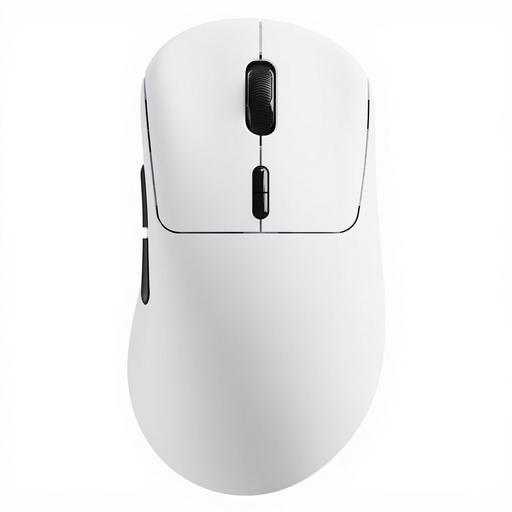
Why This Fits Their Persona: This model is designed for gamers where every millisecond counts. Its extremely low weight and high polling rate enable maximum reaction speed and precision in fast-paced games.
It bypasses the "wireless latency" trap with a native 8K polling rate in wireless mode, delivering performance on par with or exceeding wired mice. The focus is on measurable performance, not just a high DPI number.
Very lightweight gaming mouse at only 53g; native 8K Hz polling rate in both wired and wireless modes; 10 programmable buttons.
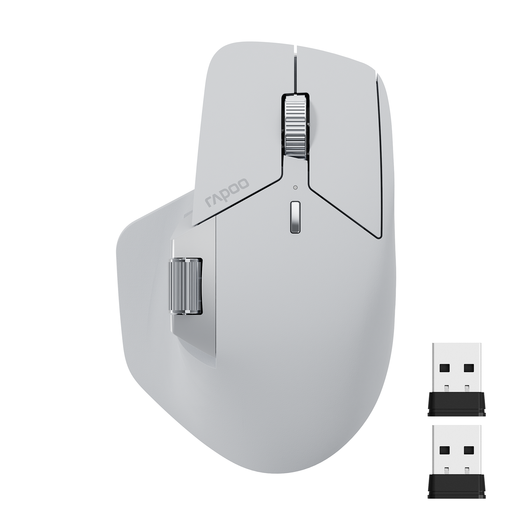
Why This Fits Their Persona: Ideal for users who switch seamlessly between a work PC, personal laptop, and tablet. The focus is on versatility, long-term comfort, and practical features for daily productivity.
This model avoids the trap of sacrificing ergonomics for specs. The design, featuring a thumb rest, is built for comfort, while its multi-device mouse functionality offers real practical value over pure gaming specifications.
Connects with up to 4 devices (Bluetooth 5.0 & 2.4G); 11 programmable buttons; ergonomic design with a side scroll wheel.
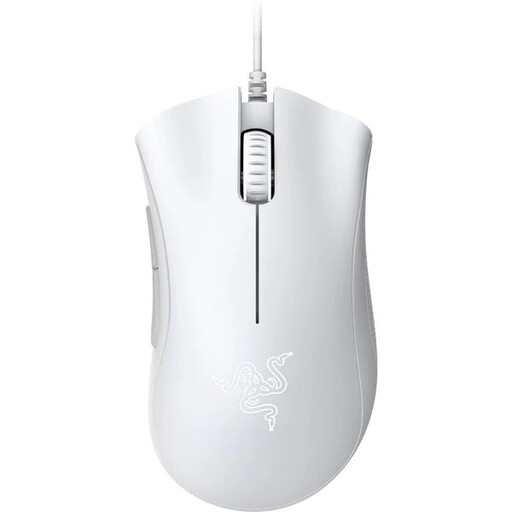
Why This Fits Their Persona: A proven and reliable choice for gamers seeking solid performance without a high price tag. Its iconic shape and solid sensor make it an excellent entry point into the world of gaming peripherals.
This Razer mouse bypasses the "high DPI" myth with a practical 6,400 DPI sensor that is perfectly adequate for most games and screen resolutions. As a wired model, it also eliminates any concerns about latency or battery life.
Proven, iconic, and ergonomic mouse shape; reliable optical sensor; durable switches rated by Razer for up to 10 million clicks.
If you want to compare more models that stand out for their customisable features, you'll find a comprehensive selection in our dedicated category.
That depends on your hardware and your needs. For competitive gamers with a powerful PC and a high-refresh-rate monitor (e.g., 240 Hz), an 8K polling rate can provide noticeably smoother and more responsive control. For casual gamers or those using a 60 Hz monitor, the difference from 1000 Hz is generally imperceptible, while the CPU resource consumption increases.
Battery life varies greatly depending on the model and usage. High-performance models with high polling rates and RGB lighting often provide between 70 and 100 hours of use. Others, optimised for energy efficiency, can last several hundred hours at a standard 1000 Hz polling rate. Pay attention to the manufacturer's specifications, which often state the battery life under specific conditions (e.g., with or without lighting).
The basic functions of most mice are available immediately via plug-and-play. However, to unlock their full potential—especially for configuring DPI levels, lighting, and programmable buttons—installing the manufacturer's software is necessary. Many modern mice feature onboard memory, which allows you to save your profiles directly on the mouse. This ensures your settings are retained even when you use the mouse on another computer without the software installed.