
Lieferung heute & morgen

Qualitätsgarantie

Willkommens-Angebote freischalten: KOSTENLOSE Lieferung | Bis zu 80 % RABATT | Kostenlose 30-Tage-JoyPlus-Testphase
App herunterladen
Choosing a new gaming mouse can be a challenge given the multitude of technical specifications like DPI, polling rate, and sensor types. The wrong mouse can hinder your in-game precision and lead to discomfort during long sessions. This article aims to clarify the most important features and provide you with a solid basis for making an informed decision. We'll present a selection of models for different needs and budgets to help you find the right mouse for your setup.
Before we look at specific models, it's helpful to understand the key criteria. When researching for a gaming mouse comparison, users encounter many technical terms. The following three aspects are particularly relevant for performance and comfort.
The heart of any gaming mouse is its optical sensor. It is responsible for accurately translating your hand movements to the screen. A high-quality sensor ensures flawless tracking without any unwanted acceleration or dropouts.
The sensor's sensitivity is measured in DPI (Dots Per Inch). A high DPI value means the mouse cursor travels a long distance on the screen with only a small hand movement. While many manufacturers advertise extremely high DPI figures, most gamers use settings between 400 and 3200 DPI. More important than a maximum DPI value is a wide, customisable range that allows you to tune the sensitivity precisely to your game and preferences.
Today, the choice between a wired and a wireless gaming mouse is less about performance and more about personal preference. Modern wireless technologies, especially connections via a 2.4 GHz wireless adapter, offer latencies that are virtually indistinguishable from their wired counterparts.
An ergonomic gaming mouse is crucial for comfort during long gaming sessions. The shape should fit well in your hand and match your grip style (palm, claw, or fingertip grip). Weight also plays a role: a lightweight gaming mouse (often under 80 grams) allows for the fast, sweeping movements common in FPS games. Heavier models, on the other hand, can provide a sense of greater control and stability.
Additional programmable buttons offer an advantage by simplifying the execution of complex commands or macros. For fans of visual customisation, an RGB gaming mouse with configurable lighting is an interesting option to personalise your gaming setup.
Here, we present three models that cater to different types of gamers—from the enthusiast and competitive player to the beginner.
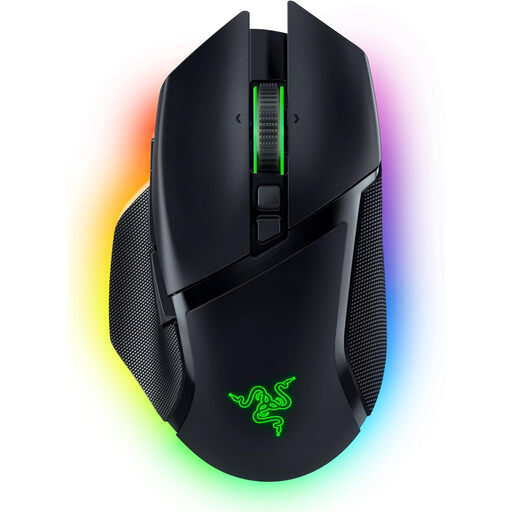
Why It Stands Out: The Razer Basilisk V3 Pro is a versatile powerhouse that excels with its extensive customisation options. Its standout feature is the Razer HyperScroll Tilt Wheel, which can switch between a tactile and a free-spinning mode. Combined with its tri-mode connectivity (HyperSpeed Wireless, Bluetooth, wired) and intense 13-zone Chroma RGB lighting, it offers a high degree of flexibility for both gaming and productivity.
Pros:
Who Is It For? Gaming enthusiasts who want a powerful, wireless, and highly customisable mouse that is suitable for a wide range of game genres and who don't want to compromise on features.
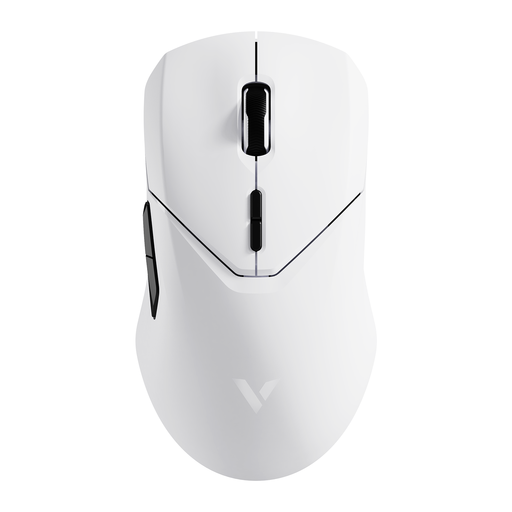
Why It Stands Out: The RAPOO VT9Pro is engineered from the ground up for competitive performance. Its main feature is support for a 4000 Hz polling rate in wireless mode, enabling an extremely low latency of just 0.25 milliseconds. Combined with its low weight of only 68 grams, it is optimised for fast-paced and reaction-intensive games.
Pros:
Who Is It For? Competitive gamers and esports professionals for whom every millisecond counts. Anyone looking for an extremely responsive and lightweight gaming mouse for fast-paced FPS titles like Valorant or CS:GO will find the right tool here.
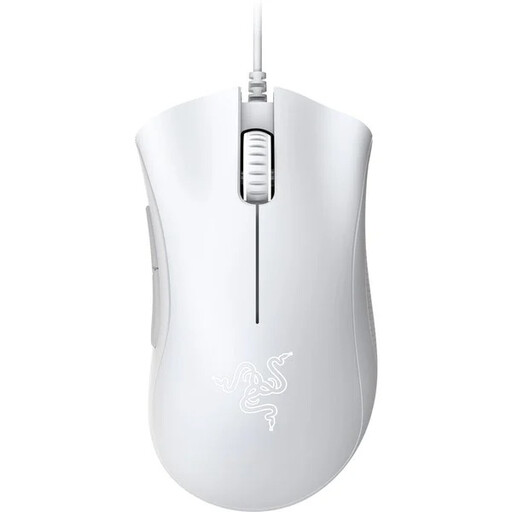
Why It Stands Out: The Razer DeathAdder Essential focuses on the essentials: reliable performance and proven ergonomics at a very accessible price. It uses the iconic and widely acclaimed shape of the DeathAdder series, which ensures hours of comfort. As a wired model, it provides a solid foundation for getting started with PC gaming.
Pros:
Who Is It For? Beginners, casual players, or gamers on a tight budget who are looking for a reliable, comfortable, and straightforward wired mouse without sacrificing precise control.
The selection presented here covers various use cases. However, the market offers an even greater variety of models with different shapes, weights, and button configurations. If you have specific requirements or simply want to compare more alternatives, it's worth taking a look at our wider range.
Discover our full range of programmable mice and find the model that perfectly matches your setup.
There is no universally "best" DPI value, as it heavily depends on personal preference, screen resolution, and the game being played. Many professional esports players prefer relatively low settings (typically 400, 800, or 1600 DPI) as this allows for more precise control for fine adjustments. More important than a high maximum value is a mouse that allows for flexible adjustment in small increments.
For most gamers today, the answer is yes. The 2.4 GHz wireless technology in modern wireless mice is so advanced that there is no perceptible difference in latency compared to wired models in practice. For many users, the advantage of unrestricted freedom of movement without annoying cable drag outweighs the disadvantage of occasional charging.
Weight is a matter of personal preference and playstyle. A lightweight gaming mouse (under 80g) reduces fatigue during fast, repetitive movements and is therefore often preferred in fast-paced shooters. A heavier mouse (over 100g) can feel more stable and controlled, which can be advantageous in other genres or for users with larger hands.