
Lieferung heute & morgen

Qualitätsgarantie

Willkommens-Angebote freischalten: KOSTENLOSE Lieferung | Bis zu 80 % RABATT | Kostenlose 30-Tage-JoyPlus-Testphase
App herunterladen
The search for the right gaming mouse can quickly become overwhelming. Manufacturers advertise ever-higher DPI numbers, futuristic designs, and a seemingly endless list of features. But which features truly enhance your gaming experience, and which are pure marketing? As your Joybuy Product Recommendation Officer, I'll help you identify the crucial factors and avoid common purchasing traps, so you can make an informed decision.
Many buyers invest in a mouse that looks impressive on paper but proves unsuitable in practice. The most common problems arise from three widespread misconceptions:
Instead of being swayed by marketing buzzwords, you should focus on the core technical parameters that directly impact performance and comfort.
The sensor is the heart of every mouse for gamers. A high-quality optical sensor is not defined by its maximum DPI but by its precision and reliability at the settings you actually use. Look for the following characteristics:
The choice between a wired and a wireless mouse depends on your personal priorities.
An ergonomic gaming mouse must be the right fit for you. Consider your grip style:
A gaming mouse with programmable buttons can significantly increase efficiency in games (e.g., for macros in MMOs) and at work. The number of buttons you need depends heavily on the genres you play.
Here are some recommendations tailored to specific user profiles, taking the criteria above into account.
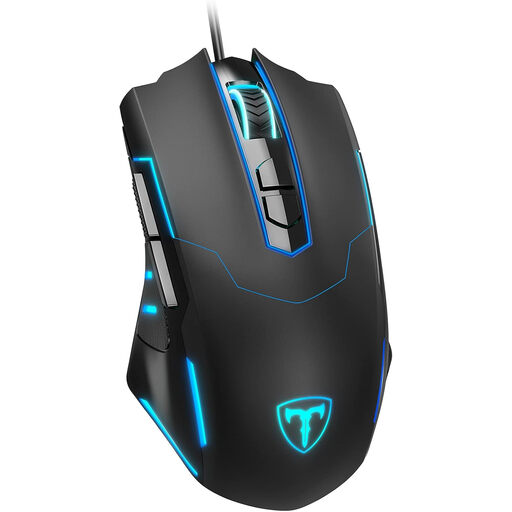
Why this model is a great fit: Ideal for gamers seeking a reliable and feature-rich mouse without a large investment. It offers essential gaming features for a fraction of the price of premium models.
This model resists the DPI trap by offering a practical and adjustable range up to 7200 DPI, which is more than sufficient for all common game genres.
It offers 7 programmable buttons, a feature typically reserved for more expensive mice, allowing for high customisation across different games.
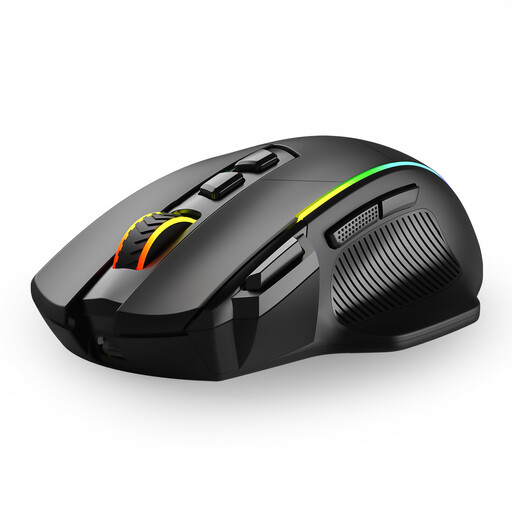
Why this model is a great fit: Perfect for users who need a single mouse for PC gaming and laptop work. The three connection modes offer maximum flexibility for any use case.
Debunks concerns about wireless mice by providing a low-latency 2.4 GHz option for gaming and a power-saving Bluetooth connection for on-the-go use.
Tri-mode connectivity (2.4G, Bluetooth, USB-C) and 8 programmable buttons make it a versatile tool for both gaming and productivity.
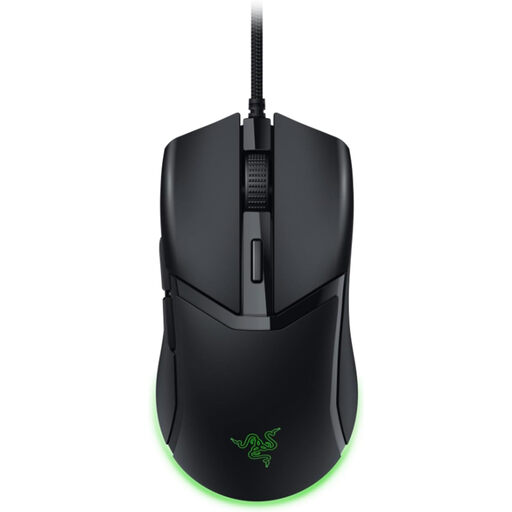
Why this model is a great fit: Engineered for speed and precision. Its extremely low weight enables fast, sweeping mouse movements that are crucial in fast-paced FPS games.
It sidesteps the ergonomics myth by focusing on a lightweight, symmetrical shape that works for various grip styles, rather than imposing a bulky, specific form.
The feather-light weight of just 58 grams and Gen-3 Optical Mouse Switches (rated by Razer at 0.2ms actuation) are designed for maximum responsiveness and control.
We have compiled a complete, up-to-date list of products that fully meet these strict selection criteria and comply with UK safety regulations.
For most use cases and game genres, a DPI value between 400 and 1,600 is perfectly adequate. A high maximum DPI (e.g., 6,400 or more) is often an indicator of a modern sensor, but the actual precision and flawlessness of the sensor at lower settings is far more important. Focus on a sensor without artificial acceleration or smoothing.
Yes, with modern models, there is no noticeable difference in response time in practice. High-quality wireless mice using a 2.4 GHz radio connection offer a latency of about 1 millisecond, which matches the performance of wired mice. The choice ultimately depends on your preference: maximum freedom of movement (wireless) or not having to worry about charging a battery (wired).
The lifespan of a gaming mouse depends on the quality of its components, especially the switches under the main buttons. Manufacturers often state the durability in millions of clicks (e.g., 10M, 50M, or 90M clicks). With average use, a high-quality mouse with durable switches (e.g., 20 million clicks or more) can easily last for several years. The build quality of the housing and the durability of the cable also play a role.