
Lieferung heute & morgen

Qualitätsgarantie

Willkommens-Angebote freischalten: KOSTENLOSE Lieferung | Bis zu 80 % RABATT | Kostenlose 30-Tage-JoyPlus-Testphase
App herunterladen
Choosing the right gaming mouse can be the difference between victory and defeat. But the market is flooded with marketing promises and technical specs that confuse more than they help. Many gamers invest in expensive models only to find they don't suit their playstyle or lose precision after a short time. Before you make a decision, it's crucial to understand the most common pitfalls.
The 3 Most Common Traps When Buying a Gaming Mouse:
To avoid a bad purchase, you should focus on the parameters that directly influence your in-game performance. Instead of being swayed by marketing buzzwords, check the following three aspects.
The heart of any gaming mouse is its sensor. A high-quality optical sensor ensures precise and flawless tracking of your movements. Instead of focusing on a maximum DPI number, it's more important that the mouse has a reliable sensor and allows for flexible adjustment of DPI levels.
The decision between a wired mouse and a wireless gaming mouse depends on personal preference and your use case.
The buttons and the shape of the mouse are crucial for the in-game feel and durability.
We have selected a few models from our range of PC gaming accessories that are tailored to different requirements and budgets.
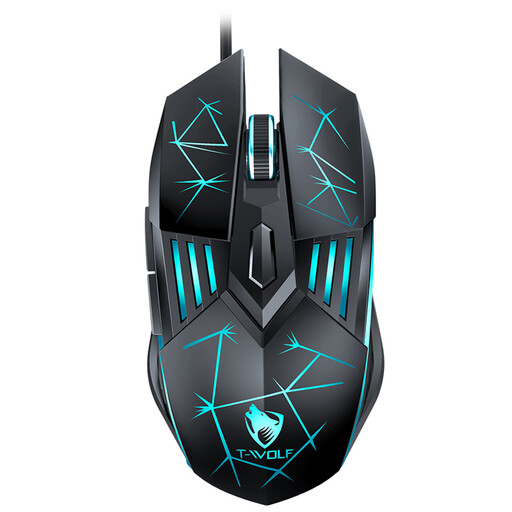
Why this model is a good fit: Ideal for gamers looking for a reliable and straightforward entry-level mouse. It offers all the necessary core features without the premium for complex extras.
This model focuses on a practical DPI range up to 3600, thus avoiding the "DPI myth." It delivers solid performance instead of superfluous features.
Plug-and-play functionality without driver installation and an ergonomic design for comfortable use.
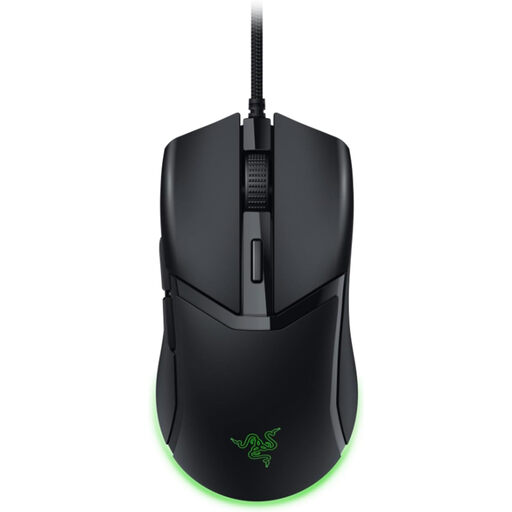
Why this model is a good fit: Engineered for speed and precision. Its extremely low weight is ideal for fast-paced FPS games where every millisecond counts.
This model avoids the "overloaded design" trap by focusing on the essentials: low weight and fast switches for maximum performance.
Ultra-lightweight 58g design and 3rd Gen Optical Mouse Switches for minimal latency and high durability (rated for 90 million clicks, according to Razer).
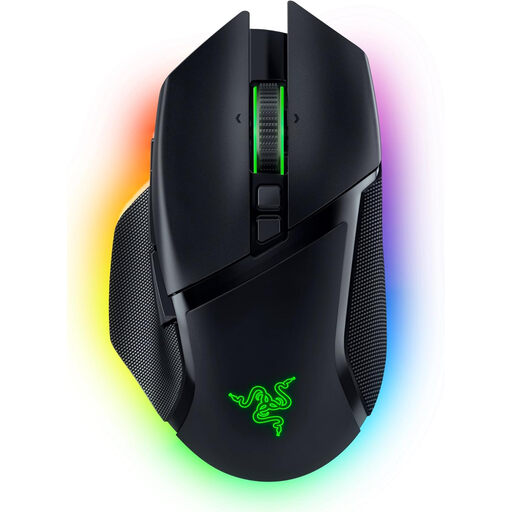
Why this model is a good fit: For gamers who demand maximum performance, customisability, and flexibility. Ideal for various game genres and demanding users.
Although it offers many features, they are high-quality and useful (e.g., HyperScroll Tilt Wheel, smart sensor). The high DPI value is justified here by sensor technology that enables pixel-perfect precision.
Tri-mode connectivity (HyperSpeed Wireless, Bluetooth, Wired) and an advanced optical sensor for maximum flexibility and performance in any situation.
We have compiled a complete, up-to-date list of products that meet these strict selection criteria and safety regulations. Discover bundles with a matching **gaming keyboard** as well.
For most gamers and games (like FPS or MOBA), a range between 800 and 3,200 DPI is optimal. Very high DPI values over 10,000 are typically only relevant for niche applications, such as extremely high-resolution multi-monitor setups. More important than the maximum value is a precise sensor that operates flawlessly at the settings you actually use.
Yes, modern wireless gaming mice that use 2.4 GHz technology offer latency that is indistinguishable from their wired counterparts. The main differences lie in the higher price and the need to charge the battery. For competitive gaming, a high-quality wireless gaming mouse is a completely viable alternative today.
The lifespan of a gaming mouse heavily depends on the quality of its components, especially the button switches. Durability is often rated in millions of clicks (e.g., 10 million, 50 million, or even 90 million clicks according to Razer). With average use, a well-built mouse can last for several years. The quality of the cable and the housing also play a significant role in its longevity.