
Lieferung heute & morgen

Qualitätsgarantie

Willkommens-Angebote freischalten: KOSTENLOSE Lieferung | Bis zu 80 % RABATT | Kostenlose 30-Tage-JoyPlus-Testphase
App herunterladen
The search for the right gaming mouse can quickly become overwhelming. Manufacturers advertise ever-higher DPI counts, spectacular RGB lighting, and supposedly revolutionary designs. But not every advertised feature actually leads to better performance or more comfort. Often, it's these exaggerated marketing promises that lead to a purchase you'll regret.
This guide will help you distinguish the crucial features from the unimportant ones. We'll highlight the most common pitfalls and show you which technical parameters truly matter, so you can make an informed decision for your next PC mouse for gamers.
Before we dive into the important specifications, let's look at three common marketing traps that often promise more than they deliver.
Focus on the following three technical features in your selection. They are the foundation for precision, comfort, and reliability.
The heart of any gaming mouse is its sensor. Instead of just looking at the maximum DPI number, the quality of the optical sensor is crucial. Modern sensors like the PAW3395 or the Razer Focus Pro 30K offer flawless tracking without unwanted acceleration or smoothing. This ensures a 1:1 translation of your hand movement on the screen.
The choice between a wired and a wireless mouse depends on your personal preference.
The weight and shape of the mouse have a direct impact on handling and comfort.
Here are some models tailored to different user profiles that avoid the pitfalls mentioned.
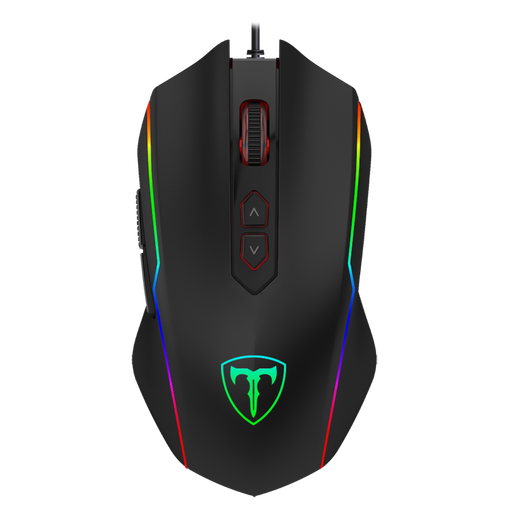
Why this model fits: Ideal for gamers seeking a solid set of essential features without a high cost. It offers everything needed to get started in PC gaming, like adjustable DPI and programmable buttons, and is ready to use out of the box with plug-and-play.
This model focuses on functional specifications rather than marketing hype. The DPI range up to 7200 is more than sufficient for all gaming scenarios, and the programmable buttons offer real added value.
Offers a comprehensive feature set, including 8 programmable buttons and customisable RGB lighting, at a very accessible price point.
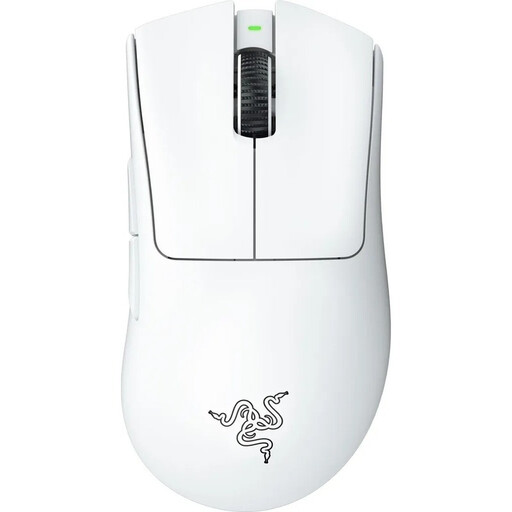
Why this model fits: Every detail of this mouse is engineered for maximum competitive performance. The ultra-lightweight design, high-precision sensor, and lag-free wireless connection make it a tool for players where every millisecond counts.
Instead of advertising with sheer numbers, the focus is on practical benefit: the low 64g weight was developed in collaboration with esports pros to reduce fatigue and optimise handling. Performance is clearly prioritised over pure aesthetics.
A combination of an ultra-lightweight design (lightweight mouse), a Razer Focus Pro 30K sensor for flawless tracking, and latency-free HyperSpeed Wireless technology.
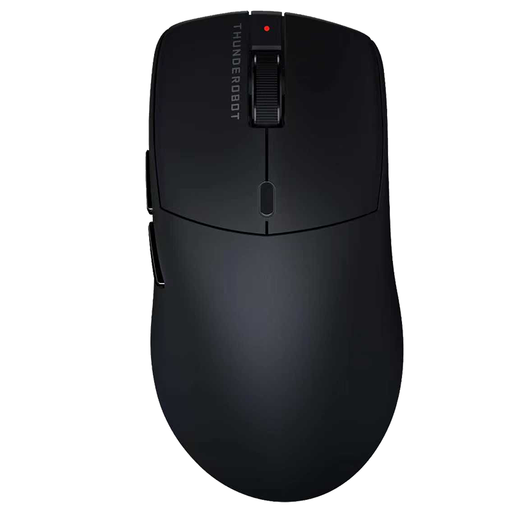
Why this model fits: Perfect for users who need one mouse for both gaming and productivity. The tri-mode connectivity allows for seamless switching between different devices, while the high-performance sensor excels even in demanding games.
Instead of fixating on a single feature, this model offers true versatility with three connection modes. The solid, hole-less design is practical, easy to clean, and still lightweight, representing a thoughtful compromise.
Maximum flexibility through tri-mode connectivity (2.4G, Bluetooth, Wired) combined with a high-performance PAW3395 sensor and an ergonomic, solid-shell body.
If you're specifically looking for models that combine comfort and performance, we've put together a selection for you. Discover products designed for ergonomic handling.
For most use cases and screen resolutions (up to WQHD), a DPI range of 400 to 3,200 is perfectly sufficient. More important than a high maximum value is a high-quality sensor that operates precisely and without errors at these common settings. The ability to switch between multiple DPI levels directly on the mouse is a practical feature.
Yes, modern wireless gaming mice that use a 2.4 GHz radio connection offer response times and stability comparable to wired models. The latency is imperceptible to humans. Therefore, the decision primarily comes down to personal preference regarding freedom of movement and the need to recharge.
Battery life varies greatly depending on the model, usage, and especially the lighting. A mouse with no or disabled RGB lighting can often last 70 to 100 hours or more. With bright lighting enabled, this time can be reduced to 20 to 40 hours. Many models can continue to be used via cable while charging.