
Lieferung heute & morgen

Qualitätsgarantie

Willkommens-Angebote freischalten: KOSTENLOSE Lieferung | Bis zu 80 % RABATT | Kostenlose 30-Tage-JoyPlus-Testphase
App herunterladen
The search for the right gaming mouse can quickly become overwhelming. The market is filled with models that advertise high DPI counts, countless buttons, and spectacular RGB lighting. But not every expensive mouse is a good investment, and many supposed premium features prove to be impractical in daily use. As your Joybuy Product Recommendation Officer, I'll help you distinguish marketing hype from genuine performance features.
Many buyers fall into common traps that lead to frustration and an empty wallet. Here are the most frequent problems you should avoid:
To make an informed decision, you should focus on the technical parameters that directly impact your gaming experience.
The heart of every PC mouse is its sensor. It determines how precisely your movements are translated to the screen. Instead of focusing on the maximum DPI number, a mouse with adjustable DPI is the more practical choice. This allows you to adjust the sensitivity depending on the game or application—lower DPI for precise shots in shooters, higher DPI for quick movements in strategy games.
Another important value is the polling rate, measured in Hertz (Hz). It indicates how often the mouse reports its position to the computer. A standard of 1000 Hz is ideal for responsive gaming and ensures smooth cursor movement without any delay.
The quality of the mouse switches determines the tactile feel and lifespan of your clicks. Mechanical switches are the standard, but optical switches are gaining popularity as they are triggered by light beams, offering higher speed and durability without double-clicking issues.
Programmable buttons are another crucial advantage. They allow you to assign complex commands or macros to a single button, which can provide a significant edge in many games. Consider how many extra buttons you really need—for most gamers, two to four thumb buttons are sufficient.
A good ergonomic mouse is one you barely notice. The fit depends on your hand size and grip style:
Pay attention to the weight and materials. A lighter mouse allows for faster movements, while a heavier mouse can offer more stability.
Based on these objective criteria, we have selected a few models for different user profiles.
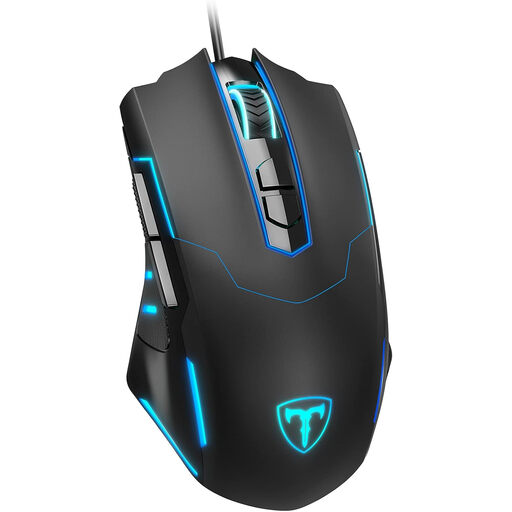
Why This Fits Their Persona: This model offers essential gaming features like adjustable DPI and programmable buttons at a very accessible price. It's a solid choice for anyone looking to get into the world of PC gaming without a major investment.
It avoids the DPI trap by offering a practical and adjustable range up to 7200 DPI, which is more than sufficient for most games. The focus is on functional performance rather than marketing numbers.
7 programmable buttons and an adjustable polling rate provide a high level of control that is not a given in this price range.
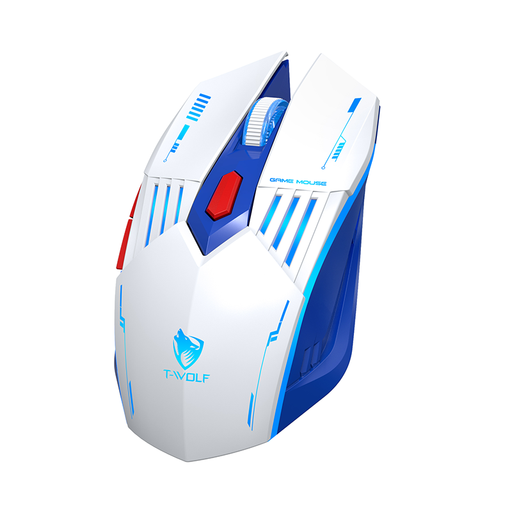
Why This Fits Their Persona: For users who want a single mouse for gaming, work, and mobile use with a laptop. The three connection modes (2.4G, Bluetooth, wired) offer maximum flexibility for any scenario.
Instead of relying on a single feature like a flashy LED mouse design, this model offers real practical value through its versatile connectivity options and rechargeable battery.
The tri-mode connectivity is the key advantage. The integrated 300 mAh battery with a Type-C charging port ensures long-lasting performance and modern convenience.
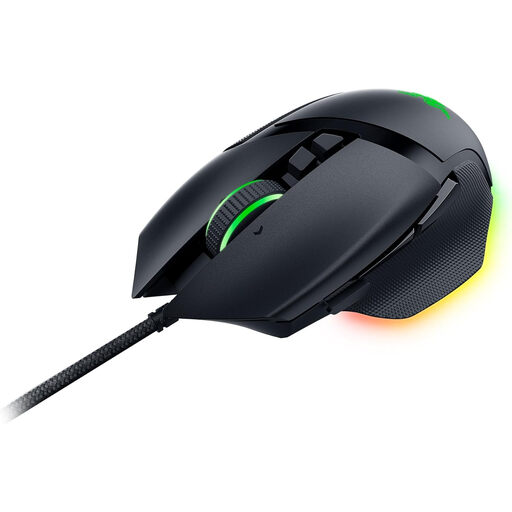
Why This Fits Their Persona: Designed for gamers and power users who demand maximum control, customisation, and proven ergonomics. The high number of programmable buttons and the high-precision sensor are ideal for complex games and productive applications.
This mouse avoids the ergonomics trap with its proven shape and thumb rest, designed for comfort during long sessions. The 2nd-gen optical switches also guarantee high durability.
10+1 programmable buttons, the Razer HyperScroll Tilt Wheel for precise or free-spin scrolling, and the Focus+ Sensor with up to 26,000 DPI offer the ultimate level of performance and customisation.
We have compiled a complete, up-to-date list of products that fully meet these strict selection criteria and German safety regulations.
For most gamers and the most common screen resolutions (1080p to 1440p), a DPI range between 800 and 3,600 is perfectly adequate. More important than an extremely high maximum value is the ability to adjust the DPI levels easily and quickly to react flexibly to different in-game situations.
A wired gaming mouse offers a consistently stable, latency-free connection and never needs to be charged, making it very reliable for competitive gaming. Modern wireless mice have largely overcome the latency issues of previous generations and offer more freedom of movement, but they need to be charged regularly. The choice depends on your personal preference for convenience versus reliability.
Disconnect the mouse from the computer. Use a microfibre cloth lightly dampened with water or a mild cleaning solution to wipe down the housing. For hard-to-reach areas like the gaps between buttons, you can use a cotton swab or a soft brush. Make sure no liquid gets inside the mouse. The sensor on the bottom should be regularly cleaned of dust with a dry cloth to maintain precision.