
Lieferung heute & morgen

Qualitätsgarantie

Willkommens-Angebote freischalten: KOSTENLOSE Lieferung | Bis zu 80 % RABATT | Kostenlose 30-Tage-JoyPlus-Testphase
App herunterladen
Choosing a new gaming mouse can be complicated. The market is flooded with models advertising high DPI counts, flashy RGB lighting, and ultra-lightweight designs. But not every advertised feature is relevant to every user or worth the premium. Many buyers quickly discover their expensive mouse is uncomfortable or that its hyped performance features make no difference in daily use.
As your Joybuy Product Recommendation Officer, I'm here to help you navigate the marketing noise. In this guide, I'll show you the most common pitfalls of mouse shopping and explain which technical parameters truly matter, so you can make an informed decision—whether for competitive gaming, productive office work, or everyday use.
Manufacturers often use technical specs to make products seem more appealing than they are in practice. Pay close attention to these three points to avoid buyer's remorse.
Instead of being swayed by marketing buzzwords, you should focus on the following three core aspects that directly influence your mouse's performance and comfort.
The sensor is the heart of every mouse. It determines how precisely your movements are translated to the screen.
The connection type directly impacts latency, flexibility, and battery life.
The best technology is useless if the mouse is uncomfortable. An ergonomic mouse is crucial for long, pain-free sessions.
Here are some models tailored to specific needs that avoid the common pitfalls mentioned.
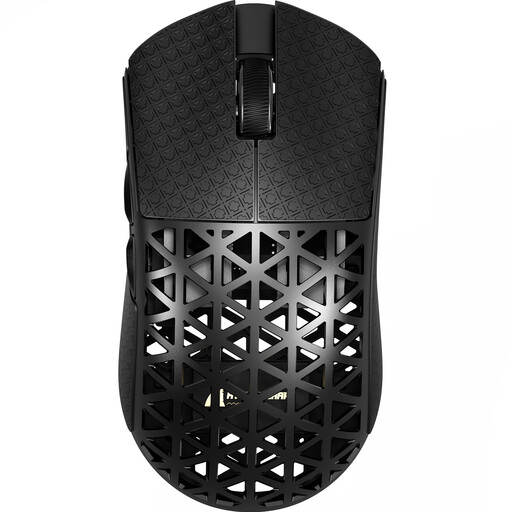
Why This Fits Their Persona: Engineered for maximum speed and responsiveness. The extremely low weight and 8000 Hz polling rate are tailored to the needs of players in fast-paced FPS titles where every millisecond counts.
The focus is on functional performance features like the 8000 Hz polling rate and the extremely low weight of approx. 42g, which have a direct impact on performance, rather than just advertising a high DPI number.
Extremely lightweight construction for rapid movements and a high-performance PAW3950 sensor for precise tracking.
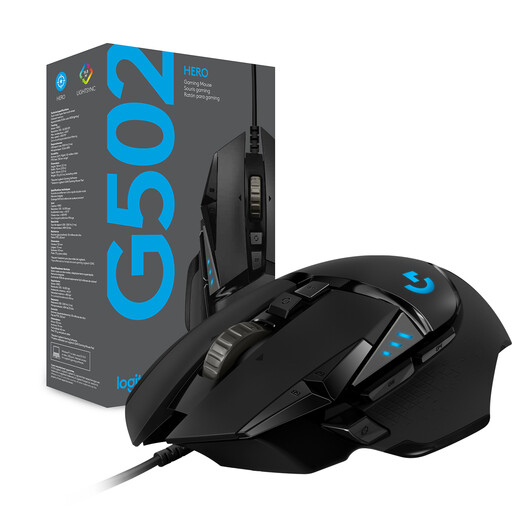
Why This Fits Their Persona: A proven all-rounder for users who both game and work productively. Its ergonomic shape, numerous programmable buttons, and customisable weight make it extremely versatile.
The value of this mouse lies in its proven ergonomics and high degree of customisation. The adjustable weight system and 11 programmable buttons offer real-world benefits that go beyond mere specifications.
Reliable HERO 25K sensor and high customisability for various use cases.
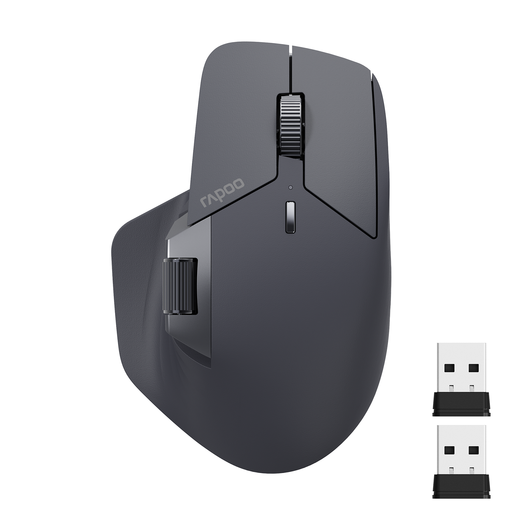
Why This Fits Their Persona: Perfect for the modern office or home office. This mouse can seamlessly switch between multiple devices and offers superior comfort for long workdays with its side scroll wheel and ergonomic shape.
This mouse focuses on productivity-enhancing features instead of gaming gimmicks. The multi-device connectivity via Bluetooth and 2.4 GHz solves a real problem for users with multiple computers or tablets.
Connects with up to 4 devices, long battery life, and an additional side scroll wheel for horizontal scrolling.
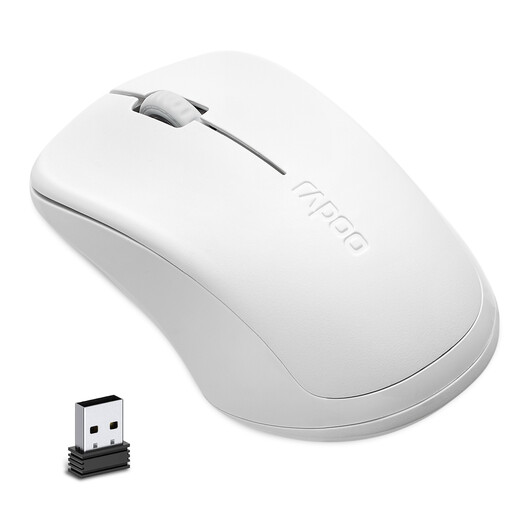
Why This Fits Their Persona: A reliable and straightforward mouse for everyday use at the office or at home. The silent clicks are ideal for quiet environments, and the long battery life makes it very low-maintenance.
This model deliberately omits expensive extra features like RGB or high DPI counts. Instead, it offers practical everyday advantages like silent clicks and long battery life at a very accessible price point.
Quiet operation, a very long battery life of up to 12 months according to the manufacturer, and a simple plug-and-play design.
We have compiled a complete, real-time list of products that fully satisfy these strict selection criteria and UK safety regulations.
Battery life varies greatly depending on the model and usage. High-performance gaming mice with high polling rates and RGB lighting often last between 40 and 80 hours per charge. More efficient models, especially those designed for office use, can last for several months on a single battery or charge, according to manufacturer specifications. Disabling RGB lighting is the easiest way to extend battery life.
For the vast majority of users, including most gamers, an extremely high DPI count is not crucial. A range between 800 and 3,200 DPI offers enough flexibility for almost all applications. More important than the maximum DPI value is the quality of the optical sensor and its ability to track movements precisely without errors or artificial smoothing.
For basic use, no software is typically required (plug-and-play). However, to use advanced features like programming buttons, customising DPI levels, creating macros, or controlling the RGB mouse lighting, you will need to install the manufacturer's software. This allows you to fully tailor the mouse to your personal preferences.