
Lieferung heute & morgen

Qualitätsgarantie

Willkommens-Angebote freischalten: KOSTENLOSE Lieferung | Bis zu 80 % RABATT | Kostenlose 30-Tage-JoyPlus-Testphase
App herunterladen
The search for the right gaming mouse can quickly become overwhelming. Manufacturers advertise ever-higher DPI counts, ultralight designs, and a flood of technical jargon. But not every advertised feature translates to a real in-game advantage. Many of these marketing claims lead to poor purchasing decisions, where performance and durability are compromised.
As your Joybuy Product Recommendation Officer, I'm here to help you navigate these marketing traps. We will focus on the objective criteria that are crucial for a high-performance and reliable gaming mouse.
Before we dive into the important parameters, you should be aware of three common marketing traps that often lead to disappointment:
To make an informed decision, you should focus on three core technical areas. These determine the true performance of your esports equipment.
The quality of the optical sensor is the heart of any gaming mouse. Instead of just looking at the maximum DPI number, you should consider the following specs:
For competitive gaming, minimal delay between your movement and the cursor's reaction is essential.
The physical characteristics of the mouse must suit your hand and grip style.
Here are some recommendations tailored to specific requirements that avoid the pitfalls mentioned.
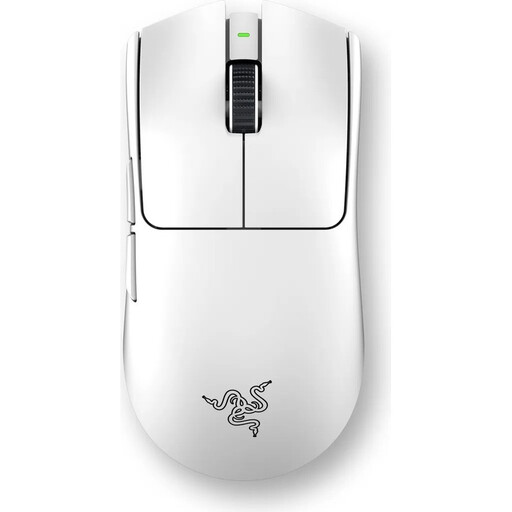
Why This Fits Their Persona: Engineered for esports professionals who demand maximum agility and minimal latency. Its extremely low weight allows for rapid directional changes and precise tracking in fast-paced encounters.
This model focuses on functional performance over marketing gimmicks. The low weight is achieved through intelligent engineering, not a perforated shell, ensuring durability. Its performance is built on a true 8K polling rate, not just an inflated DPI number.
Ultralight 54g Design: For maximum speed and control.
Razer 8000Hz HyperPolling: Delivers extremely low latency for near-instantaneous response.
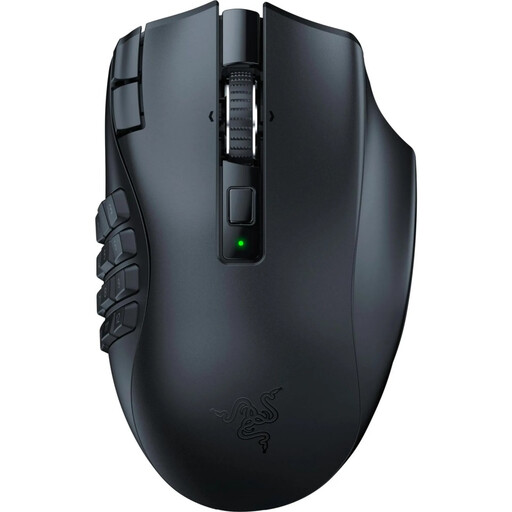
Why This Fits Their Persona: Perfect for players of MMOs and other complex genres who need quick access to a wide array of abilities and macros. The ergonomic shape supports long gaming sessions without fatigue.
This mouse deliberately ignores the "ultralight" trend, focusing instead on maximum functionality. Its weight and button count are optimized for its specific use case rather than following a generic marketing claim.
19 Programmable Buttons: For comprehensive control over commands and macros.
Razer HyperScroll Technology: Switchable scroll wheel for precise or rapid scrolling.
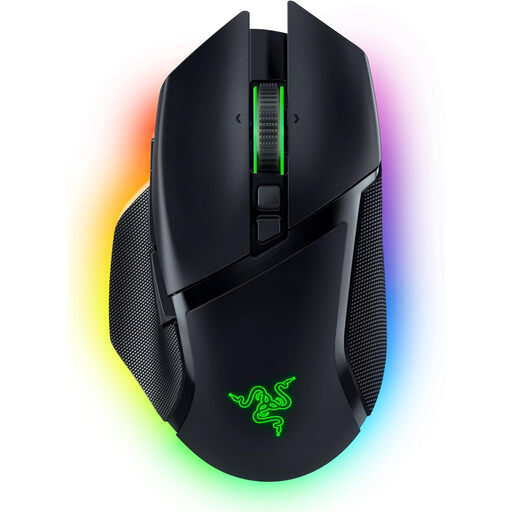
Why This Fits Their Persona: An all-rounder for users seeking a high-end mouse for diverse gaming and productivity tasks. It combines top-tier performance with superior comfort and versatile customisation options.
While it features a high-DPI sensor, its strengths lie in tangible benefits like the intelligent scroll wheel and versatile connectivity. These offer real-world value that goes beyond a single spec.
HyperScroll Tilt Wheel: Offers tactile, free-spin, and smart adaptive modes.
Tri-Mode Connectivity: Supports HyperSpeed Wireless, Bluetooth, and wired operation.
The right gaming mouse is one that fits you. Models like the Logitech G Pro series or the Razer Viper family often offer a great balance of performance and ergonomics. For a complete setup, a responsive mechanical keyboard, ideally with a hot-swap feature for customising switches, is also a worthwhile addition.
We've compiled a complete, real-time updated list of products that fully meet these strict selection criteria.
1. Is a gaming mouse with an 8K polling rate really necessary? For competitive players with high-refresh-rate monitors (144Hz or higher), an 8K polling rate can provide noticeably smoother cursor movement and lower input lag. For casual gamers or those using standard 60Hz monitors, a 1000 Hz polling rate is typically more than sufficient. Note that a higher polling rate also consumes more CPU resources.
2. How much DPI should a good gaming mouse have? The maximum DPI value is less critical than the sensor's quality and consistency. Most professional players use settings between 400 and 1600 DPI. A high-quality sensor that provides precise tracking without artificial acceleration or smoothing is more important. Focus on models with proven sensors rather than just a high DPI number.