
Lieferung heute & morgen

Qualitätsgarantie

Willkommens-Angebote freischalten: KOSTENLOSE Lieferung | Bis zu 80 % RABATT | Kostenlose 30-Tage-JoyPlus-Testphase
App herunterladen
The search for the right gaming mouse can quickly become overwhelming. The market is filled with technical jargon, aggressive marketing promises, and a seemingly endless selection of models. Many users invest in expensive mice, only to find after a few months that they are uncomfortable or that the advertised features offer no real-world value. Before you make a decision, it's important to know the most common pitfalls.
Three typical marketing traps often lead to buyer's remorse:
To make an informed decision, you should focus on the parameters that directly impact your performance and comfort. Instead of being swayed by marketing buzzwords, examine the following three core aspects.
The sensor is the heart of every PC mouse. A high-quality optical sensor ensures precise 1:1 tracking of your movements without unwanted acceleration or smoothing.
The weight and shape of the mouse have a significant impact on handling and comfort.
Today, the choice between a wired and a wireless mouse is less a matter of performance and more one of personal preference.
Here are some recommendations tailored to specific user profiles that avoid the pitfalls mentioned above.
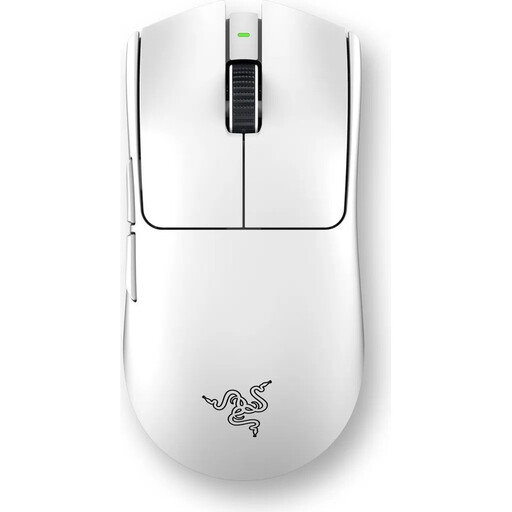
Why This Fits Their Persona: Engineered for maximum performance in competitive games. The ultra-lightweight design, high-precision sensor, and 8000 Hz polling rate are designed for minimal latency and maximum control, which is crucial in fast-paced FPS titles.
This mouse focuses on functional lightness and practical sensor precision instead of useless DPI records. The ergonomics are optimized for performance, not just for looks.
The combination of a 55g weight and 8000 Hz HyperPolling Technology offers a level of responsiveness that can be decisive in competition. The optical switches prevent double-clicks.
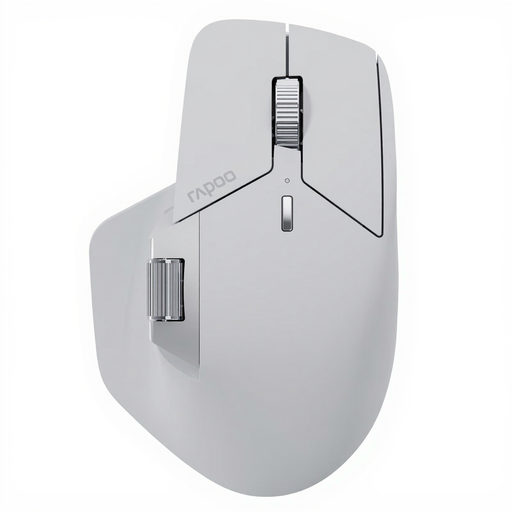
Why This Fits Their Persona: Combines gaming features (12K DPI, 2K Polling) with office functionality. The multi-device connectivity for up to 7 devices and the ergonomic shape are ideal for users who seamlessly switch between work on a laptop and gaming on a PC.
Offers a well-balanced, ergonomic mouse that remains comfortable even during long use, and a sensible DPI range sufficient for 4K monitors and precision work, without advertising useless numbers.
The M+ Cross-Computer Technology for controlling multiple machines and the NearLink connection for stable, energy-efficient performance make it a versatile work and play device.
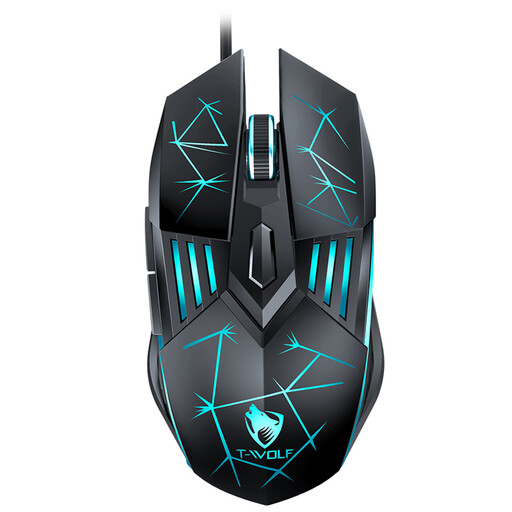
Why This Fits Their Persona: Provides essential gaming features like adjustable DPI (up to 3600), an ergonomic design, and 6 buttons at a very accessible price point. A solid starting point for casual gamers without a large investment.
Focuses on the essentials. Instead of exaggerated specs, it delivers reliable wired performance and functional ergonomics for getting started in PC gaming.
An excellent price-to-performance ratio that meets the most important gaming requirements. The plug-and-play functionality via USB allows for immediate use without driver installation.
We have compiled a complete, up-to-date list of products that fully meet these strict selection criteria and German safety regulations.
The polling rate is crucial for responsiveness. A rate of 1000 Hz (1 ms response time) is the current standard for gaming and provides a smooth, lag-free experience for most players. Higher rates like 4000 Hz or 8000 Hz can offer a minimal but potentially decisive advantage in competitive esports scenarios, but they also require more processing power from the PC.
Battery life varies greatly depending on the model, usage, and lighting settings. Modern, energy-efficient models can last for several weeks or even months with RGB lighting disabled. Mice designed for maximum performance, like the Logitech mouse G Pro X Superlight 2, offer up to 95 hours of active playtime according to the manufacturer. Look for models with USB-C fast charging for added convenience.
Most gaming mice work out of the box with plug-and-play for basic functions. However, to unlock their full potential—such as customizing DPI levels, programming buttons, creating macros, or configuring RGB lighting—you'll need to install the manufacturer's software (e.g., Logitech G HUB, Razer Synapse). This software allows for detailed personalization of the mouse to your specific needs.