
Lieferung heute & morgen

Qualitätsgarantie

Willkommens-Angebote freischalten: KOSTENLOSE Lieferung | Bis zu 80 % RABATT | Kostenlose 30-Tage-JoyPlus-Testphase
App herunterladen
The search for the right gaming mouse can quickly become overwhelming. Manufacturers advertise ever-higher DPI counts, futuristic designs, and a flood of technical terms. But not every advertised feature is relevant in practice or worth the extra cost. Many gamers invest in models that don't suit their playstyle or hand shape. This guide will help you distinguish marketing hype from genuine performance features and make an informed decision.
As a Joybuy Product Recommendation Officer, I analyze the market to provide you with objective and practical advice. We'll focus on the pitfalls that often lead to buyer's remorse and the core parameters that truly matter.
Before we dive into the important specifications, let's look at the three most common marketing traps that can lead to disappointment.
To avoid making a poor choice, you should focus on the following practical criteria. These determine the actual performance and comfort of your PC mouse gaming setup.
The sensor is the heart of any gaming mouse. It is responsible for accurately tracking your movements. Instead of focusing on a maximum DPI number, you should prioritize the quality of the optical sensor. Modern sensors like the PAW3395 or the Razer Focus Pro offer flawless tracking without unwanted acceleration or smoothing.
More important than a high maximum value is a flexibly adjustable DPI level. This allows you to quickly adapt the sensitivity to different game situations—a lower DPI for precise aiming, a higher one for quick turns.
A mouse's weight directly impacts its handling. A lightweight gaming mouse (often under 70 grams) allows for fast, fatigue-free movements and is particularly popular in FPS games like Valorant or CS2. Heavier mice, on the other hand, can provide a sense of stability and control, which is preferred in other genres.
The shape must match your grip style:
The choice between a wired gaming mouse and a wireless one is less about performance today and more about personal preference.
Here are some recommendations tailored to different user profiles and their requirements.
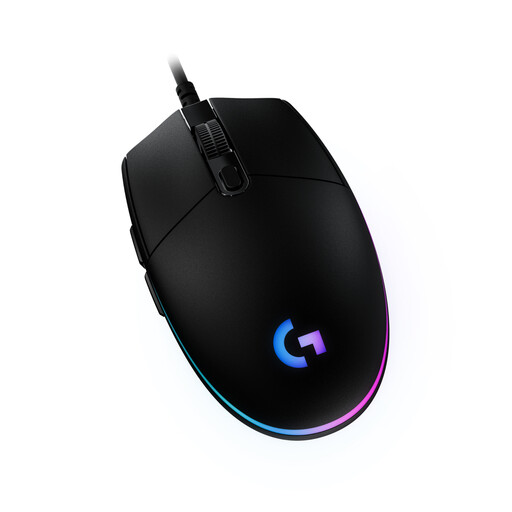
Why This Fits Their Persona: The G203 is a classic choice for beginners seeking reliable performance without a high cost. Its proven design and solid sensor provide an excellent foundation for all game genres, from shooters to strategy games.
This model focuses on the essentials: a precise sensor with a practical DPI range (up to 8,000) and a proven shape. It avoids the DPI myth and, as a wired mouse, offers a latency-free connection.
Reliable sensor with up to 8,000 DPI; classic design suitable for many hand sizes; customizable RGB gaming mouse lighting via G Hub software.
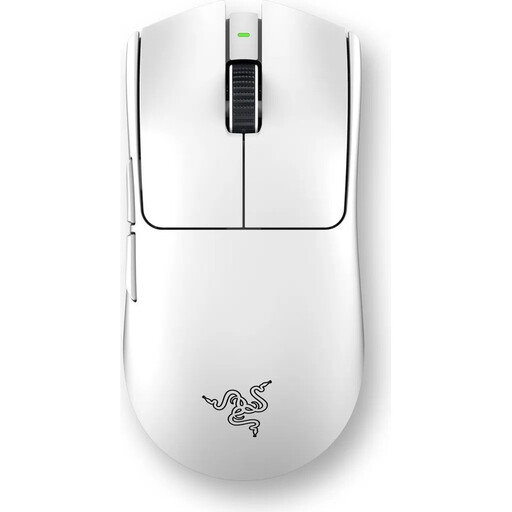
Why This Fits Their Persona: Engineered for competition where every millisecond counts. The ultra-lightweight design and high-precision sensor make this esports mouse the choice for players who demand maximum speed and responsiveness.
This Razer mouse bypasses the latency fallacy with its verifiable 8000Hz HyperPolling technology. Instead of a vague "ergonomic" shape, it offers a symmetrical design specifically optimized for claw and fingertip grips.
Extremely lightweight at just 54 grams for maximum agility; Razer Focus Pro 35K sensor for supreme precision; ultra-low latency via wireless 8000Hz polling rate.
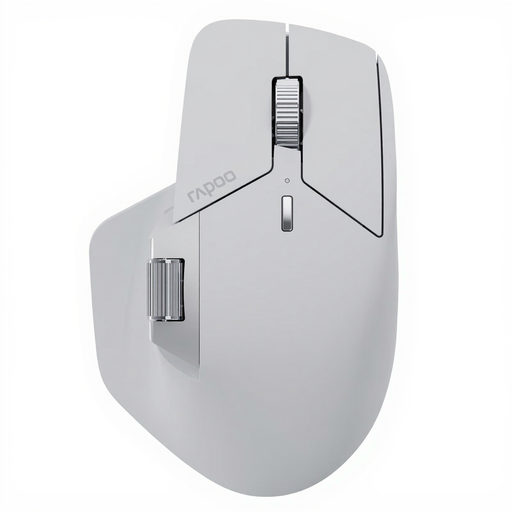
Why This Fits Their Persona: Perfect for users who not only game but also need to be productive. With 11 programmable buttons and the ability to connect to up to seven devices, it's a true multitasking tool for MMO players and power users.
This model offers concrete, functional advantages like a high button count and M+ Cross-Computer technology instead of empty marketing promises. Its ergonomics are clearly designed for right-handed users, avoiding the imprecise "one-size-fits-all" approach.
11 programmable buttons ideal for macros in MMOs/RTS; multi-device connectivity for seamless switching between a PC, laptop, and tablet; long battery life of up to 120 days according to the manufacturer.
We have compiled a complete, real-time updated list of products that fully meet these strict selection criteria and all relevant safety regulations.
Battery life varies greatly depending on the model, usage, and lighting settings. Many modern mice offer between 40 and 100 hours of active playtime per charge. Some models, like the Rapoo MT760 PRO, are advertised by the manufacturer with runtimes of over 100 days with normal use. It's advisable to reduce or disable the RGB lighting to maximize battery life.
No, an extremely high DPI count is not crucial for most users. What's more important is a high-quality sensor that operates precisely and without errors at your preferred lower DPI settings (typically 400-3200). The ability to quickly change DPI with the press of a button is far more useful in practice than a theoretical maximum value of over 20,000.
First, disconnect the mouse from your computer. Use a microfiber cloth lightly dampened with water or a mild cleaning solution to wipe down the housing. For hard-to-reach areas like the gaps between buttons or the scroll wheel, you can use a cotton swab or a soft brush. Avoid aggressive chemicals and ensure no liquid gets inside the device.