
Lieferung heute & morgen

Qualitätsgarantie

Willkommens-Angebote freischalten: KOSTENLOSE Lieferung | Bis zu 80 % RABATT | Kostenlose 30-Tage-JoyPlus-Testphase
App herunterladen
Choosing the right gaming mouse can be the difference between victory and defeat. But the market is flooded with marketing promises and technical specs that confuse more than they clarify. Many gamers invest in models that look impressive on paper but lead to fatigue, imprecise control, or frustration in practice. As your Joybuy Product Recommendation Officer, I'll help you identify the crucial features and steer clear of common purchasing traps.
Before we dive into the important specifications, let's clear up the most common misconceptions that often lead to a bad buy.
To make an informed decision, focus on these three objective criteria. They determine the actual performance and user comfort.
The sensor is the heart of every mouse for gamers. Pay less attention to the maximum DPI value and more to the quality of the optical sensor. A good sensor provides precise 1:1 tracking without unwanted acceleration or smoothing. This means the cursor's movement on the screen exactly matches your hand's movement. Flexible DPI adjustment is important, allowing you to adapt the sensitivity in meaningful increments for different games and applications.
A high polling rate (measured in Hz) is also relevant. It describes how often the mouse reports its position to the computer. A standard of 1000 Hz (1-millisecond response time) is recommended for smooth gaming.
The shape of the mouse must fit your hand. Pay attention to dimensions and check if the design is for right-handed, left-handed, or ambidextrous users. Weight is also a crucial factor: A lightweight gaming mouse (under 80 grams) is ideal for fast, wide sweeps common in FPS games. Heavier mice can provide more stability and control.
Additionally, programmable buttons are useful for quickly executing macros or important commands. A customisable RGB mouse can visually complement your setup but shouldn't be the main purchasing criterion. Some users also specifically look for a gaming mouse and keyboard combo to ensure a cohesive design and coordinated functionality.
Here are some models tailored to specific user profiles that take the core parameters mentioned above into account.
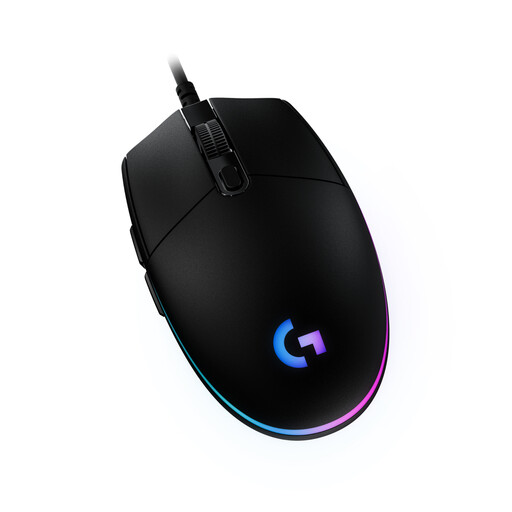
Why This Fits Their Persona: This model provides a solid foundation for gaming without breaking the bank. It comes from an established brand and focuses on the essentials: a reliable sensor and a proven design.
The mouse avoids exaggerated DPI values, instead opting for a practical 8,000 DPI sensor that is perfectly sufficient for most games and screen resolutions.
Classic, comfortable design with 6 programmable buttons. The LIGHTSYNC RGB lighting is customisable via the Logitech G Hub software.
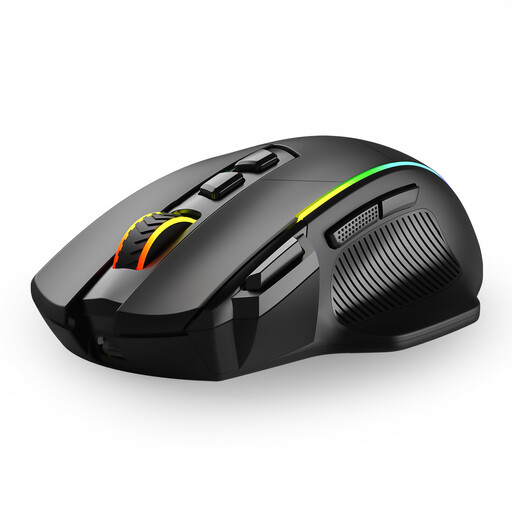
Why This Fits Their Persona: Ideal for users who want a single mouse for PC gaming and work on a laptop. The three connection modes (2.4G, Bluetooth, Wired) offer maximum flexibility for any scenario.
Instead of limiting itself to a single connection type, this model offers a practical solution for various devices and use cases, significantly increasing its everyday utility.
Tri-mode connectivity, adjustable DPI up to 10,000, and 8 programmable buttons. The battery is rechargeable via USB-C.
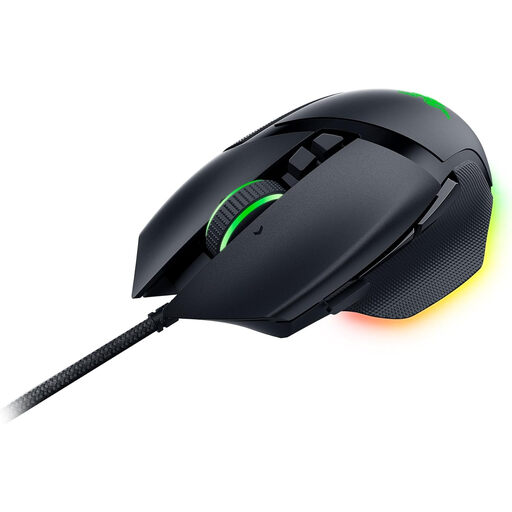
Why This Fits Their Persona: Designed for gamers who demand maximum precision and customisation. Its high-end components are built for performance and durability in competition.
Here, the high 26,000 DPI value is justified by one of the most advanced sensors on the market (Razer Focus+). The performance is complemented by optical switches, which offer faster and more reliable actuation than their mechanical counterparts.
Gen-2 optical mouse switches for extremely fast response times, 11 programmable buttons, and a HyperScroll Tilt Wheel with two modes (tactile and free-spin).
We have compiled a complete, up-to-date list of products that fully meet these strict selection criteria and German safety regulations.
For most gamers and screen resolutions (up to WQHD), a range between 400 and 3,200 DPI is perfectly sufficient. More important than the maximum value is a high-quality sensor that implements these DPI levels precisely and without errors. A mouse with a maximum of 6,000 to 8,000 DPI typically offers more than enough headroom for all use cases.
Yes, modern wireless gaming mice that use a 2.4 GHz radio connection achieve latency times of about 1 millisecond. This value is identical to that of high-quality wired mice and is indistinguishable from a wired connection by human perception. Bluetooth connections are generally slower and therefore less suitable for competitive gaming.
Mechanical switches register a click through the physical contact of two metal parts. Optical switches, on the other hand, use a beam of light. When the button is pressed, this beam is interrupted, which triggers the signal. According to manufacturers, this results in a faster response time, as no mechanical debounce delay is necessary, and increases durability, as there is no physical wear from contact.