
Lieferung heute & morgen

Qualitätsgarantie

Willkommens-Angebote freischalten: KOSTENLOSE Lieferung | Bis zu 80 % RABATT | Kostenlose 30-Tage-JoyPlus-Testphase
App herunterladen
A gaming mouse needs to offer more than a high DPI count or eye-catching RGB lighting. For PC gamers, e-sports players and serious enthusiasts, reliable signal transmission, a suitable weight and a shape that matches your hand and grip style are what really matter. If you focus solely on marketing claims, you can quickly end up paying for features that offer little benefit in your own setup.
A gaming mouse with a high DPI can register movements with extreme sensitivity. However, that does not automatically mean it will be more precise in-game. The quality of the optical sensor, consistent tracking and the ability to fine-tune sensitivity are also crucial.
Many players use significantly lower DPI settings in everyday use than the advertised maximum. So check whether the mouse can store multiple DPI profiles and whether the software allows useful adjustments.
A gaming mouse with an 8,000 Hz polling rate sends its position data to the computer more frequently than a 1,000 Hz model. This can be relevant for fast movements and high refresh rates. At the same time, it increases the load on the processor and USB interface.
For practical use, you should check:
A high polling rate is therefore a technical specification, but not a reason to buy on its own.
A wireless gaming mouse can give you more freedom of movement on your desk. However, the wireless technology, what is included and the battery life are all important. Bluetooth is suitable for compatible devices and switching between them, while a 2.4 GHz receiver is often designed to minimise latency during gaming.
Also look for a separate receiver, USB-C charging and the option to continue using the mouse with a cable while it is charging. For built-in batteries, follow the guidance on safe disposal and how to handle damaged batteries.
An optical sensor is standard in modern gaming mice. Alongside the maximum resolution, tracking speed and acceleration ratings also matter. For most users, a DPI range that can be adjusted accurately is more important than an extremely high maximum value.
Models offering 8,000 to 12,000 DPI will be sufficient for many game genres. Versions with 26,000, 35,000 or 44,000 DPI are more suitable for users who want plenty of adjustment headroom. The right setting depends on the game, screen resolution, mouse mat and personal sensitivity.
The polling rate is measured in hertz:
With a wired gaming mouse, battery life is not an issue. A wireless model, on the other hand, should offer a realistic battery-life rating, USB-C charging and a stable 2.4 GHz mode. Bluetooth is convenient for using several devices, but depending on the model, it may operate at a lower polling rate.
A lightweight gaming mouse weighing around 40 to 65 grams can make fast movements easier. Heavier models often provide more buttons, larger housings or adjustable weights. For MOBAs, MMOs and productivity tasks, a gaming mouse with programmable buttons may be more useful than an ultra-light FPS model.
Hand orientation is also crucial. An ergonomic gaming mouse designed for right-handed users will not automatically suit left-handed users. Symmetrical models or removable side buttons offer greater flexibility here. RGB lighting, on the other hand, is primarily a design feature and should not come at the expense of shape, software or battery life.
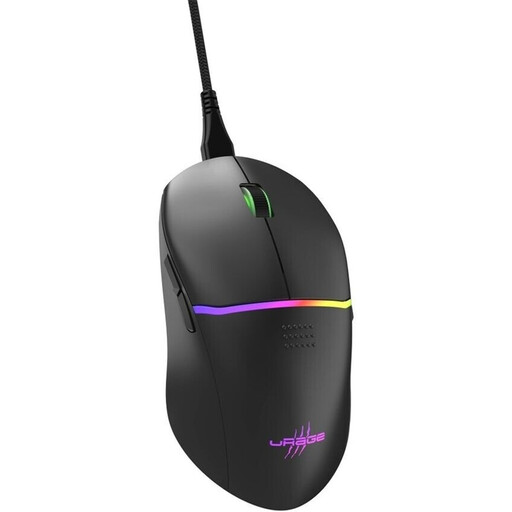
Why this product suits the profile: This wired model offers a straightforward range of features for PC gamers who want to get started without a battery or wireless receiver.
The specifications clearly state 8,000 DPI, a 1,000 Hz polling rate and a USB connection. This removes the need to find a charging solution.
Nine buttons, eight of them programmable, RGB profiles, PTFE glide surfaces and a weight of 75 g.
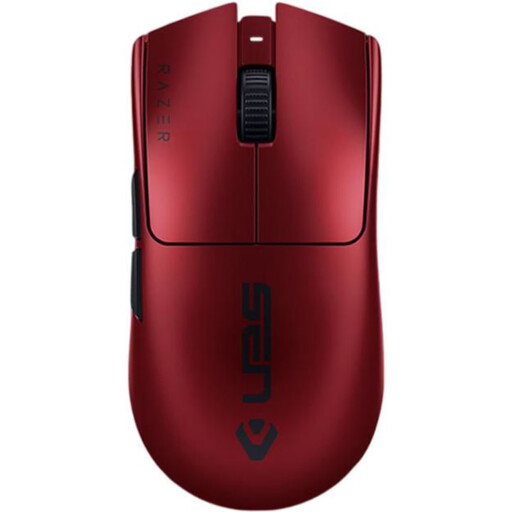
Why this product suits the profile: This model combines a low weight with 2.4 GHz wireless connectivity, USB-C operation and features geared towards competitive gaming.
The advertised 8,000 Hz rate can be used selectively, while wired operation is also possible when requirements are lower.
54 g weight, optical sensor with up to 35,000 DPI, six programmable buttons and up to 95 hours of battery life according to the product information.

Why this product suits the profile: Its features are aimed at users who need plenty of commands, profiles and long wireless battery life alongside gaming.
This mouse does not rely on DPI alone: 13 programmable controls, onboard memory and a USB-C connection that can be disabled complement the sensor specification.
Up to 140 hours of battery life according to the product information, HERO-25K sensor, LIGHTSPEED 2.4 GHz wireless connectivity and PTFE glide surfaces.
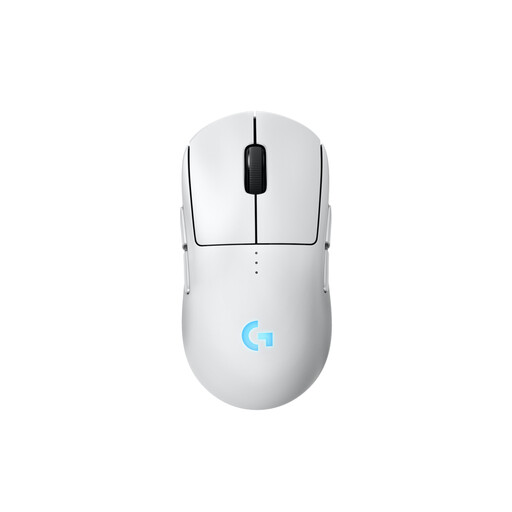
Why this product suits the profile: The symmetrical design and removable magnetic side buttons allow it to be adapted for both right- and left-handed users.
The side buttons are not permanently restricted to one side of the mouse. Depending on your configuration, they can be fitted on the left, right, both sides or not at all.
HERO-2 sensor with up to 44,000 DPI, up to 95 hours of battery life without lighting and USB-C charging.
We have put together a complete, regularly updated list of products that fully meet these strict selection criteria and the safety regulations applicable in the EU.
There is no single recommended setting. Many players set their mouse within the mid-range DPI bracket and then adjust the sensitivity in-game. A precise optical sensor, reliable software and multiple profiles that can be saved are important. The maximum DPI figure alone says little about how suitable the mouse actually is.
Yes, provided it has a stable 2.4 GHz wireless mode, a suitable receiver and sufficient battery life. Bluetooth is convenient for using several devices, but may offer a lower polling rate. For longer gaming sessions, a USB-C cable for wired use should also be included.
Its lifespan depends on the switches, cable or battery, cleaning and intensity of use. For some models, manufacturers state, for example, a switch rating of 10 to 100 million clicks. This figure is a technical guideline, not a guarantee of the actual service life. Look for a sturdy construction, replaceable or well-protected glide surfaces and careful handling of the integrated battery.