
Lieferung heute & morgen

Qualitätsgarantie

Willkommens-Angebote freischalten: KOSTENLOSE Lieferung | Bis zu 80 % RABATT | Kostenlose 30-Tage-JoyPlus-Testphase
App herunterladen
The search for the right wireless gaming mouse can quickly become overwhelming. Manufacturers advertise ever-higher DPI figures, extremely low weights, and grandiose latency claims. But not every advertised feature is relevant in practice or worth the premium. As your Joybuy Product Recommendation Officer, I'll help you identify the crucial features and avoid marketing traps, so you can make an informed decision.
Before we dive into the important technical specs, let's highlight three common marketing pitfalls that often lead to buyer's remorse:
To make a future-proof choice, you should focus on three core parameters that directly impact performance.
The sensor is the heart of any gaming mouse. Instead of focusing on the maximum DPI value, pay attention to the specific sensor model used. Sensors like the Pixart PAW series (e.g., PAW3395) are considered the industry standard, offering flawless tracking without unwanted acceleration or smoothing. A high-DPI gaming mouse is only useful if its precision remains consistent across the entire range. Look for a high IPS (Inches Per Second) number, which indicates how fast you can move the mouse before the sensor loses tracking. A value of 400 IPS or more is recommended for competitive gaming.
The ideal weight depends on your personal preferences and the genres you play.
An ergonomic gaming mouse is essential for long gaming sessions. The shape should suit your hand size and grip style (palm, claw, or fingertip grip). Symmetrical mice are suitable for both left- and right-handed users, while ergonomic, right-handed shapes often offer more comfort.
Modern wireless gaming mice often offer multiple connection modes:
A tri-mode mouse offers all three options, providing maximum flexibility. Models with a convenient gaming mouse with a charging dock also ensure that the mouse is always ready to go.
Here are some models that represent a considered choice for different user profiles, based on objective technical data.
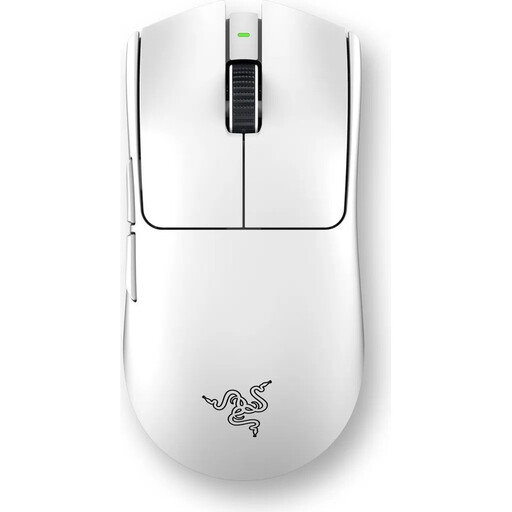
Why this model fits: Engineered for maximum performance in esports. The ultralight 54g design and symmetrical shape enable fast, precise movements. The focus is clearly on speed and control.
This model focuses on an extremely high 8000 Hz polling rate for measurably lower latency, rather than just advertising a high DPI number. The weight is low, but the build is stabilised for professional use.
Razer Focus Pro 35K Sensor Gen-2 for high precision and Razer 8000Hz HyperPolling Technology for minimal input lag.
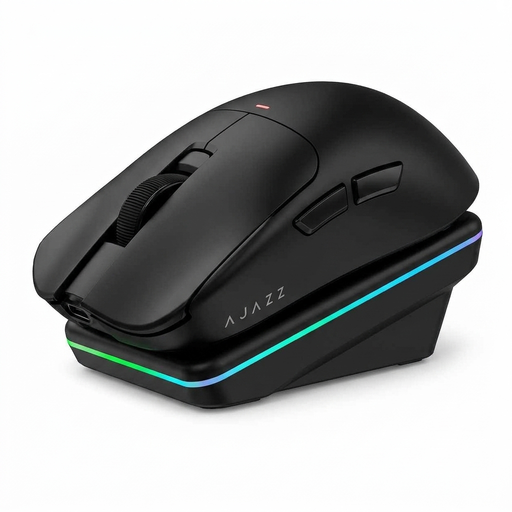
Why this model fits: Ideal for users who want one mouse for both gaming and productivity. The tri-mode connectivity and magnetic charging dock offer maximum convenience and flexibility for daily use.
Instead of focusing on a single feature, this model offers a balanced overall package. The 65g weight is a good compromise between agility and control, while the charging dock is a genuine convenience feature.
Tri-mode connectivity (USB, 2.4G, Bluetooth) and a magnetic charging dock for convenient recharging. The PAW3311 sensor provides solid performance.
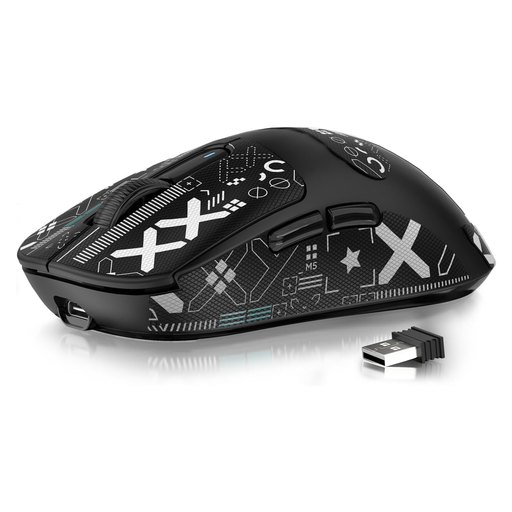
Why this model fits: It offers high-end specifications like a PAW3395 sensor and an extremely low 49g weight at a very accessible price point. Perfect for gamers who want competitive performance without a major investment.
This model proves that a low weight and a top-tier sensor don't have to be expensive. It bypasses the price-performance trade-off by focusing on the core features that matter most to gamers.
Extremely lightweight at just 49g and equipped with the high-end PAW3395 sensor. The battery life is also very high, rated by the manufacturer for up to 200 hours.
We have compiled a complete, real-time updated list of products that fully meet these strict selection criteria and all relevant safety standards.
1. How important is DPI in a gaming mouse, really? DPI (Dots Per Inch) indicates the mouse's sensitivity. A high value means a small hand movement results in a large cursor movement. Most gamers use settings between 400 and 3200 DPI. A high maximum value is not a mark of quality. What's more important is a precise sensor that operates flawlessly at your preferred DPI setting.
2. Can a wireless gaming mouse keep up with a wired one in fast-paced games? Yes. Modern wireless mice using a 2.4 GHz connection with a polling rate of 1000 Hz or higher offer latency that is humanly indistinguishable from a wired model. However, interference can occur in environments with many wireless signals, which is why stable connection technology is crucial.
3. How do I care for my lightweight gaming mouse to extend its lifespan? Regularly clean the shell and sensor with a dry, soft cloth. Avoid liquids. For mice with a perforated shell, a can of compressed air can help remove dust from the interior. Periodically check the mouse skates (feet) for wear and replace them as needed to ensure smooth gliding.