
Lieferung heute & morgen

Qualitätsgarantie

Willkommens-Angebote freischalten: KOSTENLOSE Lieferung | Bis zu 80 % RABATT | Kostenlose 30-Tage-JoyPlus-Testphase
App herunterladen
A gaming mouse needs to offer more than a high DPI figure or eye-catching RGB lighting. For PC and Mac gamers, controlled movement, suitable ergonomics, reliable buttons and a connection without annoying interruptions matter most in everyday use. Particularly in FPS, MOBA and esports games, an unsuitable shape, unnecessary weight or poorly positioned side buttons can make use more difficult.
A gaming mouse with high DPI may sound powerful at first. However, the maximum value alone says little about how suitable it is in practice. Many players use considerably lower sensitivities, especially in FPS games. A well-performing optical sensor, configurable steps and consistent tracking are more important.
You should therefore check:
A wireless gaming mouse gives you greater freedom of movement, but it requires a battery or rechargeable battery. The wireless technology used, the position of the receiver and the stated battery life are all important. Bluetooth is suitable for many everyday tasks, while 2.4 GHz wireless is often the more appropriate connection for fast-paced games.
A wired gaming mouse avoids charging breaks and does not require a battery. However, cable drag and friction can affect freedom of movement. A flexible cable and good cable management on your desk can reduce this disadvantage.
An ergonomic gaming mouse should suit your hand size, preferred grip style and handedness. Right-handed users often need an asymmetrical shape, while a symmetrical mouse may also be suitable for left-handed users. Thumb rests and side buttons can improve comfort, but they may also require more space.
Pay attention to:
An optical sensor with a sensible adjustment range is sufficient for most games. Models offering 6,400 to 12,000 DPI already cover typical requirements. Higher values are mainly relevant if you want to fine-tune sensitivity very precisely. For genuine control, an accurate setting is more important than the maximum advertised figure.
The polling rate describes how often the mouse reports its position to the computer. 1,000 Hz corresponds to one report per millisecond. Higher rates such as 4,000 or 8,000 Hz can make updates even more frequent, but may increase system load and energy consumption depending on your setup. For many players, 1,000 Hz is a well-balanced starting point.
A lightweight gaming mouse can make quick changes of direction easier. However, low weight is not automatically more comfortable for every grip or every game. MOBA and MMO players often benefit more from several programmable buttons than from particularly low weight.
With a programmable gaming mouse, you should also check whether the configuration software is compatible with your operating system and whether profiles can be saved to the internal memory. An RGB gaming mouse can complement your desk lighting, but it is not required for cursor precision.
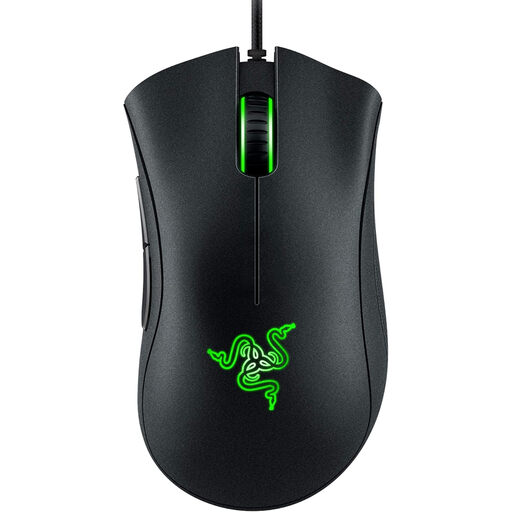
Why this product suits this profile: This wired gaming mouse offers an optical sensor with up to 6,400 DPI, five programmable buttons and an ergonomic shape for those starting out with PC gaming.
The technical specifications are straightforward, while the USB connection means no battery operation is required.
Optical 6,400 DPI sensor, five programmable buttons and a stated weight of 96 g.
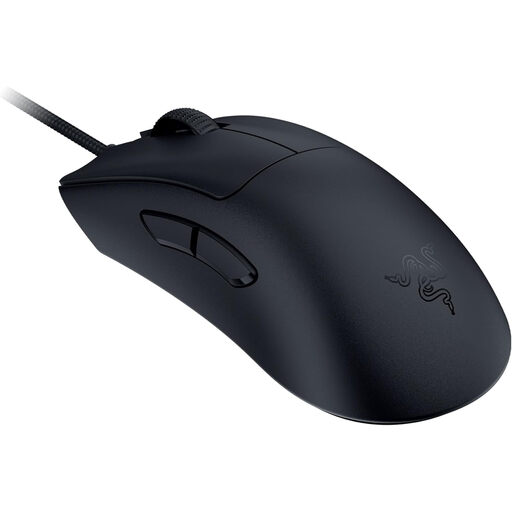
Why this product suits this profile: Its lightweight design is aimed at users who prefer low weight and a high polling rate for FPS and esports games.
The stated weight of 59 g reduces unnecessary bulk, while the Speedflex cable is designed to reduce cable drag during movement.
Focus Pro sensor with up to 30,000 DPI, 8,000 Hz HyperPolling and third-generation optical switches, according to the product specifications.
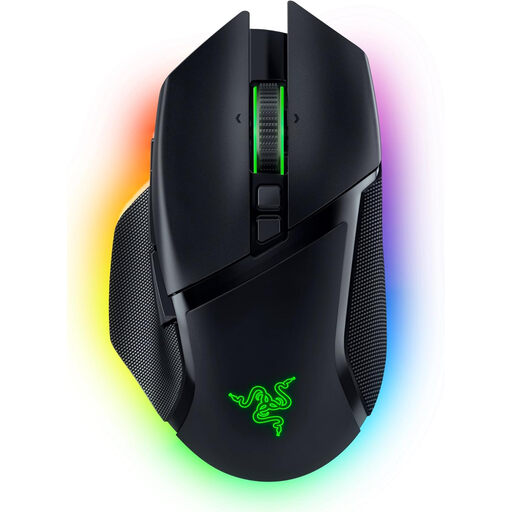
Why this product suits this profile: This wireless gaming mouse combines several connection options, multiple buttons and customisable lighting for gaming and productive use.
Alongside 2.4 GHz wireless, Bluetooth and USB-C are available. If the battery runs out, you can continue using it as a wired mouse.
Up to 30,000 DPI, 10+1 programmable buttons, 13 RGB zones and a stated battery life of up to 110 hours without lighting.
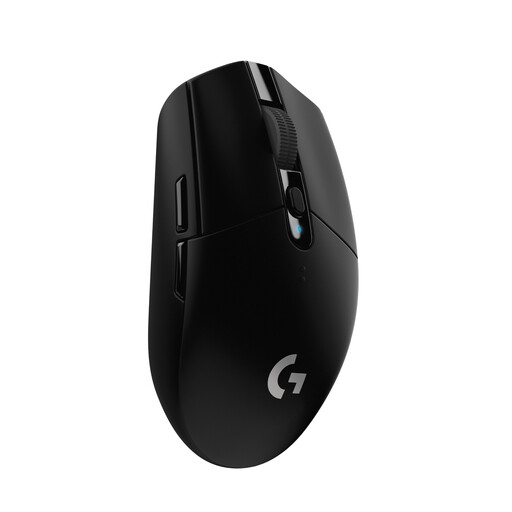
Why this product suits this profile: This Logitech gaming mouse uses a USB wireless receiver, requires one AA battery and is compatible with PC, Mac and Chrome OS.
The battery can be replaced, so there is no need to schedule a fixed charging break. The receiver can be stored inside the housing.
HERO sensor with up to 12,000 DPI, a 1,000 Hz polling rate and, according to the product specifications, up to 250 hours of use with one AA battery.
We have put together a complete, regularly updated list of products that fully meet these strict selection criteria and the safety regulations applicable in the EU.
For FPS games, a well-controlled optical sensor, suitable weight and a shape without distracting buttons are essential. A lightweight gaming mouse can support quick movements. A high DPI figure, on the other hand, is not essential, as many players use lower sensitivity settings.
That depends on the wireless technology and configuration used. 2.4 GHz connections with their own receiver are often more suitable for fast-paced games than a Bluetooth-only connection. You should also consider battery life, charging options and whether the receiver can be positioned unobstructed.
Its lifespan depends on the switches, cable or battery, surface care and daily use. Manufacturers’ click-count figures are guidelines, not a guarantee of a specific service life. With wireless models, the condition of the battery is also a relevant factor. Regular breaks and a clean mouse mat help ensure consistent use.