
Lieferung heute & morgen

Qualitätsgarantie

Willkommens-Angebote freischalten: KOSTENLOSE Lieferung | Bis zu 80 % RABATT | Kostenlose 30-Tage-JoyPlus-Testphase
App herunterladen
A gaming mouse should impress you with more than just high DPI figures or striking RGB lighting. For PC gamers, FPS and MOBA players, streamers and anyone who enjoys long gaming sessions, the most important factors are a suitable shape, a reliable connection and clear technical specifications. If you focus solely on marketing claims, you may end up buying a model whose weight, button layout or battery life does not suit your playing style.
This buying guide will help you assess the key features of a gaming mouse and compare different models using objective specifications.
A gaming mouse with high DPI can be set to be particularly sensitive. However, that does not automatically mean it will be more precise at every setting. Many players use significantly lower values and adjust the sensitivity further in-game. What really matters is a well-performing optical sensor, stable tracking and a DPI range that can be adjusted finely enough.
A gaming mouse with an 8000 Hz polling rate theoretically sends position data to the computer more frequently than a 1000 Hz model. Depending on the game, resolution and system, however, this may require more computing resources. The relevant receiver or driver must also support the feature.
The polling rate should therefore not be the sole reason for buying a mouse. For many setups, 1000 Hz is sufficient, while 4000 or 8000 Hz may be particularly appealing with compatible hardware and very fast-paced games.
A wireless gaming mouse can connect via 2.4 GHz wireless or Bluetooth. These options are not identical: 2.4 GHz wireless is designed for low latency on many gaming models, while Bluetooth often provides longer battery life but may offer a lower polling rate depending on the device and profile.
Before buying, check whether a USB receiver is included, whether the mouse can also be used with a cable and how long the battery lasts in your preferred mode.
Pay attention to the sensor type, maximum resolution and tracking-speed specifications. Values such as IPS describe how quickly movements can be captured according to the manufacturer. In everyday use, a high maximum resolution is less important than consistent tracking without unwanted acceleration or dropouts.
For FPS games, a low weight combined with controlled movement can be beneficial. In MOBA or strategy games, on the other hand, additional buttons and an easily accessible thumb rest are often more important.
A wired gaming mouse does not need a battery and is ready to use straight away. However, the cable can get in the way on small desks or during quick movements. A wireless gaming mouse gives you greater freedom of movement, but requires a spare USB port for the receiver and regular charging.
Check the following:
A lightweight gaming mouse weighing under 70 grams can make rapid changes of direction easier. Heavier models sometimes offer a larger surface, additional buttons or an adjustable weight system. For long sessions, an ergonomic gaming mouse in the right size is essential. Left-handed users should look for a symmetrical shape or a design specifically intended for ambidextrous use.
When choosing a gaming mouse with programmable buttons, assess more than just the number of buttons and consider their positioning as well. Too many buttons positioned close together can be pressed accidentally during play. RGB lighting, on the other hand, is primarily a matter of design and should not be confused with sensor performance.
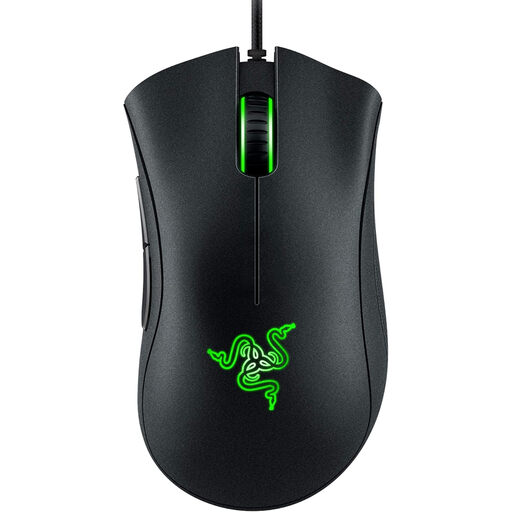
Why this product suits this profile: This wired model does not need a battery and offers an ergonomic right-handed shape with five programmable buttons. According to the product specifications, its optical sensor operates at up to 6400 DPI.
There is no battery or Bluetooth information to compare before purchase. The USB cable provides a consistently available connection.
Optical sensor, five programmable buttons and an ergonomic design without an integrated battery.
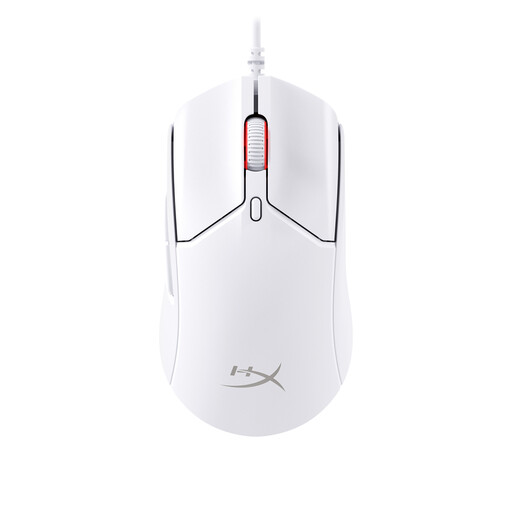
Why this product suits this profile: Weighing around 61 grams and offering 2.4 GHz wireless, Bluetooth 5.1 and USB-C operation, this model is ideal for users weighing up low weight against connection flexibility.
You are not limited to Bluetooth: according to the product specifications, up to 1000 Hz is possible in 2.4 GHz mode, while USB operation remains available too.
Around 61 grams, a HyperX-26K sensor and six programmable buttons; Bluetooth mode offers a stated battery life of up to 100 hours.
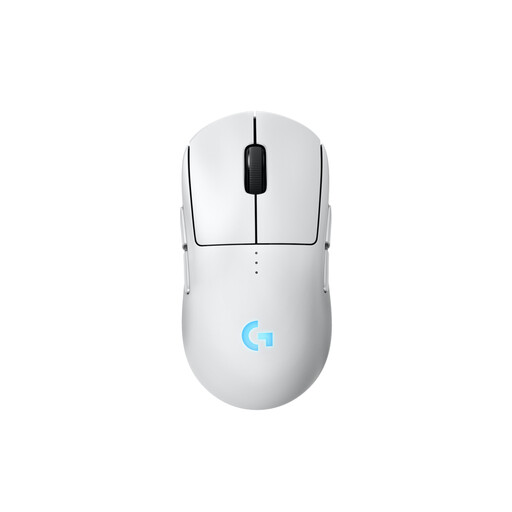
Why this product suits this profile: The symmetrical design can be adapted for right- or left-handed use. Magnetic side buttons can be fitted on the left, right or both sides.
The modular button layout reduces the risk of buying a mouse with a fixed thumb-side layout that does not suit you. Wired operation while charging is also possible.
HERO-2 sensor with up to 44,000 DPI, 80-gram weight, USB-C and, according to the product specifications, up to 95 hours of battery life without lighting.
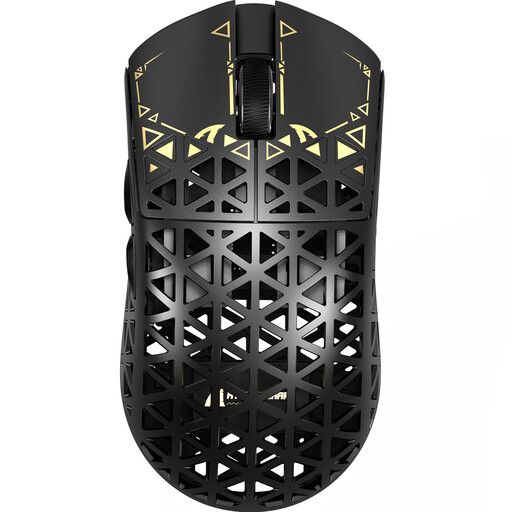
Why this product suits this profile: This model is aimed at users looking for very low weight, several connection options and an adjustable polling rate of up to 8000 Hz in a single device.
The product specifications state the polling rate separately for 2.4 GHz, wired and Bluetooth modes. This makes it easier to assess the advertised 8000 Hz function realistically.
PAW3950 sensor, around 42 grams, USB, 2.4 GHz and Bluetooth, plus up to 8000 Hz in 2.4 GHz mode according to the product specifications.
We have put together a complete, regularly updated list of products that fully meet these strict selection criteria and the safety regulations applicable in the EU.
There is no single figure that works well for every game. FPS players often use lower sensitivities, while high DPI settings provide flexibility for individual preferences. A stable sensor and finely adjustable settings are more important than the maximum figure.
That depends on the wireless standard, polling rate, receiver position and system. For gaming, a 2.4 GHz receiver is generally more practical than a Bluetooth-only connection. Also check whether the receiver is included and what battery life is specified in wireless mode.
Its lifespan depends on the switches, scroll wheel, cable or battery and daily use. Manufacturer claims such as a specific click rating are technical guidelines, not a guarantee of identical service life in individual use. With wireless models, you should also take the ageing of the integrated battery into account.