
Lieferung heute & morgen

Qualitätsgarantie

Willkommens-Angebote freischalten: KOSTENLOSE Lieferung | Bis zu 80 % RABATT | Kostenlose 30-Tage-JoyPlus-Testphase
App herunterladen
A gaming mouse doesn’t have to impress solely with high DPI values or flashy lighting. What really matters is whether the sensor, weight, shape, buttons and connection suit your games and your hand. If you only focus on maximum specs, you may end up paying for features you rarely use in practice.
Typical buying pitfalls arise from three marketing traps:
An optical gaming mouse tracks movement using an optical sensor. The maximum resolution is given in DPI. A higher number doesn’t automatically mean more precise use. When making your decision, the following points are especially relevant:
A polling rate of 1,000 Hz theoretically corresponds to one position check per millisecond. Higher values like 4,000 or 8,000 Hz can shorten transmission intervals, but they also increase the processing load depending on your system. For many users, a stable connection matters more than the highest possible number.
A lightweight gaming mouse can make fast, sweeping movements easier. Models with a higher weight, on the other hand, give some users a steadier feel. The ideal weight is therefore a personal choice.
Also pay attention to:
An ergonomic gaming mouse shouldn’t just look comfortable; it should suit your hand position and desk setup. For long sessions, regular breaks and a neutral wrist position also help.
With a gaming mouse with programmable buttons, it should be clearly stated how many buttons can actually be freely assigned. Some models count DPI switches or special functions in the total number, even though they aren’t fully configurable.
A wired gaming mouse doesn’t need a battery and offers a constant USB connection. Look at cable length, flexibility and strain relief. A detachable cable can make transport and replacement easier. RGB lighting is primarily a design feature. With an RGB gaming mouse, you should check whether brightness, colours and profiles can be adjusted or turned off via compatible software.
The following models cover different requirements. The details refer to the respective product descriptions and technical specifications.
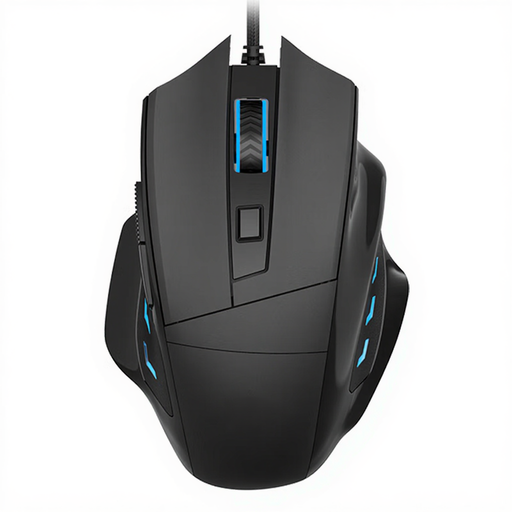
Why this product fits the profile: This wired mouse is aimed at users looking for a straightforward option for PC gaming and everyday tasks, with right-handed ergonomics.
The product description states 3,200 DPI and optical tracking, rather than advertising solely with extreme maximum values.
Wired USB connection and right-handed ergonomic design according to product specifications.
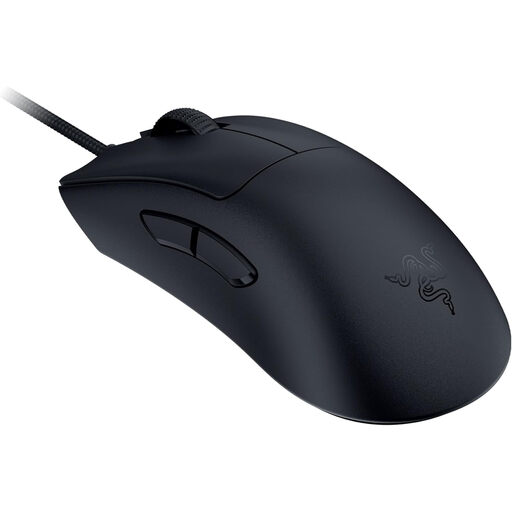
Why this product fits the profile: For gamers who want to combine a low weight, a right-handed shape and high sensor resolution for fast PC games.
The weight of 59 g and the wired connection are clearly stated. This makes it easier to match the features to your own play style.
Optical Focus Pro sensor with up to 30,000 DPI and 8,000 Hz HyperPolling according to product data.
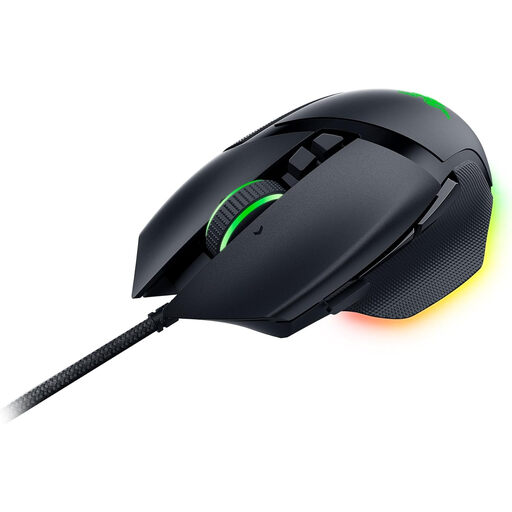
Why this product fits the profile: This mouse is suitable for users who need lots of assignable buttons, RGB lighting and profiles for games as well as desktop applications.
The product data lists 11 programmable buttons, five onboard profiles and explicitly mentions that compatible software is required.
26,000 DPI, 11-zone Razer Chroma RGB and ergonomic right-handed shape with thumb rest according to manufacturer specifications.
We’ve put together a complete, regularly updated list of products that fully meet these strict selection criteria and the safety regulations in force in the EU.
Before you buy a gaming mouse, it’s worth doing a quick check:
That depends on the game, screen resolution and your personal sensitivity. For choosing a mouse, several adjustable levels and consistent sensor tracking are usually more practical than the maximum DPI number alone.
A wired mouse doesn’t need a battery and transmits data continuously via USB. A wireless model offers more freedom of movement but needs to be charged or run on batteries. So your decision should be based on connection type, seating distance, weight and personal play style.
Durability depends on the switches, cable, usage and care. For some models, manufacturers state a specified click rating, for example 10, 50 or 70 million clicks. This figure describes a technical evaluation value and is not a guarantee of actual service life.