
Lieferung heute & morgen

Qualitätsgarantie

Willkommens-Angebote freischalten: KOSTENLOSE Lieferung | Bis zu 80 % RABATT | Kostenlose 30-Tage-JoyPlus-Testphase
App herunterladen
A gaming mouse needs to offer more than a high DPI rating or eye-catching RGB lighting. What matters is whether the sensor, weight, shape, connection and button layout suit your play style and setup. If you focus only on marketing claims, you could end up with a mouse that’s too heavy, doesn’t fit your hand or has unnecessary limitations in everyday use.
This buying guide explains which gaming mouse specifications really matter and which models suit different types of user.
A rating of 24,000 or 44,000 DPI may sound impressive at first. In practice, however, many players use much lower sensitivity settings. High DPI mainly gives you a wide range of settings to choose from. On its own, it says little about the sensor’s actual suitability, signal processing or feel in use.
So, look at specifications such as IPS, acceleration, sensor performance without smoothing and the available DPI settings too. For office work, strategy games and many action games, a range of 800 to 3,200 DPI may be enough.
A wireless gaming mouse keeps your desk tidy, but it needs either batteries or regular charging. You should also check whether it connects via a 2.4 GHz receiver, Bluetooth or both. Bluetooth is particularly useful for laptops and multiple devices, while the dedicated 2.4 GHz receiver on many gaming models is designed to keep latency low.
Before you buy, check the USB ports on your PC or Mac too. You may need an adapter to use a USB-A receiver with a newer device.
A lightweight gaming mouse can make fast movements easier, but it won’t suit every hand size or grip style. Ambidextrous models are worth considering if you’re left- or right-handed, while an ergonomic gaming mouse is usually designed for one hand in particular.
Key specifications to check include length, width, height, weight and the shape of the thumb rest. The surface matters too: a smooth casing can feel quite different from a model with textured sides or extra grip tape.
The optical sensor should track movement consistently, ideally without unwanted smoothing or acceleration. The maximum DPI rating is only one part of the picture. Specifications such as 400 IPS, 650 IPS or maximum acceleration in G describe how quickly the sensor can process movement, according to the product details.
For everyday use, it’s also worth checking whether you can change the DPI using a button or only through software. Saved profiles can be useful if you play several games.
The polling rate tells you how often the mouse reports its position to the computer. At 1,000 Hz, it reports its position every millisecond in theory. An 8 kHz polling rate reduces the theoretical interval to 0.125 milliseconds, although the practical difference can vary depending on the game, monitor, processor and software.
A wired gaming mouse doesn’t need a battery and is ready to use straight away. A wireless gaming mouse gives you more freedom of movement. With a dual- or tri-mode model, you can switch between USB, 2.4 GHz and Bluetooth.
Extra programmable buttons are particularly useful for MMOs, productivity and complex shortcuts. Many users prefer fewer buttons and a lighter mouse for competitive shooters.
Look out for:
RGB lighting is mainly a design feature. You can turn it off on some models, and it can affect battery life on wireless mice.
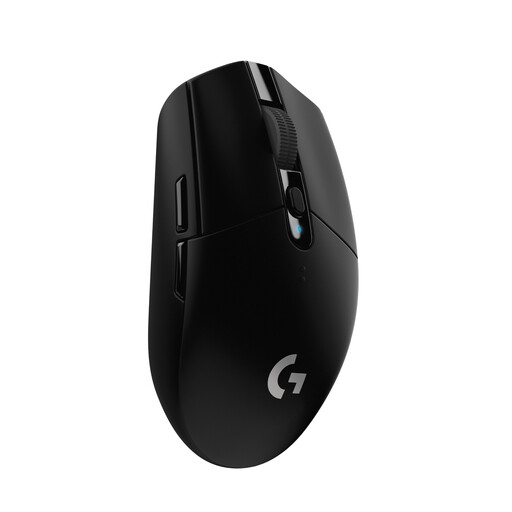
Why this product suits this type of user: This wireless mouse runs on a single AA battery and offers up to 250 hours of battery life according to the product details. It’s compatible with Windows, macOS and Chrome OS.
The HERO sensor is rated up to 12,000 DPI, so buyers don’t need to rely on an exceptionally high maximum rating. A USB nano receiver is included.
Weighs 99 g, has 6 programmable buttons and a reported signal rate of 1 millisecond.
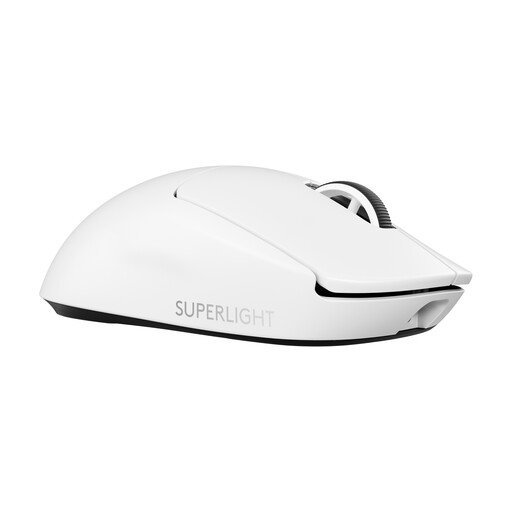
Why this product suits this type of user: This model combines a weight of 60 g with USB-C charging, a HERO 2 sensor and LIGHTSPEED wireless connectivity.
The product details specify both 1,000 Hz in standard mode and up to 8 kHz with a PRO LIGHTSPEED RECEIVER, available separately. Check whether you’ll need this accessory before buying.
Up to 44,000 DPI and up to 95 hours of battery life according to the product details, plus PowerPlay compatibility.
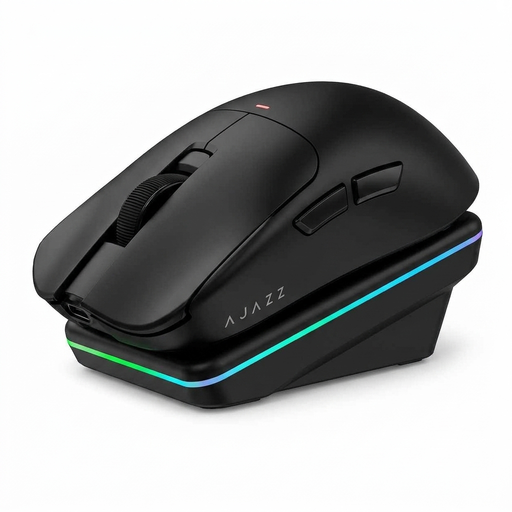
Why this product suits this type of user: This tri-mode mouse can connect via USB, 2.4 GHz or Bluetooth, making it suitable for gaming, office work and use with multiple devices.
Three connection options mean you’re not tied to a single port. Check the system requirements for each mode and for software compatibility.
Weighs 65 g, offers up to 24,000 DPI according to the product details and has 6 buttons, plus a 300 mAh battery and magnetic charging dock.
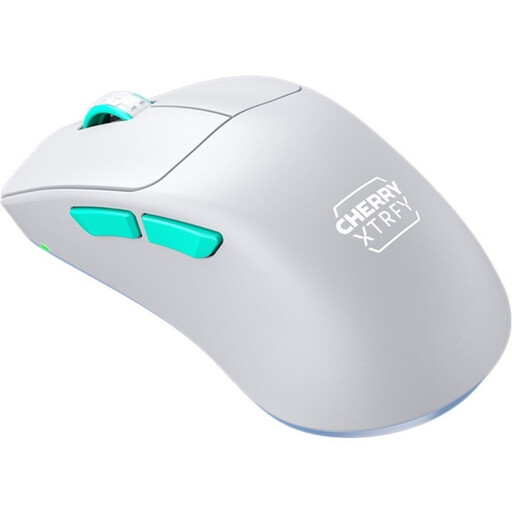
Why this product suits this type of user: Its right-handed shape, low front and 53 g weight make it a good fit for users who prefer fast, controlled movements.
Its low weight comes with a clearly stated right-handed design. So, buyers should check which hand it’s designed for, not just its weight in grams.
Pixart 3395 sensor, 2.4 GHz wireless connectivity, up to 75 hours of battery life and a selectable polling rate of up to 1,000 Hz.
We’ve put together a complete, regularly updated list of products that meet these strict selection criteria and fully comply with the safety regulations in force in the EU.
It depends on the game, screen resolution and your personal control preferences. Many users start at 800 to 1,600 DPI and adjust the setting from there. A high maximum DPI is mainly useful if you want to save different sensitivity settings.
A wired gaming mouse doesn’t need a rechargeable battery or disposable batteries. However, a modern wireless gaming mouse with a 2.4 GHz receiver can also offer low latency. The connection, power source and position of the receiver all matter. For maximum flexibility, you may want a model with USB, 2.4 GHz and Bluetooth connectivity.
Its lifespan depends on the switches, cable, scroll wheel, surface and how intensively you use it. Manufacturer claims such as 10 million or 100 million clicks are durability ratings for specific components, not a guarantee of the mouse’s overall lifespan. Keeping it in a dry, dust-free environment and cleaning it regularly can help maintain its performance in everyday use.