
Lieferung heute & morgen

Qualitätsgarantie

Willkommens-Angebote freischalten: KOSTENLOSE Lieferung | Bis zu 80 % RABATT | Kostenlose 30-Tage-JoyPlus-Testphase
App herunterladen
A gaming mouse doesn’t have to suit your play style just because it boasts a high DPI count or flashy RGB lighting. What really matters is the connection type, weight, shape, and the buttons you actually need. If you don’t check these points before buying, you can easily end up paying for features that offer no practical benefit in everyday use.
Three common buying mistakes crop up time and again:
The DPI number describes how sensitively the cursor responds to movement. A gaming mouse with a high DPI offers a wide adjustment range, but the maximum value alone says little about real-world precision. For PC gaming, stable tracking, a reliable surface, and finely graduated software settings are far more important.
The polling rate tells you how often the mouse reports its position to the computer each second. At 1,000 Hz, it reports up to 1,000 times per second; at 8,000 Hz, it does so even more frequently. A gaming mouse with an 8,000 Hz polling rate can be particularly interesting for high refresh rates and fast movements. At the same time, it places slightly higher demands on system resources. For office work or casual gaming, this figure isn’t essential.
A lightweight gaming mouse weighing around 40 to 65 grams can suit low-sensitivity players and rapid direction changes. Heavier models, on the other hand, often offer more buttons, larger housings, or an adjustable weight system.
Check the following before you buy:
An ergonomic gaming mouse isn’t automatically a perfect fit for every hand. You should always consider shape and dimensions together with weight.
A wireless gaming mouse usually connects via 2.4 GHz and a USB receiver. This connection is suitable for PC gaming, but it needs a free USB port. Bluetooth is handy for switching between multiple devices, though on some models it offers a lower polling rate.
For a wireless gaming mouse, the following details are also relevant:
A programmable gaming mouse can be useful for games, photo editing, and office software. However, more buttons also mean a larger housing and a longer adjustment period.
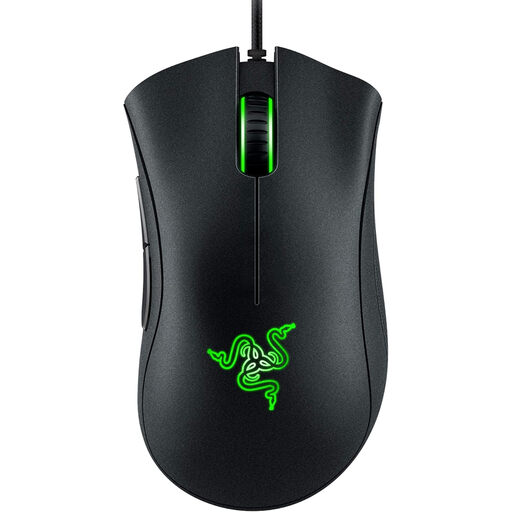
Why this product fits the profile: The wired version doesn’t need a battery and offers five programmable buttons plus an optical sensor with up to 6,400 DPI.
The specifications focus on sensor, shape, and buttons rather than an unnecessarily high polling rate or extra charging electronics.
USB connection, ergonomic shape, 96 g weight, and five programmable buttons.
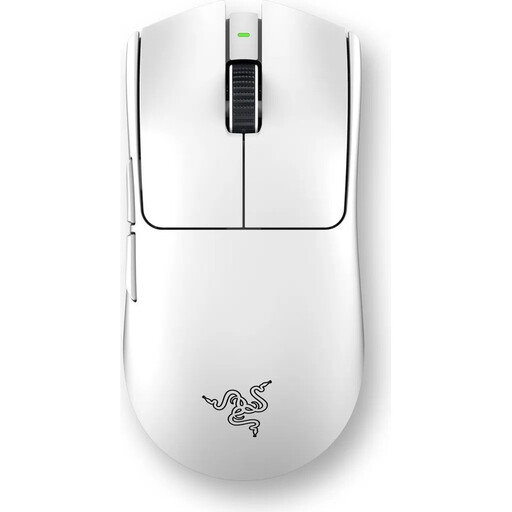
Why this product fits the profile: The symmetrical design, Focus Pro sensor with up to 35,000 DPI, and stated battery life of up to 95 hours are aimed at ambitious PC gamers.
The polling rate is adjustable up to 8,000 Hz; according to the product information, the Razer HyperPolling Wireless Dongle is required for this mode.
Wireless 2.4 GHz connection, USB-C charging, and six programmable buttons. The product information states 54 g or 55 g.
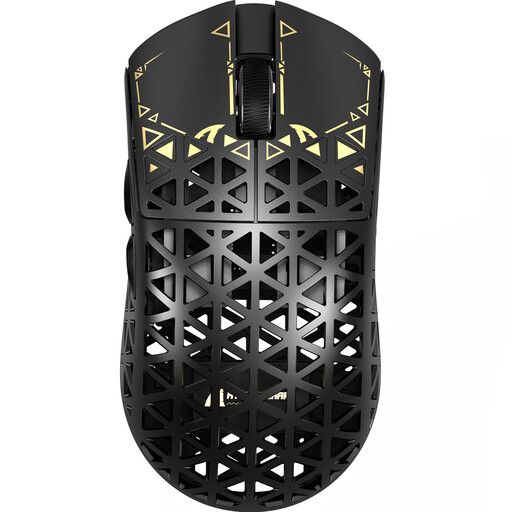
Why this product fits the profile: The mouse supports 2.4 GHz, Bluetooth, and USB-C, and according to the product data offers an adjustable polling rate of up to 8,000 Hz.
The three connection types reduce reliance on a single use scenario. Bluetooth is reportedly limited to 125 Hz, however.
Carbon fibre construction, PAW3950 sensor, 2.4 GHz 8K mode, and around 42 g weight according to the data sheet.
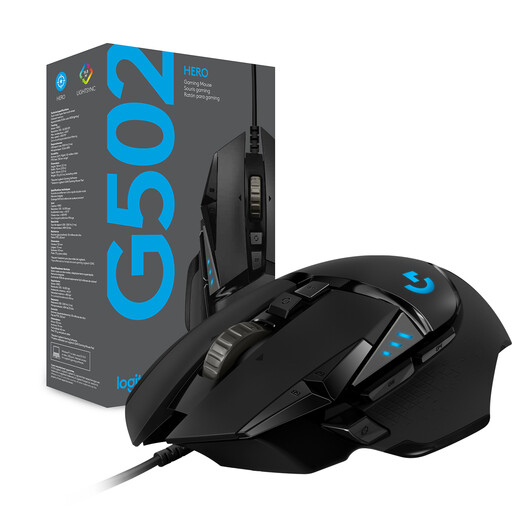
Why this product fits the profile: The wired RGB gaming mouse combines eleven programmable buttons with an adjustable weight system and a DPI range of 200 to 25,600.
The weight can be adjusted using up to five 3.6 g weights. This lets you change the balance rather than simply deciding on a fixed weight value.
HERO sensor, eleven programmable buttons, dual-mode scroll wheel, and customisable RGB lighting.
We’ve put together a full, regularly updated list of products that fully meet these strict selection criteria and the safety regulations in force in the EU.
There’s no fixed recommendation. Many gamers use medium DPI values and adjust the sensitivity within each game. What matters is that the setting feels consistent and repeatable. A very high maximum value is only relevant if you actually need it for your work or play style.
A 2.4 GHz connection can be suitable for esports and competitive gaming, provided the receiver, polling rate, and software are set up correctly. Bluetooth is more intended for flexible device switching. Before buying, you should check the battery life, receiver position, and support for your desired polling rate.
The lifespan depends on the switches, cable or battery, mouse buttons, frequency of use, and how well it’s looked after. Manufacturer claims such as “up to 10 million” or “up to 90 million clicks” are technical guidelines, not a guarantee of a specific service life. Dust, liquid spills, and pulling hard on the cable can shorten its lifespan.