
Lieferung heute & morgen

Qualitätsgarantie

Willkommens-Angebote freischalten: KOSTENLOSE Lieferung | Bis zu 80 % RABATT | Kostenlose 30-Tage-JoyPlus-Testphase
App herunterladen
Anyone looking to buy a gaming mouse will find numerous models offering high DPI values, RGB lighting and fast polling rates. However, these specifications do not automatically mean that a mouse suits your playing style. What matters is the combination of sensor, weight, shape, connection type and available software.
A gaming mouse with a high DPI can significantly increase the sensor’s sensitivity. On its own, however, this says little about how suitable the mouse really is. Many players use considerably lower settings in competitive games and move the mouse across a larger area instead. Check whether several DPI levels can be adjusted directly on the mouse or via the software.
A gaming mouse with an 8000 Hz polling rate sends its position data to the computer more frequently. This can provide finer updates during fast movements. At the same time, this setting requires more system resources and is not used effectively in every game or on every system. Depending on the model, the function may also need to be activated via the driver. With the ATTACK SHARK R5 ULTRA, for example, several levels up to 8000 Hz can be selected in 2.4 GHz mode, while Bluetooth is specified at 125 Hz.
A lightweight gaming mouse weighing around 40 to 60 g can make fast movements easier. However, it is not automatically suitable for every hand size or grip. An ergonomic gaming mouse for right-handed users may feel more comfortable during long sessions, while symmetrical models can be suitable for both left- and right-handed users. You should therefore compare the dimensions, button positions and support area with your current mouse before buying.
Pay attention to the sensor type and usable DPI range. Optical sensors such as the PixArt PMW3360 in the Reaper 515 Illuminated or the HERO-2 sensor used in certain Logitech models are specified with concrete maximum values. A high maximum resolution is mainly relevant if you want to save profiles with different sensitivity settings.
More important than the maximum figure are:
The polling rate is measured in Hertz. At 1000 Hz, the mouse is theoretically queried approximately every 1 millisecond. Models such as the Reaper 515 Illuminated and the Reaper 330 are described as offering 1000 Hz and a 1 ms response time. At 8000 Hz, transmission takes place more frequently, although your system should support this setting.
For many users, a stable wired connection at 1000 Hz is sufficient. A wireless gaming mouse can also be suitable for fast-paced games, provided that the 2.4 GHz receiver is positioned correctly and the battery remains sufficiently charged.
Weight has a greater influence on control than additional lighting. You should also check:
A gaming mouse with programmable buttons can be useful for strategy games, MMOs or productivity tasks. For straightforward shooter controls, however, five or six buttons are often sufficient.
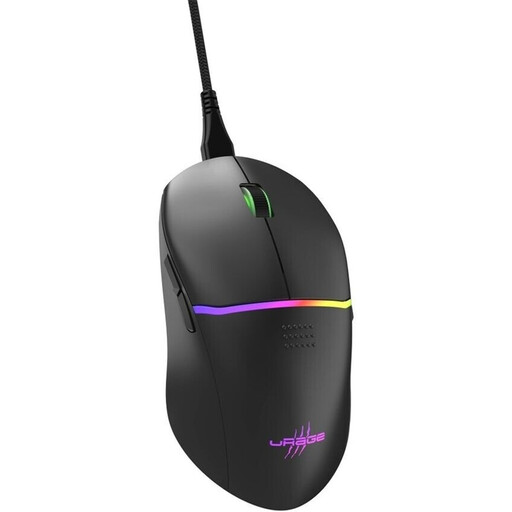
Why this product suits the profile: This wired gaming mouse offers a straightforward USB connection, weighs 75 g and features a shape designed for right-handed users.
The specifications clearly state the sensor, 8000 DPI, 1000 Hz and a 2.00 m cable, rather than relying solely on vague promises of speed.
9 buttons, 8 of which are programmable, two DPI buttons, PTFE glide surfaces and RGB profiles.
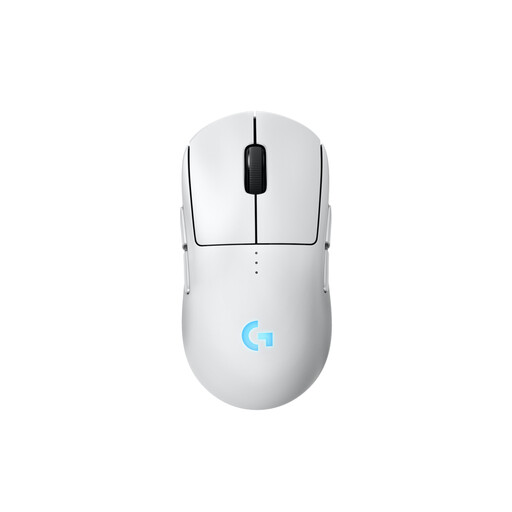
Why this product suits the profile: The symmetrical design with interchangeable magnetic side buttons can be configured for left- or right-handed use.
It can connect wirelessly, via USB-C or Bluetooth. This means you can still use it with a cable when the battery needs charging.
HERO-2 sensor with up to 44,000 DPI, up to 95 hours of battery life without lighting, and optional 8 kHz use with a separately available receiver.
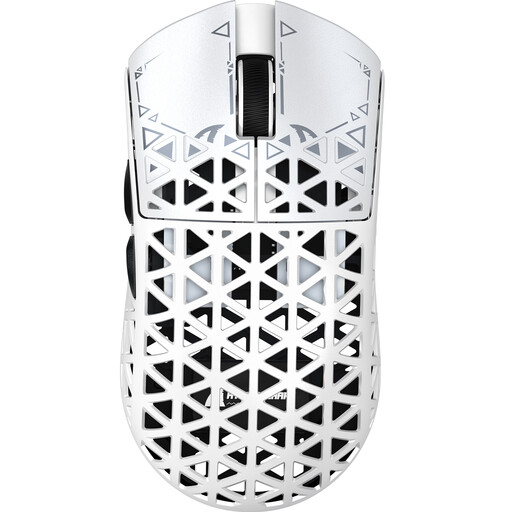
Why this product suits the profile: Weighing around 42 g and offering three connection options, it is aimed at users who prioritise freedom of movement and flexible device compatibility.
The polling rate is listed according to the connection type: up to 8000 Hz via 2.4 GHz, up to 1000 Hz in wired mode and 125 Hz via Bluetooth.
USB, 2.4 GHz and Bluetooth, PAW3950 sensor, USB-C charging cable and 230-mAh battery according to the product specifications.
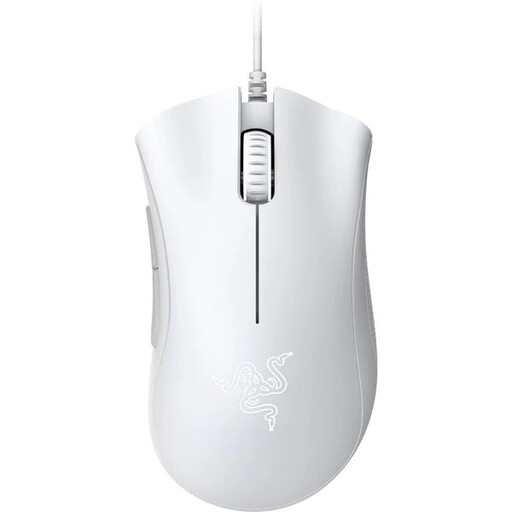
Why this product suits the profile: The ergonomic right-handed shape and wired USB connection appeal to users who do not want to worry about charging a battery.
The selection focuses on a clearly defined shape, five programmable buttons and an optical sensor with 6400 DPI.
USB operation without an integrated battery, 96 g weight and mechanical switches rated for up to 10 million clicks.
We have put together a complete, regularly updated list of products that fully meet these strict selection criteria and the safety regulations applicable in the EU.
That depends on the game, screen resolution and personal sensitivity. A wide range is useful if you want to save profiles for different games. However, the maximum DPI figure is not a standalone measure of quality.
Yes, provided it offers a stable 2.4 GHz connection, a suitable receiver and sufficient battery life. Bluetooth is often designed for a lower polling rate and is generally used for flexible device connections.
Its lifespan depends on the switches, cable or battery, care and intensity of use. Manufacturer specifications such as ‘up to 10 million’ or ‘up to 100 million clicks’ refer to the respective switches and do not guarantee the mouse’s overall service life. Use a suitable mouse mat, keep the sensor and buttons free from dirt, and do not store wireless models fully discharged for extended periods.