
Lieferung heute & morgen

Qualitätsgarantie

Willkommens-Angebote freischalten: KOSTENLOSE Lieferung | Bis zu 80 % RABATT | Kostenlose 30-Tage-JoyPlus-Testphase
App herunterladen
A gaming mouse does more than display a high DPI count or stand out with RGB lighting. What really matters is whether the sensor, weight, shape, buttons and connection suit the way you use it. When shopping online in particular, eye-catching marketing claims can quickly lead to the wrong choice.
The most common pitfalls:
DPI describes how many pixels the cursor travels over a given movement. Some users prefer lower sensitivity for FPS games, while higher settings can be practical for desktop work or certain games. More important than the maximum value is the ability to set sensible DPI levels and for the optical sensor to track movement without unwanted acceleration or filtering.
A high-DPI gaming mouse is therefore particularly useful if you want to adjust the sensitivity flexibly for different games or applications. Maximum resolution alone should not be a decisive buying criterion.
The polling rate indicates how often the mouse reports its position to the computer:
An 8,000-Hz gaming mouse may be worth considering for fast-paced FPS games or a high refresh rate. Before buying, check whether your computer and game can process this setting effectively. With a wired gaming mouse, the polling rate is usually available continuously without any complications. With wireless models, you should also consider battery life and the receiver’s position.
Many models weighing under 70 grams are considered lightweight gaming mice. This can feel comfortable when making frequent, rapid movements. Heavier versions may offer more buttons, larger housings or an adjustable weight system.
You should also consider:
A mouse with programmable buttons is suitable for MOBA games, role-playing games and productive applications. For dedicated FPS use, however, five or six easily accessible buttons may provide a clearer layout.
A wireless gaming mouse gives you greater freedom of movement and a tidier desk. For demanding games, models with a 2.4 GHz wireless receiver are generally more suitable than a purely Bluetooth gaming mouse, as Bluetooth is primarily designed for low power consumption and device compatibility. Bluetooth can be convenient if you switch between a PC, laptop and other compatible devices.
A model with a USB-C gaming mouse connection can be used wired or while charging. Check whether the receiver, charging cable and, where applicable, an adapter are included. With an RGB gaming mouse, it should also be clear whether the lighting works without software and whether profiles can be stored in the internal memory.
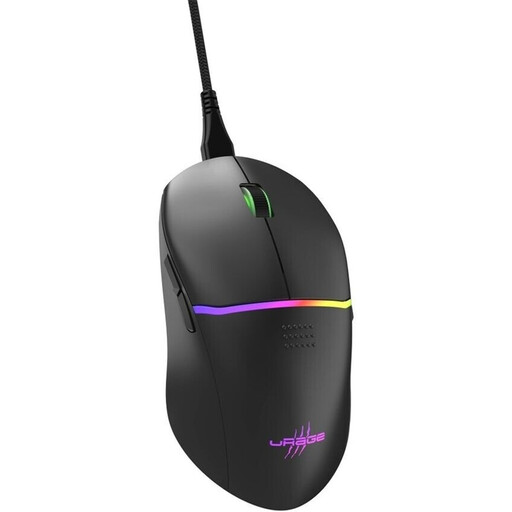
Why this product suits this profile: This wired PC gaming mouse offers a straightforward USB connection, weighs 75 g and has an ergonomic shape for right-handed users. According to the manufacturer, eight of the nine buttons can be programmed.
The choice is not based solely on the maximum DPI: the Pixart PMW3333 sensor, 1,000 Hz polling rate and two DPI buttons provide a clear foundation for essential gaming requirements.
Up to 8,000 DPI, 1 ms response time, nine buttons, RGB profiles, detachable 2 m cable and PTFE feet.
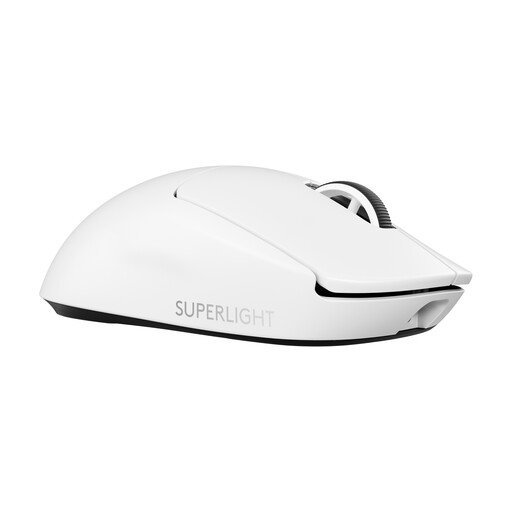
Why this product suits this profile: This esports mouse combines a 60 g weight with LIGHTSPEED wireless connectivity, USB-C charging and a HERO 2 sensor. It is aimed at users who prefer fewer buttons and a low weight.
The specifications distinguish between sensor resolution, polling rate and battery life. 8,000 Hz is available; when used wired, the manufacturer specifies 1,000 Hz.
Up to 44,000 DPI, 8,000 Hz, USB-C and up to 95 hours of battery life with continuous movement, according to the manufacturer.
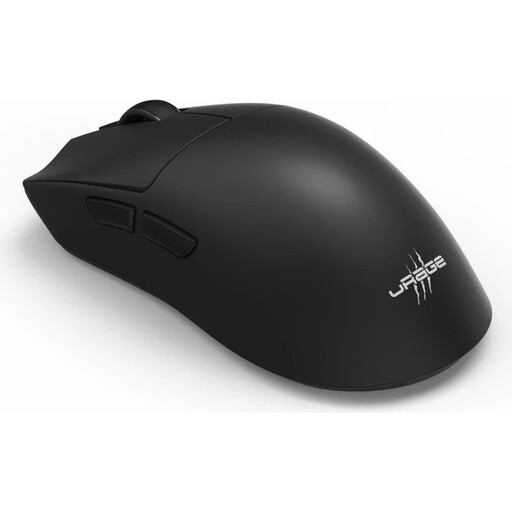
Why this product suits this profile: This model is designed for users who switch between PC gaming, laptop use and wireless everyday use. It supports 2.4 GHz wireless, Bluetooth 5.3 and operation via USB-C.
Connectivity is not limited to Bluetooth. For gaming, a 2.4 GHz receiver with up to 8,000 Hz is available; if the battery runs out, you can continue using the mouse wired.
57 g weight, up to 26,000 DPI, six programmable buttons, USB-C and up to 72 hours of battery life.
We have put together a complete, regularly updated list of products that fully meet these strict selection criteria and the safety regulations applicable in the EU.
Before buying a gaming mouse, compare the following points:
For most users, several adjustable DPI levels in the low to medium range are sufficient. High maximum values are mainly useful if you switch between different games, monitor resolutions and work applications.
It depends on how you use it. A wired mouse does not need a battery and is simple to set up. A wireless model gives you greater freedom of movement. For gaming, 2.4 GHz wireless is generally the more suitable wireless connection, while Bluetooth can be convenient when switching between devices.
Its lifespan depends on the switches, cable or battery, cleaning and daily use. Some manufacturers specify click ratings of 50 to 90 million for certain switches. This figure describes the switch design and does not automatically indicate the lifespan of the entire device. With wireless mice, the integrated battery is also a relevant wear factor.