
Lieferung heute & morgen

Qualitätsgarantie

Willkommens-Angebote freischalten: KOSTENLOSE Lieferung | Bis zu 80 % RABATT | Kostenlose 30-Tage-JoyPlus-Testphase
App herunterladen
A gaming mouse needs to offer more than a high DPI or eye-catching RGB lighting. What matters is whether the sensor, shape, weight, connection and software suit the way you play. PC gamers, power users and aspiring esports players therefore look for different features.
It’s easy to spend more than you need to on marketing promises that offer little benefit in everyday use. Three common pitfalls are worth looking out for:
DPI describes a mouse’s sensitivity. A higher setting lets you move the cursor further with smaller hand movements, but it doesn’t tell you much about real-world precision on its own. An optical sensor, consistent tracking and adjustable DPI settings matter more.
When choosing a high-DPI gaming mouse, check:
According to product specifications, the Razer Basilisk V3 reaches up to 26,000 DPI, while the Logitech G PRO X2 SUPERSTRIKE LIGHTSPEED supports up to 44,000 DPI. Treat these figures as technical maximums, not recommendations for every use.
The polling rate tells you how often the mouse reports its position to your computer. 1,000 Hz means one report every millisecond. Higher rates can be useful for fast movements and competitive gaming, but they also increase power consumption and can use more system resources.
A wired gaming mouse doesn’t need a battery and connects directly via USB. However, the cable can get in the way if it’s routed low or you’re using a small mouse mat. A wireless gaming mouse gives you more freedom to move, but needs charging. Check:
A lightweight gaming mouse can feel comfortable if you make frequent, fast movements. Models weighing around 50 to 65 grams feel quite different from ergonomic mice weighing 90 to 105 grams. You may prefer a heavier mouse for slower, more controlled movements or a more substantial palm rest.
The number of buttons should also suit how you use the mouse. Five or six buttons are often enough for FPS games. For MMORPGs, productivity or complex macros, a gaming mouse with programmable buttons may be a better choice. Check whether the software is available for Windows or macOS and whether you can save profiles to the mouse’s onboard memory.
An ergonomic gaming mouse isn’t necessarily suitable for both hands. Many models are designed specifically for right-handed users. Symmetrical designs can be more versatile, but they also differ in their side shape and thumb buttons.
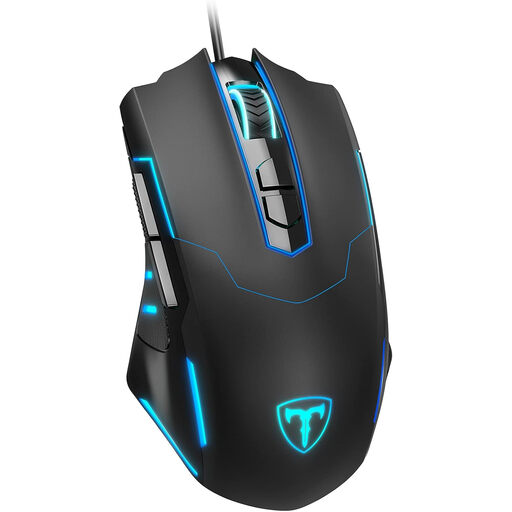
Why this product suits this profile: This wired, plug-and-play mouse is for anyone looking for essential gaming features and RGB lighting without needing a battery.
The specifications state an adjustable range of 1,200 to 7,200 DPI and a polling rate of up to 1,000 Hz. This makes the key figures clear without making an unnecessarily high maximum the focus.
Seven programmable buttons, RGB lighting and USB connectivity; button customisation requires software.
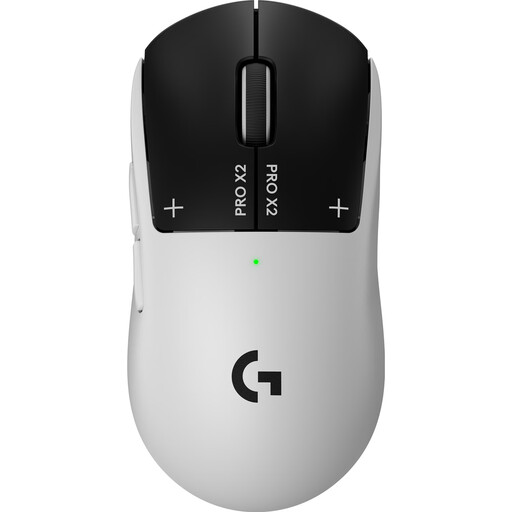
Why this product suits this profile: This wireless mouse combines a weight of 61 g with a polling rate of up to 8,000 Hz and a built-in battery.
According to the product specifications, you can connect via LIGHTSPEED or USB-C. This means you can still use the mouse when the battery is flat, provided you connect it by cable.
HERO 2 sensor with up to 44,000 DPI, five programmable buttons and a stated battery life of up to 90 hours at 1,000 Hz.
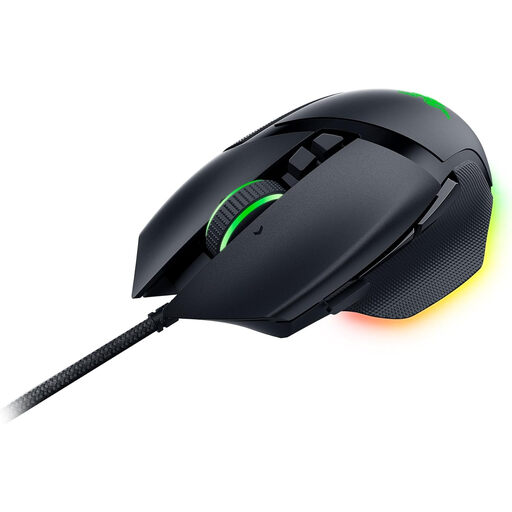
Why this product suits this profile: This right-handed mouse is for anyone who wants to control commands, macros and desktop functions using an ergonomic design.
The product specifications clearly state that it uses USB, is designed for right-handed users and requires Razer software. This makes it easier to check compatibility and desk space before buying.
Eleven programmable buttons, four-way scrolling, five profiles stored onboard and eleven RGB lighting zones.
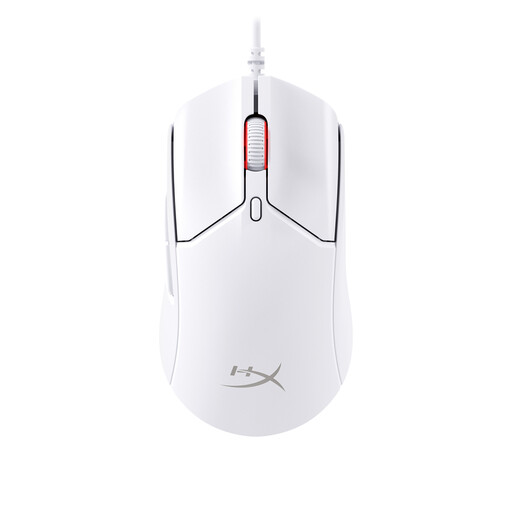
Why this product suits this profile: This wired esports mouse combines a stated weight of around 52 to 53 g with an optical sensor and a polling rate of 8,000 Hz.
The fixed USB cable means you don’t need a battery. The specifications also state that NGENUITY software is required for compatible settings.
HyperX 26K sensor, six buttons, PTFE skates and a stated switch rating of up to 100 million clicks.
We’ve put together a complete, regularly updated list of products that meet these strict selection criteria and fully comply with the safety regulations in force in the EU.
For many PC games, mid-range settings of around 800 to 3,200 DPI are enough. What matters is being able to fine-tune the sensitivity and having a sensor that tracks movement consistently. Very high DPI settings simply give you more room to customise.
A wired mouse doesn’t need a battery and is ready to use straight away. A wireless model gives you more freedom to move, but needs regular charging and a compatible receiver. Models that support USB-C wired use offer both options.
Its lifespan depends on the switches, cable, scroll wheel, skates and how much you use it each day. Manufacturer claims such as ‘up to 70 million clicks’ or ‘up to 100 million clicks’ refer to specific components and don’t guarantee the lifespan of the entire device.