
Lieferung heute & morgen

Qualitätsgarantie

Willkommens-Angebote freischalten: KOSTENLOSE Lieferung | Bis zu 80 % RABATT | Kostenlose 30-Tage-JoyPlus-Testphase
App herunterladen
A gaming mouse should impress you with more than just high DPI values or eye-catching lighting. For PC gamers, e-sports players and ambitious casual gamers, the most important factors are a suitable shape, a stable connection and clear technical specifications. If you focus solely on marketing promises, you can easily end up with a model that does not suit your hand, playing style or desk in everyday use.
A gaming mouse with 8,000 DPI or a model with 26,000 DPI allows you to fine-tune sensitivity very precisely. However, that does not automatically mean every player needs such a resolution. Sensor performance, screen resolution, your preferred sensitivity and the size of your mouse mat are also important.
For many games, a well-adjustable range with several profiles is more practical than the highest possible maximum value. So check whether DPI levels can be saved or switched directly using buttons.
A gaming mouse with RGB can complement the look of your PC setup. However, the lighting does not improve sensor performance or connectivity. Check whether the RGB effects are purely decorative or can be adjusted using the manufacturer’s software. With some products, additional programmes are required to change profiles, macros or lighting zones.
A lightweight gaming mouse usually moves with less resistance when changing direction quickly. However, weight alone says little about hand position. A shape that is too small or unsuitable for left-handed users can become impractical over time. If you mainly play with your right hand, look specifically for a right-handed gaming mouse with a suitable thumb rest and easily accessible side buttons.
An optical gaming mouse uses an optical sensor to detect movement across a surface. The DPI figure describes how sensitively the cursor responds to movement. It is not, on its own, a measure of quality.
The polling rate indicates how often the mouse sends data to the computer. According to product specifications, 1,000 Hz corresponds to data being sent approximately every millisecond. A high polling rate can be interesting for competitive gaming. In everyday office use, the difference is less relevant.
Look out for:
A wired gaming mouse with a USB connection does not require a battery and sends inputs directly through the cable. A USB gaming mouse is also generally straightforward to set up. Before buying, check whether your PC has a suitable USB-A port and whether the cable is long enough for your workstation.
A flexible or detachable cable and a cable manager are useful features. They reduce strain on the connection and prevent the cable from catching on the edge of the desk. With a permanently attached cable, the outer casing should not be subjected to sharp bends.
The number of buttons should suit the game genre. For fast-paced shooters, a few easily accessible controls are often enough. Additional buttons can be useful in strategy games, role-playing games or when using extensive macro profiles. A gaming mouse with programmable buttons is only useful if the software works reliably and the button layout can be saved.
Also compare:
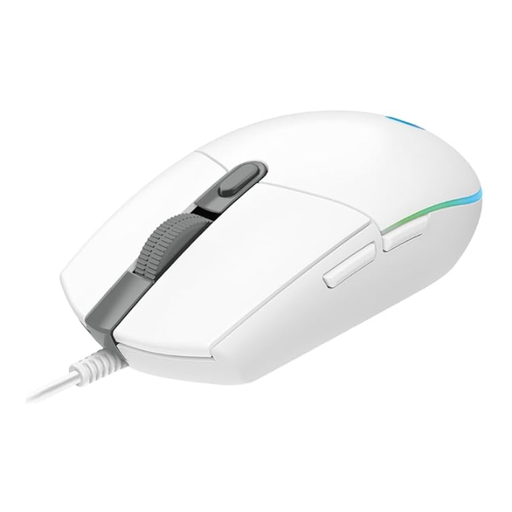
Why this product suits this profile: According to Logitech’s product specifications, this wired mouse features an optical sensor with 200 to 8,000 DPI, six programmable buttons and a USB connection. It is therefore suitable for users looking for gaming features without the need for wireless power.
The DPI range is clearly specified rather than being limited to a single maximum value. Basic use is plug and play; additional customisation requires Logitech G HUB.
USB connection, 1,000 Hz report rate according to the product specifications and programmable controls.
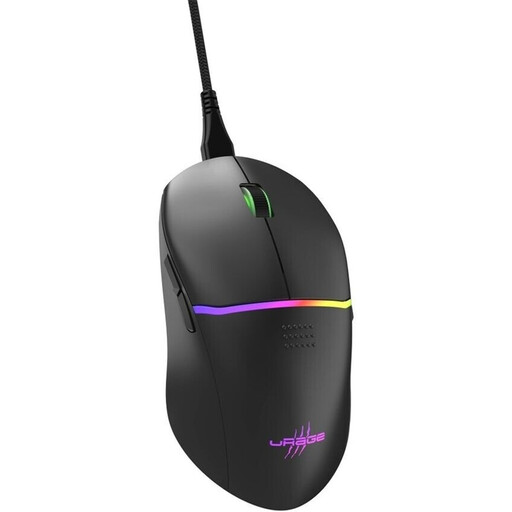
Why this product suits this profile: According to uRage’s product specifications, the right-handed design combines a weight of 75 grams, an optical Pixart sensor with up to 8,000 DPI, nine buttons and a detachable cable.
The specifications for weight, buttons, sensor resolution and polling rate make direct comparison easier. The cable can be detached and routed through a cable manager.
1,000 Hz polling rate, 1 ms response time according to the product description, PTFE glide feet and eight programmable buttons.
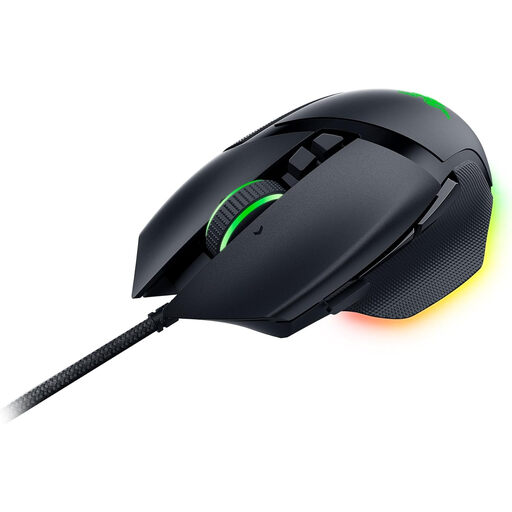
Why this product suits this profile: According to Razer’s product specifications, this model is designed for right-handed users and features eleven programmable buttons, a 4-way scroll wheel, RGB zones and up to five saved profiles.
The numerous controls are clearly specified. If you need RGB and macros, you can factor in the software requirements before buying, rather than being surprised by limited plug-and-play functionality.
26,000 DPI, 100% PTFE glide feet and USB Type-A connection according to the product description.
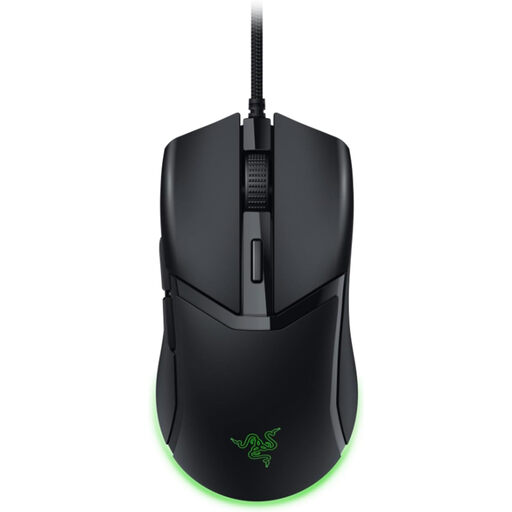
Why this product suits this profile: According to Razer’s product specifications, the Cobra weighs 58 grams and features an optical sensor with up to 8,500 DPI. This may appeal to users who want to combine fast mouse movements with a wired connection.
The low weight is stated specifically rather than being marketed simply as “lightweight”. The USB connection does not require battery charging while gaming.
Optical sensor, adjustable DPI steps, PTFE glide surfaces and Chroma RGB lighting according to the product description.
We have put together a complete, regularly updated list of products that fully meet these strict selection criteria and the safety regulations applicable in the EU.
A polling rate of 1,000 Hz is available on many wired gaming mice. This means that, in theory, the mouse reports its position to the PC up to 1,000 times per second. However, sensor performance, shape, weight and cable stability should also be considered when choosing a mouse.
Lifespan depends on the switches, cable, casing and intensity of use. Some manufacturers specify click ratings, such as 10 million or 50 million clicks. These figures are product specifications, not a guarantee of a particular service life. Clean the mouse with a soft, slightly damp cloth, and unplug the USB connector by holding the plug rather than pulling the cable.
A USB mouse only requires power from the USB port while it is operating. RGB lighting can increase consumption, but it remains a minor factor compared with many other PC components. If you want to reduce power usage, you can switch off the lighting or adjust its brightness and duration using the relevant software.