
Lieferung heute & morgen

Qualitätsgarantie

Willkommens-Angebote freischalten: KOSTENLOSE Lieferung | Bis zu 80 % RABATT | Kostenlose 30-Tage-JoyPlus-Testphase
App herunterladen
A gaming mouse does not need to impress solely with a high DPI figure or eye-catching RGB lighting. What matters is whether it suits your hand size, preferred games and computer hardware. If you focus only on marketing terms, you can quickly end up with a model that is too heavy for everyday use, whose software is incompatible with your system or whose battery regularly needs charging during a gaming session.
This guide explains which specifications are relevant before buying a gaming mouse and which models suit different usage profiles.
A gaming mouse with high DPI can offer a wide adjustment range. However, actual accuracy also depends on the sensor, tracking, surface and sensitivity used in the game. 35,000 DPI is not automatically more useful than 12,000 DPI. Many players use considerably lower settings day to day and adjust the sensitivity further in Windows or in the game itself.
You should therefore look for meaningful specifications such as sensor resolution, IPS value, acceleration and polling rate. The figures should suit your system and your preferred playing style.
A wireless gaming mouse with a 2.4 GHz receiver is designed for fast inputs. Bluetooth, on the other hand, is particularly suitable for laptops, mobile use and productive work, but depending on the device it may offer different latency and polling figures. A wireless gaming mouse with several connection options is more flexible, but may require additional software or an available USB port.
Before buying, check the following:
A lightweight gaming mouse can make quick movements easier, but it is not automatically more comfortable for every hand or grip style. Large or heavy models often provide more buttons and a more pronounced palm rest. An ergonomic gaming mouse is usually designed for a specific hand, while symmetrical models may be suitable for both left- and right-handed users.
If possible, measure your hand length and width and compare them with the mouse dimensions. The position of the thumb buttons, the height of the housing and the surface material also affect everyday use.
The sensor should track movements consistently and suit your resolution and playing style. For FPS games, controllable low-sensitivity settings and smooth tracking are often more important than the highest possible DPI figure. In MOBA and RTS games, additional buttons and easily accessible profiles can make operation more convenient.
The polling rate indicates how often the mouse reports its position to the computer. 1,000 Hz corresponds to one report per millisecond. Higher figures can reduce input latency, but they also use more system resources and are not equally relevant to every computer or game.
A programmable gaming mouse can assign commands, macros or DPI levels through the manufacturer’s software. Before buying, check whether the software only runs on Windows or also supports macOS. For a gaming mouse for Mac, it is also important to know whether the basic functions are available without an additional application.
On-board memory is useful if you want to use profiles on several computers. With some models, DPI, polling rate and other settings can be saved directly to the mouse’s memory. An RGB gaming mouse usually offers configurable lighting, but RGB is not required for functionality.
With a rechargeable mouse, battery capacity, charging connection and operating time in the relevant mode all matter. Manufacturer claims such as ‘up to 95 hours’ are maximum figures and may vary depending on the polling rate, lighting and connection type. A USB-C cable and a flexible connection allow you to continue using the mouse while it is charging.
For models with a lithium battery, follow the manufacturer’s safety instructions. The device should not be opened, exposed to excessive heat or charged with damaged cables. Electronic devices and integrated batteries should be taken to the designated collection points at the end of their service life, not disposed of with household waste.
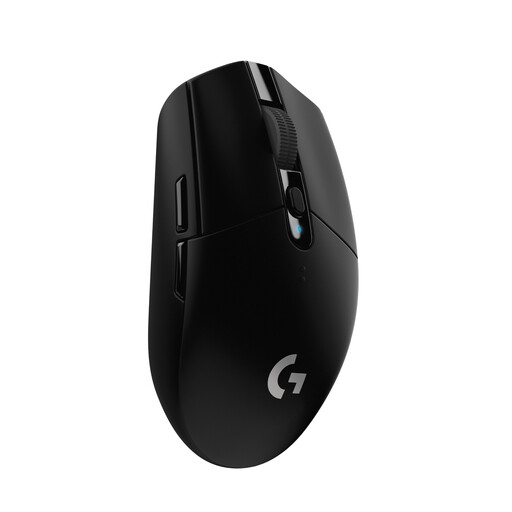
Why this product suits the profile: This mouse combines a 2.4 GHz wireless connection with a HERO sensor offering up to 12,000 DPI, making it suitable for PC and Mac users with a USB port.
It is powered by an AA battery. This eliminates the need for a built-in battery that would have to be charged while gaming.
Up to 250 hours of operation according to the product specifications, 6 programmable buttons and a 1,000 Hz polling rate.
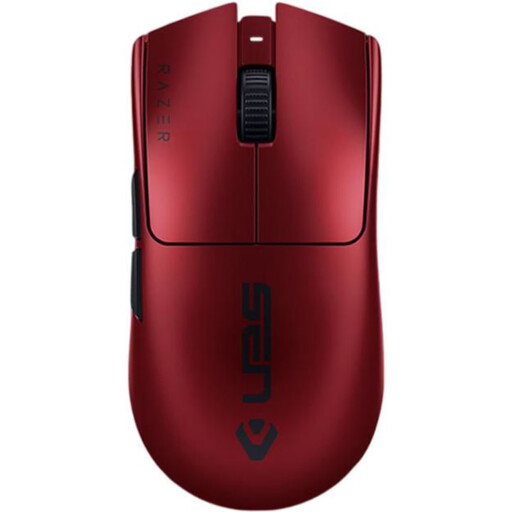
Why this product suits the profile: Weighing 54 g and offering 35,000 DPI, an 8,000 Hz polling rate plus wireless and USB-C connectivity, this model is aimed at users who want to make targeted use of advanced technical features.
The technical specifications cover more than just DPI: they also state the polling rate, weight, connectivity and battery life. This makes it easier to assess the package as a whole.
6 programmable buttons and a stated battery life of up to 95 hours.
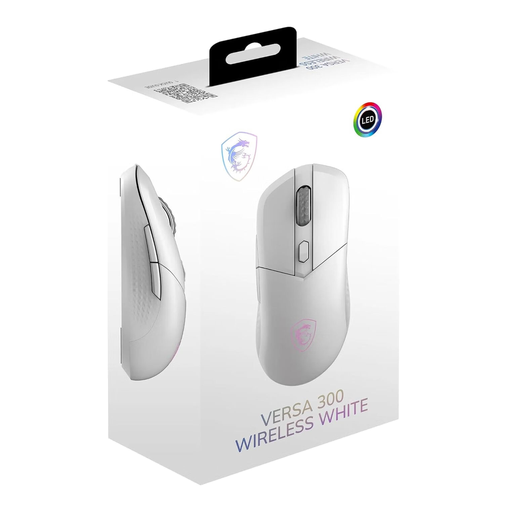
Why this product suits the profile: This symmetrical 60 g model supports 2.4 GHz, Bluetooth 5.3 and USB-C, making it suitable for a range of work and gaming environments.
You are not limited to a single connection mode. The product description also specifies 8 selectable DPI levels rather than just one maximum figure.
Up to 8,000 DPI, up to 50 hours of battery life and compatibility with Windows, macOS and Linux according to the product specifications.
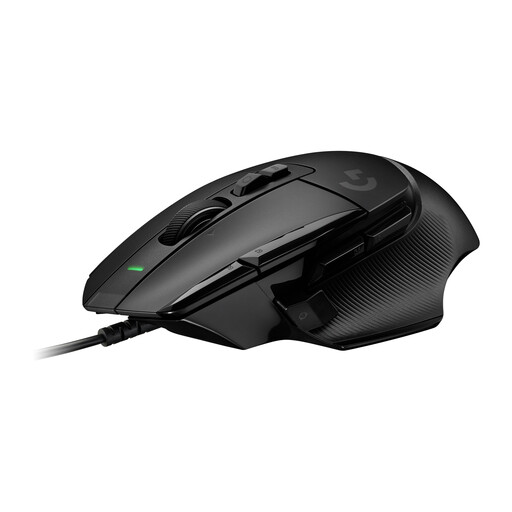
Why this product suits the profile: The wired design is ideal for users who do not want to manage battery life and need plenty of freely assignable controls for MOBA, RTS or work applications.
The USB cable eliminates charging breaks. However, before buying, you should check whether the 89 g weight and larger shape suit your grip.
13 programmable controls, a HERO-25K sensor and a two-stage scroll wheel according to the product description.
We have put together a complete, regularly updated list of products that fully meet these strict selection criteria and the safety regulations applicable in the EU.
That depends on the game, screen resolution and personal sensitivity. A model with several saveable DPI levels is practical because you can switch between desktop use, FPS games and strategy games. The maximum DPI figure alone is not enough to base your choice on.
A 2.4 GHz connection with its own receiver can be suitable for fast-paced games. A stable connection, polling rate, weight and battery life are the key factors. For tournaments or travel, it should also be possible to use the mouse with a cable in case the battery needs charging.
Its service life depends on the switches, cable or battery, surface and daily use. For some switches, manufacturers quote click ratings such as 30 or 90 million actuations. These figures are technical ratings, not a guarantee of a specific service life. Regular cleaning, a suitable mouse mat and careful handling can help reduce wear.