
Lieferung heute & morgen

Qualitätsgarantie

Willkommens-Angebote freischalten: KOSTENLOSE Lieferung | Bis zu 80 % RABATT | Kostenlose 30-Tage-JoyPlus-Testphase
App herunterladen
A gaming mouse should transmit movements precisely, click reliably, and suit both your hand and your play style. In practice, however, high DPI values, flashy RGB lighting or numerous buttons do not automatically lead to the right choice. What really matters is which features you actually need, and whether the connection, weight and shape are right for your use.
A high maximum resolution sounds impressive at first. In gaming, though, you'll often only use a fraction of the available DPI range. Far more important are an optical sensor with even tracking, stable signal processing and precise adjustment in your personal gaming profile. A gaming mouse with 25,600 or 44,000 DPI is not automatically more accurate than a model with 6,400 or 8,000 DPI.
With a wireless gaming mouse, buyers should distinguish between 2.4 GHz radio frequency, Bluetooth and wired use. Bluetooth mice are practical for laptops and multiple devices, but can differ from dedicated radio solutions in terms of polling rate and response characteristics. You should also consider the stated battery life in relation to the polling rate and lighting you'll be using.
Programmable buttons are useful for macros, media controls or additional in-game commands. In fast-paced games, however, side buttons can get in the way if they're poorly positioned. A heavy mouse with lots of controls also won't suit every grip style or sensitivity setting.
An optical sensor captures movement by analysing the surface image. Check the following before you buy:
A USB mouse needs no battery and can be used continuously during long gaming sessions. The cable should be long enough and flexible. A wireless mouse with a 2.4 GHz receiver offers more freedom of movement, but requires regular charging. With built-in lithium batteries, the charging port, charging time and the ability to use the mouse while charging are all relevant points.
A Bluetooth mouse is particularly suitable for devices without a free USB-A port. If you're looking for a mouse for PC and Mac, or a multi-device mouse, pay attention to the supported operating systems and the number of devices that can be stored.
A lightweight gaming mouse can make fast movements easier. Models with adjustable weights, on the other hand, allow you to fine-tune the balance. Look out for:
An ergonomic mouse for office work doesn't need to have the same features as a gaming mouse. A vertical design, like the Logitech MX Vertical, changes your hand position and is primarily aimed at longer work sessions.
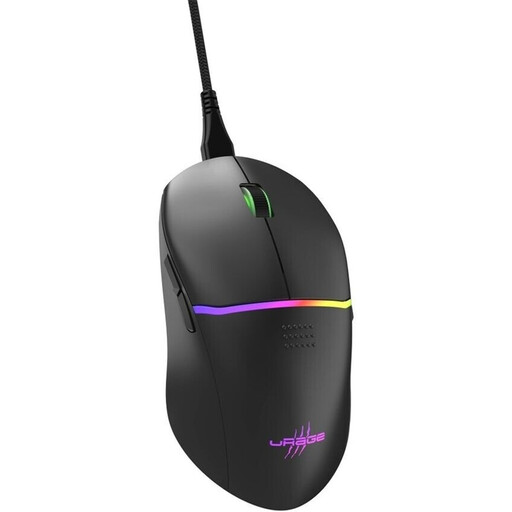
Why this product fits the profile: This wired model offers basic gaming features without the need for battery management. It has a Pixart PMW3333 sensor with up to 8,000 dpi, nine buttons and a weight of 75 g.
The USB cable prevents unexpected interruptions from a flat battery. The DPI buttons allow adjustments during use without relying solely on software.
1,000 Hz polling rate, 1 ms response, eight programmable buttons, RGB lighting and a detachable cable 2.00 m long.
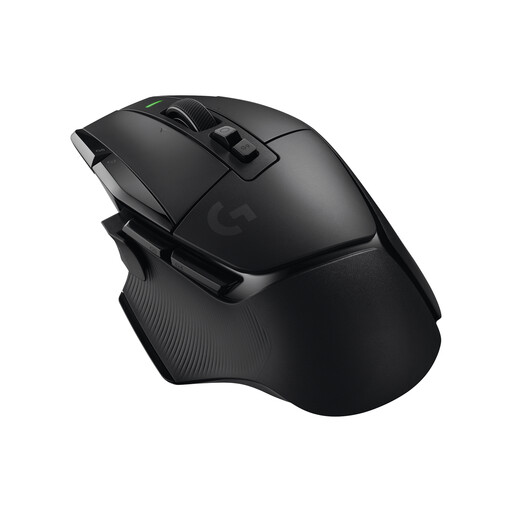
Why this product fits the profile: The Logitech gaming mouse combines LIGHTSPEED wireless technology with a HERO 25K sensor, 13 programmable controls and a dual-mode scroll wheel.
Battery life is stated at up to 140 hours. Additionally, the mouse can be charged via USB-C and used wired while charging.
100 to 25,600 dpi, 102 g weight, five built-in profiles, LIGHTFORCE switches and POWERPLAY compatibility.

Why this product fits the profile: This ergonomic mouse is designed for work and daily use. Bluetooth and a USB receiver support switching between up to three devices running Windows, macOS and iPadOS.
The specification makes it clear that the focus is on productivity and multi-device use, not on high gaming polling rates or numerous gaming profiles.
57-degree vertical design, 400 to 4,000 dpi, four customisable buttons, USB-C charging and a stated battery life of up to four months.
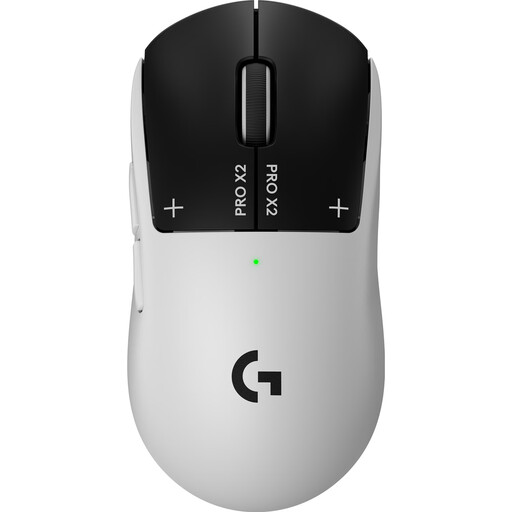
Why this product fits the profile: With a weight of 61 g, LIGHTSPEED wireless technology, a HERO 2 sensor and adjustable actuation parameters, this model is aimed at users who prioritise low mass and extensive customisation.
The five programmable buttons keep operation straightforward. Connection is also possible via USB-C if wireless use or battery level isn't suitable at the time.
Up to 44,000 dpi, up to 8,000 Hz polling rate, 61 g weight and a stated battery life of up to 90 hours at 1,000 Hz.
We've put together a complete, regularly updated list of products that fully meet these strict selection criteria and the safety regulations in force in the EU.
That depends on the game, screen resolution, viewing distance and your personal movement. Many users start with a medium setting and adjust it gradually. A high DPI number is mainly relevant if you need finely graduated steps.
A 2.4 GHz radio frequency mouse with a suitable receiver can be suitable for fast-paced games. Check the specifications for polling rate, battery life and connection. Bluetooth, on the other hand, is mainly practical for flexible device connections and office use.
The lifespan depends on the switches, cable or battery, intensity of use and care. Manufacturers sometimes quote click ratings such as 10, 50 or 100 million actuations. These figures are technical nominal values and not a guarantee of a specific service life. Dust, liquids and damaged cables can impair function regardless of this.