
Lieferung heute & morgen

Qualitätsgarantie

Willkommens-Angebote freischalten: KOSTENLOSE Lieferung | Bis zu 80 % RABATT | Kostenlose 30-Tage-JoyPlus-Testphase
App herunterladen
A gaming mouse should transmit movements accurately, feel comfortable in your hand and perform reliably every day. However, eye-catching lighting, extremely high DPI values or a large number of buttons do not automatically mean you are making the right purchase. What matters is whether the technical specifications suit your gaming style, grip and existing system.
A gaming mouse with a high DPI can significantly increase pointer speed. On its own, however, this says little about how easy the mouse is to control in practice. Many games are played at moderate sensitivity, while higher values are more relevant for fast desktop movements or individually adjusted settings.
So do not just look at the maximum figure. Check whether the DPI levels can be adjusted sensibly, too. An optical sensor and stable signal transmission are more important for everyday use than having the biggest number possible on the packaging.
A gaming mouse with programmable buttons can be useful for strategy games, role-playing games and productivity tasks. However, you should check whether the buttons are easy to reach and whether the required configuration software works with your operating system.
Macros are not welcome in every gaming situation or with every esports title, either. If you mainly play fast-paced shooters, you may need fewer buttons but benefit from a low weight and a shape that is easy to control.
A gaming mouse with RGB can complement the look of your desk. However, lighting has no effect on the fit or sensor performance. So check the dimensions, weight, grip style and cable connection first. A symmetrical shape may suit both left- and right-handed users, while a pronounced thumb rest is usually designed for right-handed use.
With a USB gaming mouse, the connection is established directly via the cable. This avoids charging a battery and wireless latency, but the cable does restrict freedom of movement to some extent. The polling rate indicates how often the mouse reports its position to the computer. According to the manufacturer, a value of 1,000 Hz corresponds to one report every millisecond. A lower rate, such as 125 Hz, may be sufficient for office tasks and casual gaming.
The DPI specification describes the sensor’s sensitivity. When choosing a mouse for esports, you should also look for adjustable levels, consistent tracking and support from the relevant software. Manufacturer specifications for acceleration, tracking speed and click lifespan are technical guidelines, not a guarantee for every usage scenario.
A light gaming mouse is easier to move across a large mouse mat when using low sensitivity. Heavier models may feel more stable and suit users who make smaller movements. The overall weight is not the only important factor: the balance between the front and rear also matters.
For some products, the stated weight may vary depending on the measuring method or whether the cable is included. Where possible, compare product specifications from the same manufacturer and take the size of your hand into account.
Palm, claw and fingertip grips each have different requirements. An ergonomic gaming mouse with a thumb rest can support your hand position, but is often designed for one hand only. Symmetrical mice offer greater flexibility in terms of shape, but do not necessarily have side buttons on both sides.
You should also check the operating system and connection before buying. Some models work via plug and play, while RGB effects, macros or saved profiles require additional software. Compatibility should be checked separately for consoles.
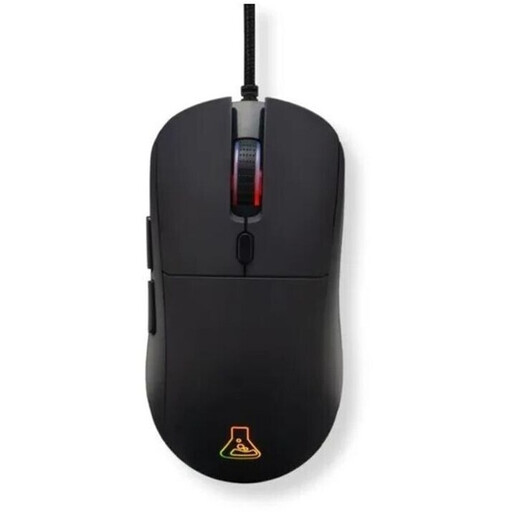
Why this product suits this profile: This wired gaming mouse combines a USB-A connection with six programmable buttons and an adjustable resolution from 800 to 12,800 DPI. It is suitable for PC gamers who want to try different settings without relying on a wireless connection.
The technical specifications clearly state the DPI range, 1,000 Hz polling rate, weight and number of buttons. RGB lighting remains an additional feature rather than replacing the essential specifications.
80 g weight, six programmable buttons, 1.8 m cable and support for Windows, macOS, Linux, PS4 and PS5 according to the product description.
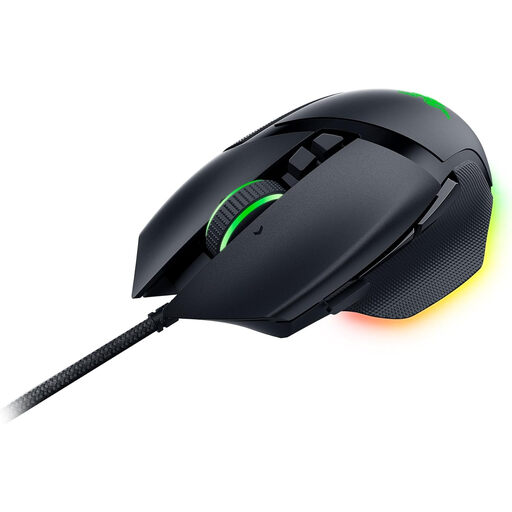
Why this product suits this profile: This right-handed model is aimed at users who want to manage numerous controls, profiles and lighting zones in a PC gaming environment.
The 11 programmable buttons, thumb rest and right-handed shape are clearly specified. If you need a symmetrical mouse, you should rule out this design before buying.
Razer Focus+ optical sensor with up to 26,000 DPI, 11 RGB zones, five saveable profiles and a four-way scroll wheel according to the manufacturer’s specifications.
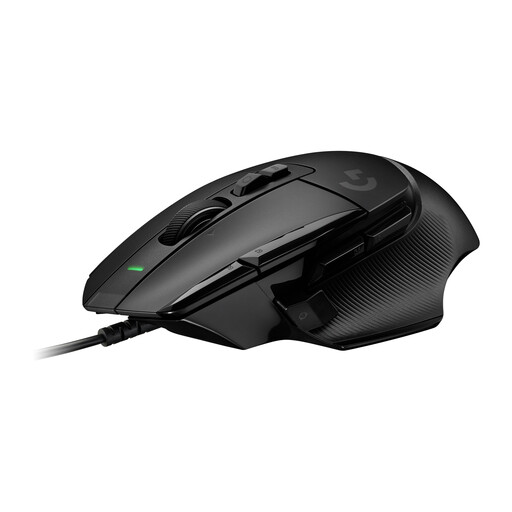
Why this product suits this profile: This model is suitable for heavy users who want to combine numerous commands, a variable scroll wheel and adjustable DPI levels for gaming and desktop tasks.
The 13 programmable controls and adjustable DPI shift button are specifically stated. According to the available product data, RGB is not listed as a feature and should therefore not be assumed.
HERO-25K sensor with 100 to 25,600 DPI, 13 controls, up to five profiles stored on the device and a scroll wheel with multiple modes according to the manufacturer’s specifications.
We have put together a complete, regularly updated list of products that fully meet these strict selection criteria and the safety regulations applicable in the EU.
It depends on the game and your personal sensitivity. For many users, adjustable ranges between around 800 and 3,200 DPI are sufficient. What matters is that the setting can be changed in sensible increments and that the sensor tracks movement consistently.
A wired gaming mouse does not require a battery and is powered directly via USB. It is suitable for fixed PC workstations and long gaming sessions. A wireless model offers greater freedom of movement, but needs to be charged or uses batteries. The right choice therefore depends on your preferred setup and how you use the mouse.
Its lifespan depends on the switches, cable, surface, transport and intensity of use. Manufacturers often specify a click count, such as 10 or 20 million clicks. This figure is a technical guideline. A dry, dust-free environment and careful handling of the USB cable can help extend the product’s service life.