
Lieferung heute & morgen

Qualitätsgarantie

Willkommens-Angebote freischalten: KOSTENLOSE Lieferung | Bis zu 80 % RABATT | Kostenlose 30-Tage-JoyPlus-Testphase
App herunterladen
A gaming mouse does not need to impress through a high DPI figure alone. For PC and Mac gamers, everyday factors such as weight, shape, connection, button placement and actual compatibility with your setup also matter. If you focus only on terms such as “44,000 DPI” or “8K polling rate”, you could still end up buying a mouse that is unsuitable despite its impressive technical specifications.
Three marketing traps in particular frequently lead to disappointing purchases:
DPI describes how many pixels the cursor moves across during a particular movement. A high-DPI gaming mouse offers a wide adjustment range, but does not need to be used permanently at maximum sensitivity. For many games, a lower setting is more suitable if it allows you to make controlled movements.
The type of sensor is also important. Optical sensors are usually described using specifications such as maximum DPI, IPS tracking speed and acceleration. These figures should be understood as technical upper limits, not as an automatic guarantee of quality.
The polling rate indicates how many times per second the mouse reports its position to the computer:
A gaming mouse with an 8K polling rate is particularly interesting for users with a powerful PC, a high-refresh-rate monitor and compatible software. The difference is not equally noticeable in every application.
A lightweight gaming mouse can make rapid changes of direction easier. Models weighing around 60 grams are often aimed at users who play at low sensitivity and make larger movements from the forearm. Heavier mice, on the other hand, can provide greater stability or offer extra buttons and a weight system.
The shape should suit both your hand size and your grip:
Right-handed users should pay attention to the mouse’s orientation. If you want to use the mouse with either hand, you need a symmetrical or ambidextrous model. An ergonomic gaming mouse with a thumb rest can be comfortable during long sessions, but it is not suitable for every grip style.
A wireless gaming mouse can reduce cable drag across your desk. For fast-paced games, the 2.4 GHz receiver is usually the relevant wireless option. Bluetooth is more suitable for an energy-efficient everyday connection, provided the particular mouse supports this mode.
Before buying, check the following:
The position of the receiver is also important. A USB extension cable or a dongle positioned closer to the mouse mat can reduce troublesome distances and sources of radio interference. With a wired mouse, charging is no longer an issue, but you should check the cable length, flexibility and connector type.
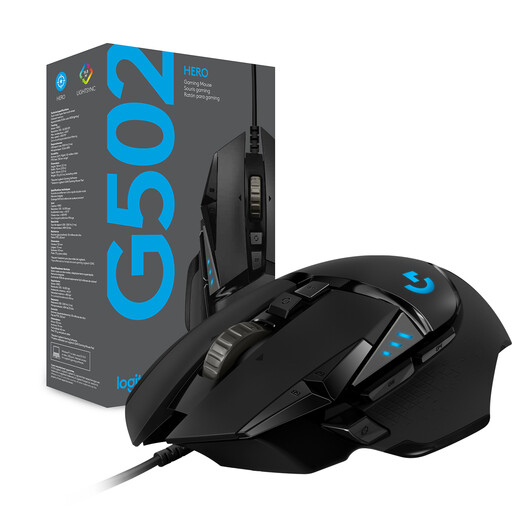
Why this product suits the profile: This wired model offers plenty of features without the need to manage a battery, making it suitable for users who want to assign numerous commands directly to the mouse.
The DPI range of 200 to 25,600 is combined with a USB cable, eleven programmable buttons and an adjustable weight system. This makes the feature set easy to assess.
HERO sensor with up to 25,600 DPI, eleven programmable buttons and five optional weights of 3.6 grams each.
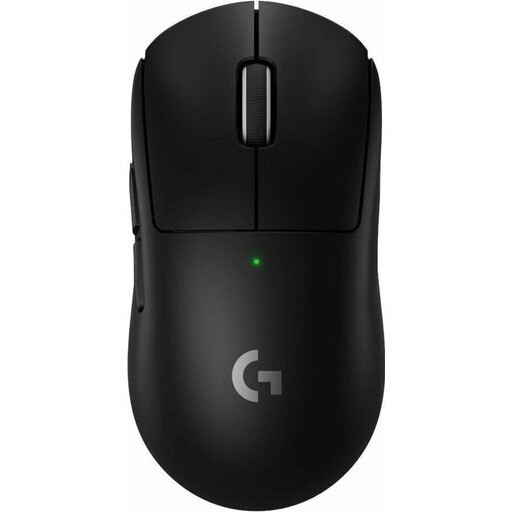
Why this product suits the profile: Its low weight and high polling rate are aimed at competitive gamers who prefer a wireless connection with a small number of carefully selected buttons.
The product specifications clearly state the weight, sensor, polling rate, battery and USB-C charging connector. This allows you to compare the relevant criteria directly before buying.
60 grams, HERO-2 sensor with up to 44,000 DPI, 8,000 Hz polling rate and a stated battery life of up to 95 hours.
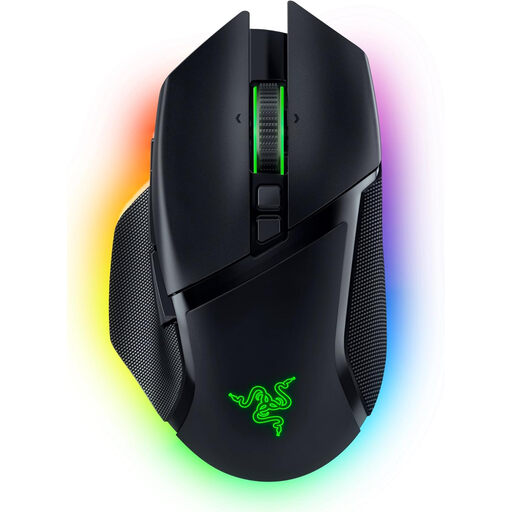
Why this product suits the profile: Its more angular shape with thumb rest, numerous buttons and multiple connection options suits users who combine gaming with productive desktop tasks.
The mouse is not only wireless, but also supports Bluetooth and USB-C. You can select the appropriate mode depending on whether performance or battery conservation is more important.
Focus Pro sensor with up to 30,000 DPI, 10+1 programmable buttons, three connection options and up to 110 hours of battery life according to the product specifications.
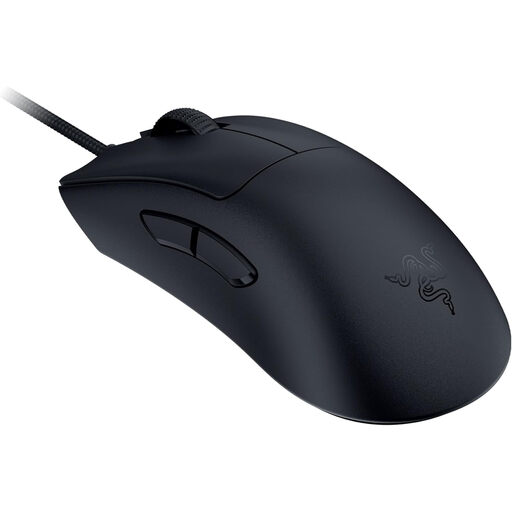
Why this product suits the profile: If you are looking for a lightweight, wired mouse with an ergonomic right-handed shape, this option eliminates the need to manage a battery or wireless connection.
The connection is made directly via USB. This eliminates charging breaks, dependence on Bluetooth and potentially confusing decisions when comparing several wireless modes.
59 grams, Focus Pro sensor with up to 30,000 DPI and a stated polling rate of up to 8,000 Hz.
For an easy-to-follow selection process, you can organise the models in a small table or note according to the following points:
A Logitech gaming mouse and a Razer gaming mouse may offer similar sensor specifications, but can differ significantly in shape, software, button layout and weight. Your product comparison should therefore not be based on a single specification.
We have put together a complete, regularly updated list of products that fully meet these strict selection criteria and the safety regulations applicable in the EU.
A wireless gaming mouse with a 2.4 GHz receiver can be suitable for competitive gaming. A receiver positioned securely, minimal radio interference and a sufficiently charged battery are important. For maximum simplicity, a wired mouse remains a sensible alternative.
There is no fixed minimum figure. Many users play at settings that are considerably lower than the technically possible maximum resolution. Consistent sensor tracking, suitable game and operating system settings, and an appropriate mouse mat are more important.
Its lifespan depends on the switches, cable or battery, care and daily use. Some manufacturers state a click lifespan or battery life for certain models; these figures are technical guidelines, not a guarantee of a specific service life. You should also clean your mouse properly and avoid liquids and heavy mechanical stress.