What should you look for when buying?
For long building sessions, check the fit and grip first, then the inputs you actually need and, finally, the right connection type.
| What to consider |
What to look for |
Who will find this especially useful? |
| Comfort during long sessions |
Check the shape, grip, hand support and reach of the main buttons at your own desk. |
During long building sessions, I want a shape that suits my hand and lets me reach the main buttons without having to adjust my grip awkwardly. Around 36% of consumers put fit first when choosing a mouse. |
| Navigation and scroll wheel |
Check the scroll-wheel modes, side inputs and pointer speed in the game and operating system you use. |
When I often switch between the overview and close-up view on a large screen, I want to set the scroll wheel and pointer up to suit the way I play. Around 29% of consumers prioritise navigation and scrolling. |
| Access to in-game commands |
Make a note of the actions you use most, check the in-game key bindings and consider the position of the buttons on the model itself. |
If I use lots of building and tool commands, I want to assign only the most common actions to easy-to-reach buttons. Around 21% of consumers prioritise direct access to in-game commands. |
| Wired or wireless |
Check the connections, receiver, charging method and freedom of movement you want for the specific model. |
If I want to keep my mouse space flexible or switch between devices, I need a connection that suits me and won’t cause unnecessary interruptions. Around 14% of consumers put connection flexibility first. |
Joybuy's PC gaming picks
This selection of Joybuy products includes wired and wireless PC gaming mice. Several models are described as having programmable buttons or different connection options.
 No image available
Razer Basilisk V3 35K, wired
If you want to play wired and assign actions to mouse buttons, the product name specifies that it has programmable buttons.
11 programmable buttons; optical sensor with 35,000 DPI; USB wired connection.
View at Joybuy
 No image available
ATTACK SHARK X11, black
If you want to choose between several connection types and assign game actions to mouse buttons, the product name lists both features.
Five programmable buttons; 2.4 GHz, Bluetooth and USB-C connections; RGB charging dock.
View at Joybuy
 No image available
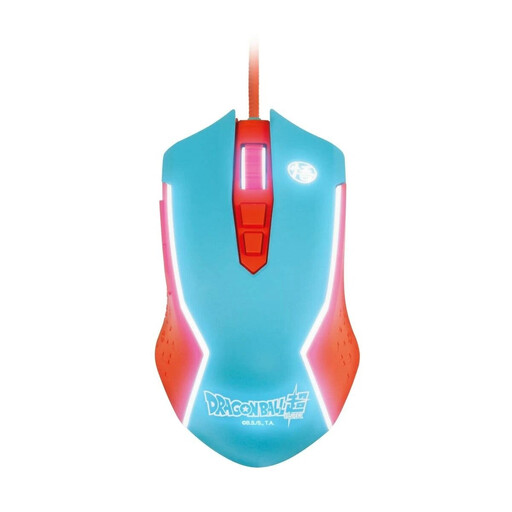
Blade Dragon Ball Goku, wired PC gaming mouse
If you’re looking for a wired PC gaming mouse, the product name describes this model as wired.
View at Joybuy
 No image available
AJAZZ AJ200 AI MC, wireless
If you want to switch between connection types depending on where you work, the product name lists three options and a charging dock.
Bluetooth, 2.4 GHz and USB-C connections; PAW3311 sensor with 24,000 DPI; charging dock.
View at Joybuy
 No image available
AULA SC620, white
If you want to assign extra game commands to buttons and choose between connection types, the product name lists both features.
Seven programmable buttons; Bluetooth 5.0, 2.4 GHz and USB-C; PAW3311 sensor with 12,000 DPI.
View at Joybuy
Frequently asked questions
Do I need the highest available DPI for a large screen?
No. There’s no universal minimum or maximum DPI that you need. Check whether you can adjust the pointer speed to suit your screen, operating system and game. According to the manufacturer, the Logitech G502 X has an adjustable DPI shift button.
Can I use extra mouse buttons for my building tools straight away?
Not automatically. First check the key bindings in the game, then check how you can assign them on the mouse model. The official Factorio Wiki explains how to change key bindings; information about button functions applies only to the model named.
What should I check when setting up a wireless mouse?
Check which connection and power supply are intended for your model. CHERRY lists Bluetooth, 2.4 GHz wireless and wired operation for the M50 Wireless; these options don’t automatically apply to other wireless mice.
What are my rights when buying online or if a product develops a fault in Germany?
The Verbraucherzentrale says that online purchases generally come with a 14-day right to cancel, with the period starting when the contract is concluded or the goods are received. If a product is faulty, the seller is generally responsible for the statutory warranty. This is separate from any voluntary manufacturer’s guarantee.
Is any wireless gaming mouse automatically suitable for the EU market?
According to the European Commission, the Radio Equipment Directive 2014/53/EU provides the regulatory framework for radio equipment. Your Europe explains that the CE marking is a manufacturer’s declaration that the product complies with relevant EU rules; it is not approval from a central EU body. Check the information for the specific model. This does not confirm that any individual listing is compliant.


