What should you look for when buying?
Start by checking the fit and the space available on your desk, then consider button mapping and connectivity to suit your devices.
The BAuA recommends leaving enough desk space for your mouse, keyboard and hand and arm support. The points below can help you choose a mouse to suit the way you use it.
| Consideration |
What to look for |
Who is it important to? |
| Fit and desk space |
Check the size and feel in your hand; allow enough room for your mouse, keyboard and arm support. |
If I work and play at the same desk for long periods, a comfortable shape and position matter to me; around 31% of consumers put hand fit first. |
| Easy-to-reach extra buttons |
Only count on buttons you’ll actually assign actions to and can reach without changing your grip awkwardly. |
If I want to assign regular in-game commands to my mouse, easy access matters more to me than simply having lots of buttons; around 31% of consumers prioritise custom keybinds. |
| Switching between devices |
Check the available ports on both devices against the connection options of the exact model. |
If I want to use the same mouse with my work device and gaming PC, I need connection options that suit both; around 23% of consumers put switching between devices first. |
| Using the mouse without charging |
For a wired model, check that you have a suitable USB port and can route the cable without it pulling. |
If I play on one PC and don’t want to deal with charging or batteries, a wired mouse is an option for me; around 15% of consumers prioritise hassle-free use without charging. |
Joybuy products for work and play
This selection includes wired and wireless gaming mice with features for custom in-game controls or switching between devices.
 No image available
Razer Basilisk V3 35K, wired
A wired option if you want to assign in-game commands to easy-to-reach buttons and have room on your desk to route the cable.
The product title lists 11 programmable buttons and an optical sensor with 35,000 DPI. The model is described as a right-handed mouse.
Joybuy
 No image available
Razer Naga V2 HyperSpeed
A wireless option if you want to assign several in-game actions yourself; check that the buttons suit your grip.
The product title lists 19 programmable buttons, 2.4 GHz wireless and Bluetooth. According to the product details, it takes one AA battery; the model is described as a right-handed mouse.
Joybuy
 No image available
AJAZZ AJ200 AI MC Wireless Gaming Mouse
An option for switching between devices if you want to use different connection types at your work and gaming setups.
The product title lists Bluetooth, 2.4 GHz wireless and USB-C, as well as a weight of 63 g. According to the product details, driver software is available for button mapping and macros.
Joybuy
 No image available
Logitech G G502 HERO
A wired option for using with a single PC if you want to avoid charging or changing batteries.
The product details describe this as a USB wired model. Make sure you can route the cable neatly on a shared desk.
Joybuy
 No image available
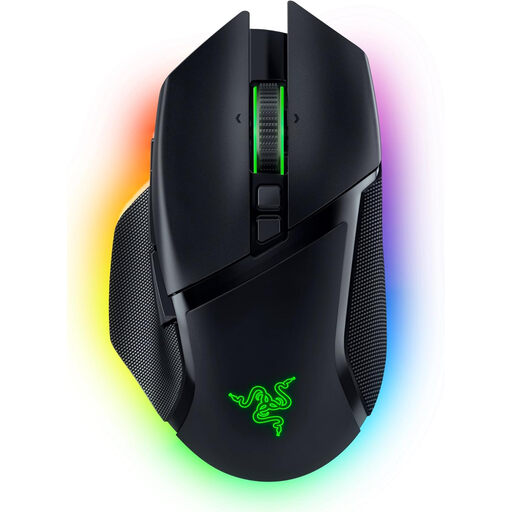
Razer Basilisk V3 Pro
A wireless option if you want to map in-game commands and choose between different connection types.
The product title lists 10+1 programmable buttons and a HyperScroll tilt mouse wheel. The product details include 2.4 GHz wireless, Bluetooth and USB-C; the battery needs charging when you use it wirelessly.
Joybuy
Frequently asked questions
Do I need a mouse with twelve thumb buttons for Farming Simulator 25?
No, a mouse with twelve thumb buttons isn’t essential for Farming Simulator 25. Choose based on the commands you want to map yourself and whether you can reach the buttons comfortably. The 12 side buttons on the Corsair SCIMITAR ELITE WIRELESS are an optional feature listed by the manufacturer.
What should I know about a mouse steering mod?
The optional FS25 “Mouse Steering” mod lets you adjust sensitivity, linearity and dead zones. According to the mod details, the mouse wheel can change vehicle speed when mouse steering is active, so check its mapping if it conflicts with other actions. This advice applies to the specific mod mentioned, not to the base game in general.
How should I set up my workspace for work and play?
The BAuA recommends leaving enough room to position your mouse and keyboard flexibly, as well as providing support for your hand and arm. Choose a mouse that suits your hand and plan where to position it on the desk you actually use. A single gaming mouse is no substitute for setting up your whole workspace.
What are my rights in Germany if a product is faulty or I want to return an online order?
The seller is responsible for statutory consumer rights; the Verbraucherzentrale (German consumer advice centre) states that the period is generally two years. For goods ordered online, you usually have a 14-day right to cancel, which you must notify the retailer about. A voluntary guarantee is separate from these rights.
Does CE marking mean an EU authority has tested the mouse?
No, the CE mark isn’t an independent quality mark for comfort or gaming suitability. The European Commission explains that the manufacturer is responsible for assessing conformity and, by applying the mark, declares that the relevant requirements have been met.


