Joybuy products for your home office desk
This selection includes wired and wireless gaming mice for design work and frequently used commands at your desk.
 No image available
Razer Basilisk V3 35K Wired Gaming Mouse
A wired option if you want to explore programmable buttons and a customisable scroll wheel for supported commands.
11 programmable buttons; wired USB connection; right-handed design; optical sensor with 35,000 DPI.
Joybuy
 No image available
ATTACK SHARK X11 Wireless Gaming Mouse
Could suit you if you want to switch between wireless, Bluetooth and wired use, with programmable buttons too.
Five programmable buttons; 2.4 GHz, Bluetooth and USB-C connectivity; 62 g; charging dock and grip tape included according to the product name.
Joybuy
 No image available
Razer Naga V2 HyperSpeed Wireless Gaming Mouse
A wireless option if you want to assign lots of recurring commands to buttons; check that your software supports the assignments.
19 programmable buttons; 2.4 GHz wireless and Bluetooth; powered by one AA battery; optical sensor with 30,000 DPI.
Joybuy
 No image available
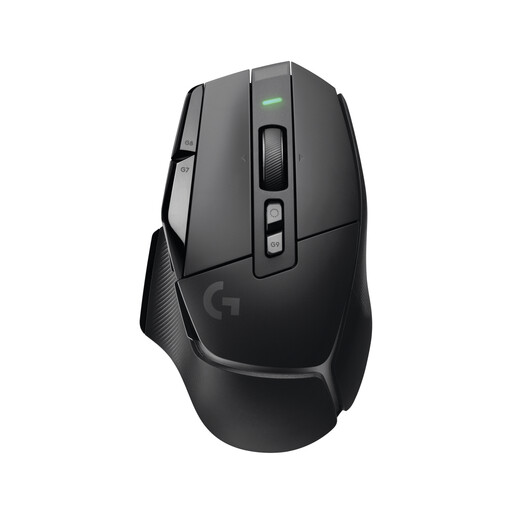
Logitech G G502 X LIGHTSPEED Wireless Gaming Mouse
A wireless gaming mouse for a desk where a cable might get in the way when you rearrange your workspace. Check the button assignments and connections for this specific version.
Wireless version.
Joybuy
 No image available
Logitech G G502 Hero High Performance Gaming Mouse
A wired option if you want to check how frequently used commands and scroll-wheel functions work with your software.
Wired USB connection.
Joybuy
Frequently asked questions
Do I need the highest DPI rating available for virtual garden design?
No. A high DPI rating alone doesn’t make a mouse more suitable. First check the fit and the inputs you need; then try adjusting the sensitivity in your software.
How do I set up extra buttons for my garden-design software?
Start by listing the commands you use often and confirming that your software supports them. Then check the software for the specific mouse model to see which buttons and profiles you can customise; the stated number of buttons doesn’t tell you how your software assigns them by default.
What should I bear in mind when using a wireless mouse in a home office?
Check the receiver or connection and power supply for the specific model. For the CHERRY XTRFY M50 Wireless, the manufacturer lists 2.4 GHz wireless, Bluetooth and wired use, as well as a rechargeable battery; stated battery life depends on the settings.
What are my rights if a mouse I bought online doesn’t fit or is faulty?
For a standard online purchase by a consumer in Germany, you generally have a 14-day right to cancel; exceptions and the precise start of the cancellation period should be checked. If a product is faulty, statutory consumer rights against the seller are separate from a voluntary guarantee, as explained by the Verbraucherzentrale (German consumer advice centre).
Can I put my old mouse in the household rubbish?
No. Section 10 of Germany’s Electrical and Electronic Equipment Act (ElektroG) requires waste electrical equipment to be collected separately. The German Environment Agency lists local collection points as an option and recommends removing any batteries and collecting them separately before disposal.


