Long-session desktop gamers
If you play for long stretches, check that the shape, grip and scroll wheel are comfortable and easy to reach. The right shape is a matter of personal preference.


For long grand strategy sessions, start by finding a shape that suits you: you should be able to reach the scroll wheel and buttons without constantly shifting your grip. Then decide whether you mainly want to assign frequently used commands, navigate maps and menus comfortably, or keep your desk cable-free. Lots of side buttons are only worthwhile if you’ll actually use them; with a wireless mouse, you’ll also need to charge it or replace the batteries.
If you play for long stretches, check that the shape, grip and scroll wheel are comfortable and easy to reach. The right shape is a matter of personal preference.
If you often switch between map views and menus, check that you can control the scroll wheel precisely and reach it easily. Try it in your own game to see which wheel movements are genuinely useful.
If you want to assign recurring commands to mouse buttons, first think about which ones you use regularly. Depending on the model, a smaller button layout may be enough, or you may want more buttons under your thumb.
First, check how the mouse sits in your hand and how easily you can reach the scroll wheel and buttons. Then compare the features you’ll actually use, and choose the right connection type last.
| Buying priority | What to look for | Who should pay particular attention? |
|---|---|---|
| Shape and reach | Check the grip style and how the mouse sits in your hand; make sure you can reach the scroll wheel and frequently used buttons without shifting your grip. | If I play at my desk for long periods, I want the scroll wheel and buttons to be comfortable to reach. Around 31% of consumers shopping in this category put shape and reach first. |
| Map and menu navigation | Test in your own game what scrolling, clicking the wheel and, where available, tilting it sideways do. | If you often switch between the map and menus, an easy-to-use scroll wheel is important. Around 25% of consumers prioritise navigation. |
| Programmable buttons | Count the commands you need; check the software, profiles and button reach on the specific model. | If I use the same commands often, I want to be able to reach them reliably on the mouse. Around 25% of consumers put programmable buttons first. |
| Connection and convenience | Check the connection options, how the mouse charges and whether it needs a receiver on the specific model. | If I use my mouse at different workstations, having the right connection matters to me. Around 19% of consumers prioritise this flexibility. |
The G502 Lightspeed and G502 HERO are different models. Similarly, the Basilisk V3, Basilisk V3 35K and Basilisk V3 35K PRO are not interchangeable just because their names are alike.
Before you buy, compare the full model name, connection type and, if listed, model number.
A high number of buttons doesn’t tell you whether you can reach them reliably with your thumb or whether you’ll actually need them in your game.
First, make a note of the commands you use regularly, then check that the buttons suit your hand.
Setting up and getting used to extra button assignments takes time.
CHERRY states that the M50 Wireless lasts for up to 100 hours, noting that battery life depends on the settings.
Check how the mouse charges and whether you can use it via cable while it’s charging.
With a wireless mouse, you’ll need to allow time for charging or battery replacement.
The G502 HERO is a wired option with programmable buttons.
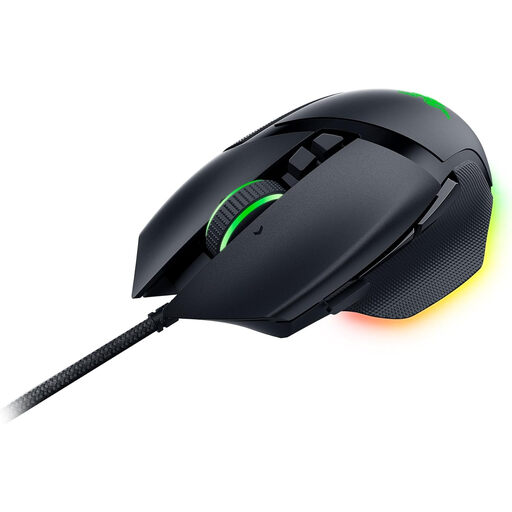
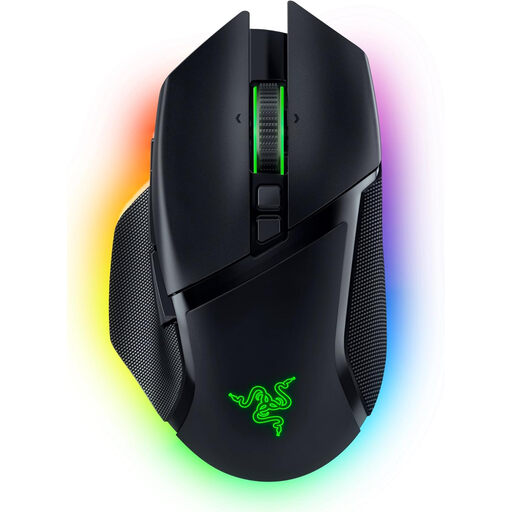
The Basilisk V3 combines programmable buttons with a tilting scroll wheel.
The Aerox 9 Wireless is aimed at users specifically looking for a large thumb-button layout.
The M50 Wireless offers several connection options to suit different desk set-ups.
The Scimitar RGB Elite is a wired option with a large, adjustable side button panel.
This selection includes wired and wireless gaming mice, with different scroll wheel features and options for programmable buttons.
 No image available
For wireless gaming, with programmable buttons and a shape designed for right-handed users.
64 g; 2.4 GHz wireless and USB connection; Focus Pro 30K sensor.
Wireless use requires charging; the product description states that it can be charged via USB cable.
 No image available
For gamers who want to assign lots of commands they actually use to the mouse and switch between scroll modes.
19 programmable buttons; 2.4 GHz wireless and Bluetooth; tactile and free-spin scroll wheel modes.
Designed for right-handed users and powered by one AA battery.
 No image available
For a permanent desk set-up and frequently used commands at your fingertips.
Eleven programmable buttons; two-mode scroll wheel; adjustable weights.
Wired USB connection with a 2.1 m cable.
 No image available
For recurring game commands and a scroll wheel that tilts from side to side.
Eleven programmable buttons; tilting scroll wheel with tactile and free-spin modes; five saveable profiles.
Wired and designed for right-handed users.
 No image available
For switching between different scrolling tasks and assigning multiple commands, with wireless connection options.
10+1 programmable buttons; tilting scroll wheel with tactile and free-spin modes; Bluetooth, 2.4 GHz wireless and USB.
The rechargeable battery charges via USB-C.
No. A high maximum DPI doesn’t tell you whether the shape, buttons and scroll wheel will suit you. Check that you can adjust the pointer sensitivity to your liking and use the scroll wheel comfortably in your game; the maximum DPI alone doesn’t make a mouse especially suitable for a particular game.
First, check which commands your specific game supports. Logitech explains how to assign buttons on the G502 HERO using G HUB; Corsair describes remapping buttons and setting up hardware profiles for the Scimitar RGB Elite using iCUE. Being able to set up a feature in the mouse software doesn’t automatically mean that every game will handle it as expected.
First, check the charge level or battery, then test the connection and receiver according to your model’s instructions. CHERRY lists a low battery or nearly empty battery as possible causes; this isn’t a diagnosis for every mouse.
For a typical online purchase by a consumer, there is generally a 14-day cancellation period from delivery; statutory exceptions and the specific terms and conditions also apply. Separately, if goods are faulty, you have statutory rights against the seller, with a minimum period of two years from receipt under EU law, as explained by the European Commission.
No. Section 10 of the Electrical and Electronic Equipment Act (ElektroG) requires old electrical and electronic equipment to be collected separately from unsorted municipal waste. Take your old mouse to an appropriate collection point for waste electrical equipment or use a take-back scheme.