
Lieferung heute & morgen

Qualitätsgarantie

Willkommens-Angebote freischalten: KOSTENLOSE Lieferung | Bis zu 80 % RABATT | Kostenlose 30-Tage-JoyPlus-Testphase
App herunterladen
Choosing a new gaming mouse can be a challenge given the vast array of technical specifications and models available. Parameters like DPI, polling rate, weight, and connectivity are crucial to the gaming experience, yet the differences are often subtle. This article serves as a guide to help you navigate the options. It explains the most important criteria for selecting a PC gaming mouse and presents a selection of models for different needs and budgets, enabling you to make an informed decision.
Before you decide on a model, there are some technical fundamentals to consider. These factors determine how precise, responsive, and comfortable the mouse will be in practice.
The DPI number indicates how sensitive the mouse sensor is to movement. A high DPI means the cursor will travel a long distance across the screen with only a small hand movement. While high values of up to 20,000 DPI or more may seem attractive for marketing purposes, most gamers rarely need more than 3,000 to 8,000 DPI in daily use and games. More important is a high-quality sensor that provides precise tracking without unwanted acceleration or smoothing. Models with adjustable DPI levels offer the flexibility to adapt the sensitivity depending on the game or application.
The choice between a wired and a wireless gaming mouse depends on personal preference.
Weight plays a significant role in handling. A lightweight gaming mouse (often under 80 grams) allows for fast, sweeping movements with less effort, which can be a major advantage in fast-paced FPS games. Heavier mice, on the other hand, can provide a greater sense of control and stability. Ergonomics are just as crucial, especially during long gaming sessions. The shape of the mouse should match the user's hand size and grip style (Palm, Claw, or Fingertip) to prevent fatigue.
Here is a curated selection of models that cater to different user profiles—from entry-level options to professional-grade equipment.
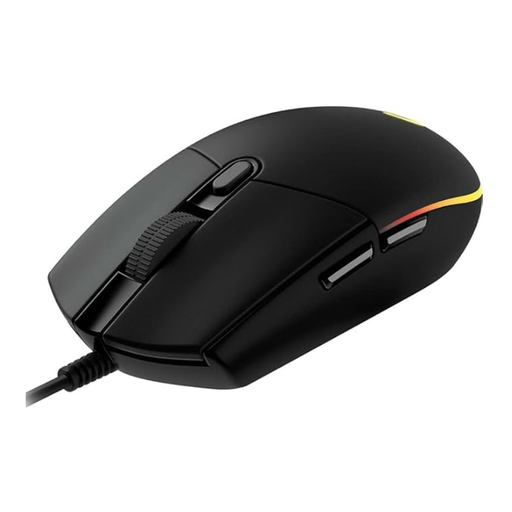
Why it stands out: The Logitech G102 LIGHTSYNC combines proven technology with an accessible price point. It provides a solid foundation for gaming without overwhelming the user with overly complex features.
Pros:
Who it's for: This model is an excellent choice for beginners, casual gamers, and users looking to upgrade from a standard office mouse. It is well-suited for a budget-conscious gaming setup.
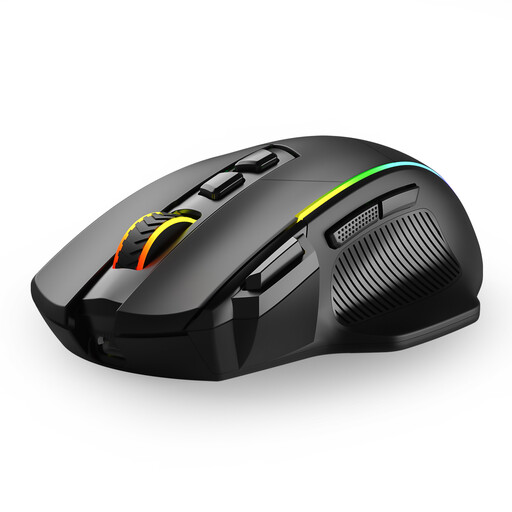
Why it stands out: This mouse is distinguished by its incredible flexibility. With three connection modes—2.4G wireless, Bluetooth, and USB-C cable—it adapts to nearly any use case, whether it's PC gaming or productive work across multiple devices.
Pros:
Who it's for: Users who want a single mouse for gaming and work across different devices (PC, laptop, Mac). Gamers who value a high number of programmable buttons and extensive RGB customisation.
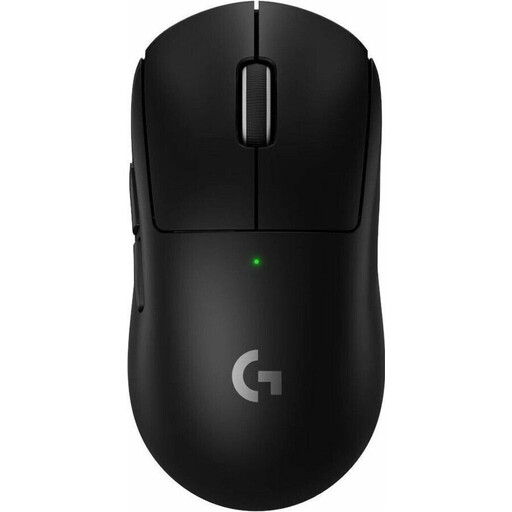
Why it stands out: As an extremely lightweight gaming mouse, the G PRO X SUPERLIGHT 2 was developed in collaboration with esports professionals. It is meticulously engineered for minimal weight and maximum performance.
Pros:
Who it's for: Competitive players and esports enthusiasts for whom every millisecond and every gram counts. This Logitech gaming mouse is aimed at users seeking professional-grade equipment optimised for speed and precision.
If the models presented here don't perfectly match your requirements or if you're looking for specific features, you can find more alternatives in our broader assortment. Browse our complete USB Gaming Mouse category to find the right product for your setup.
DPI stands for "Dots Per Inch" and describes the sensitivity of the mouse sensor. A higher DPI number means the cursor travels a greater distance on the screen when you physically move the mouse. Gamers often use lower DPI settings (e.g., 400-1600) for precise control in shooters and higher settings for fast navigation in menus or strategy games.
Yes, modern wireless gaming mice that use 2.4 GHz radio technology now offer a signal rate and latency that are virtually indistinguishable from wired models. The decision, therefore, primarily comes down to personal preference regarding freedom of movement and the willingness to charge the battery.
Weight is a key ergonomic factor. Lightweight mice (under 80g) reduce fatigue during fast, repetitive movements and are often preferred in FPS games. Heavier mice can provide a sense of stability and control, which can be advantageous in other genres. The choice of weight is ultimately subjective and depends on your playstyle and personal preferences.