
Lieferung heute & morgen

Qualitätsgarantie

Willkommens-Angebote freischalten: KOSTENLOSE Lieferung | Bis zu 80 % RABATT | Kostenlose 30-Tage-JoyPlus-Testphase
App herunterladen
The search for the right gaming mouse can quickly become overwhelming. Manufacturers advertise ever-higher DPI numbers, spectacular RGB lighting, and vague ergonomic promises. But not every expensive mouse will improve your gaming experience. Often, the most heavily marketed features are the ones that lead to buyer's remorse.
As a Joybuy Product Recommendation Officer, I analyse product data daily to help you separate marketing hype from genuine performance features. In this guide, I'll show you the most common pitfalls and the crucial criteria you should focus on when making your choice.
Before we dive into the key specifications, let's uncover the three most common marketing traps that often lead to disappointment.
To make the right choice, focus on the following three core technical aspects. These determine the actual performance and longevity of your mouse.
The heart of any gaming mouse is its optical sensor. Its quality determines precision and reliability. Instead of focusing on the maximum DPI number, you should check whether the mouse offers stable tracking without dropouts or unwanted acceleration.
The choice between a wired gaming mouse and a wireless gaming mouse depends on your personal preferences and play style.
A mouse with programmable buttons can offer a significant advantage, not just in gaming. Using accompanying software, buttons can be assigned macros, key combinations, or specific in-game actions.
Here are some recommendations tailored to different needs and budgets, taking the above criteria into account.
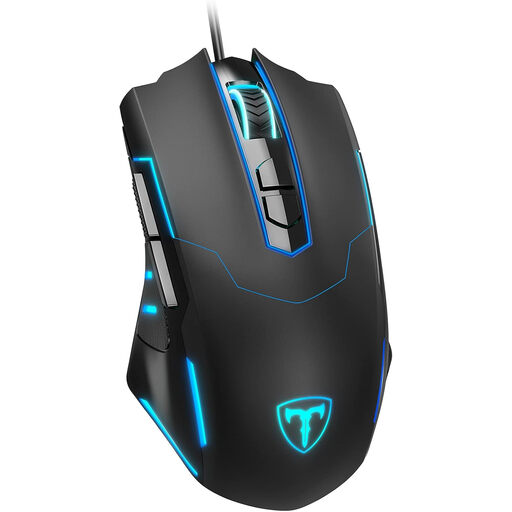
Why it's a good fit: Ideal for gamers on a limited budget who don't want to sacrifice essential features. It provides a solid foundation for various game genres.
Instead of advertising exaggerated DPI values, this mouse offers a practical, adjustable range up to 7200 DPI and 7 programmable buttons that deliver real added value.
Plug-and-play functionality and an ergonomic shape that is comfortable for many hand sizes. The programmable buttons are a clear advantage in this price range.
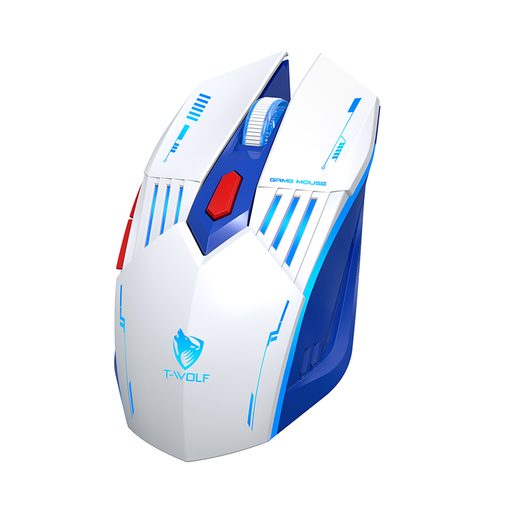
Why it's a good fit: Perfect for users who want a single mouse for gaming, work, and mobile use with a laptop. The three connection modes offer maximum flexibility.
The focus is on true versatility through its tri-mode connectivity (2.4G, Bluetooth, Cable) rather than a single, overhyped feature. The DPI range up to 3600 is ideal for everyday and gaming applications.
Seamless switching between devices. Rechargeable battery with a convenient USB-C port and a balanced design for extended use.
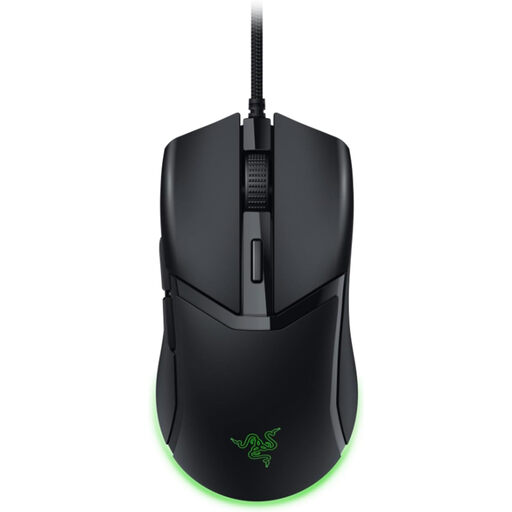
Why it's a good fit: Designed for players where speed and precision are the top priority, especially in fast-paced FPS titles. The extremely low weight allows for lightning-fast reactions.
This model focuses on performance-critical features: an ultra-low weight of 58g and durable optical switches. The RGB lighting is subtle and doesn't distract from performance.
Gen-3 optical mouse switches for high speed and durability. The Speedflex cable minimises drag for a near-wireless feel.
We have compiled a full, up-to-date list of products that fully meet these strict selection criteria and German safety regulations.
1. How much DPI does a good gaming mouse really need? For most gamers and monitors (Full HD to WQHD), a range between 800 and 3,600 DPI is optimal. Higher values are often just marketing, as they lead to uncontrollable mouse movements. More important than a high maximum value is a precise sensor that operates stably at the DPI settings you actually use.
2. Are wireless gaming mice suitable for competitive play? Yes, absolutely. Modern wireless mice with 2.4 GHz radio technology have a latency that is imperceptible from a wired connection to humans. As long as the battery is charged, they offer no disadvantage in a competitive environment, but provide greater freedom of movement.
3. What makes a gaming mouse truly ergonomic? True ergonomics depend on how well the mouse fits your hand size and grip style (Palm, Claw, or Fingertip Grip). A good ergonomic mouse supports the natural posture of your hand and allows all buttons to be reached comfortably without contorting your hand. Pay attention to dimensions and shape, and compare them to a mouse you find comfortable.