
Lieferung heute & morgen

Qualitätsgarantie

Willkommens-Angebote freischalten: KOSTENLOSE Lieferung | Bis zu 80 % RABATT | Kostenlose 30-Tage-JoyPlus-Testphase
App herunterladen
Choosing a new gaming mouse can be a challenge given the vast array of models and technical specifications. Precision, response time, and comfort are crucial factors that directly impact the gaming experience. An unsuitable mouse can lead to inaccurate movements, fatigue, and ultimately, in-game frustration.
This guide serves as an objective resource. It explains the most important criteria to consider when making your selection and presents a curated list of models with different specialisations. The goal is to provide you with the information you need to make an informed purchasing decision.
To find the right mouse for gamers, it's helpful to understand the technical features and their practical implications. The following three points are particularly relevant when making your choice.
The sensor is the most critical component of a PC gaming mouse. It determines how accurately and quickly your movements are translated to the screen. Two metrics are central here:
The weight and shape of the mouse have a significant impact on handling and comfort during long gaming sessions.
Today, the choice between a wired and a wireless mouse is less about performance and more about personal preference. Modern wireless technologies like Logitech LIGHTSPEED or Razer HyperSpeed offer signal transmission with latency that is indistinguishable from their wired counterparts. A wireless gaming mouse offers maximum freedom of movement without cable clutter, while a wired model never needs to be charged and is often more affordable.
Based on the criteria above, we have compiled a selection of models that cater to different needs and playstyles.
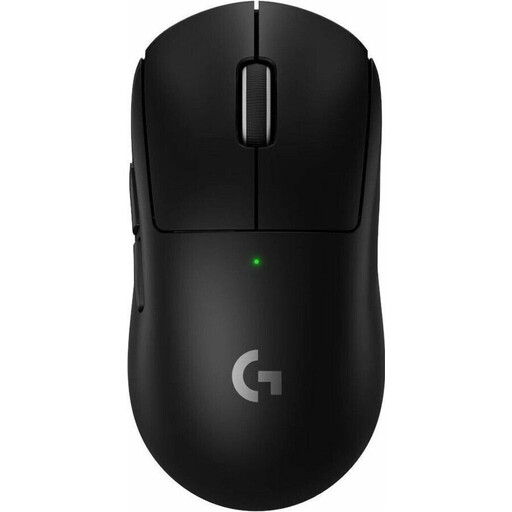
What makes it stand out The Logitech G PRO X SUPERLIGHT 2 was developed in collaboration with esports professionals and is engineered for minimal weight and maximum performance. At just 60 grams, it is one of the lightest wireless models on the market. The HERO 2 sensor and a polling rate of up to 8000 Hz (with an optional dongle) enable extremely precise and responsive control.
Pros
Who it's for This model is aimed at competitive gamers, especially in the FPS and Battle Royale genres, where quick reactions and precise tracking are crucial. Anyone looking for an ultra-lightweight, high-performance wireless mouse will find a fitting tool here.
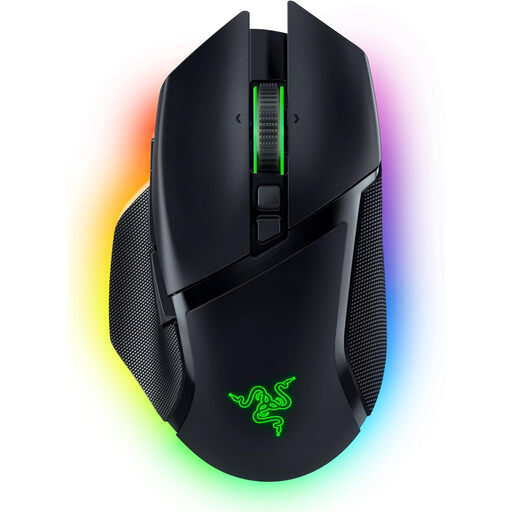
What makes it stand out The Razer Basilisk V3 Pro is a versatile powerhouse distinguished by its extensive customisation options. The HyperScroll Tilt Wheel can switch between a tactile and a free-spinning mode. With tri-mode connectivity (HyperSpeed Wireless, Bluetooth, wired), 10+1 programmable buttons, and 13-zone Chroma RGB lighting, this mouse can be precisely tailored to your needs.
Pros
Who it's for This Razer gaming mouse is ideal for all-around gamers who play various genres and value customisability and extra features. Its ergonomic shape and numerous programmable buttons make it a great choice for MMOs, RPGs, and productivity tasks.
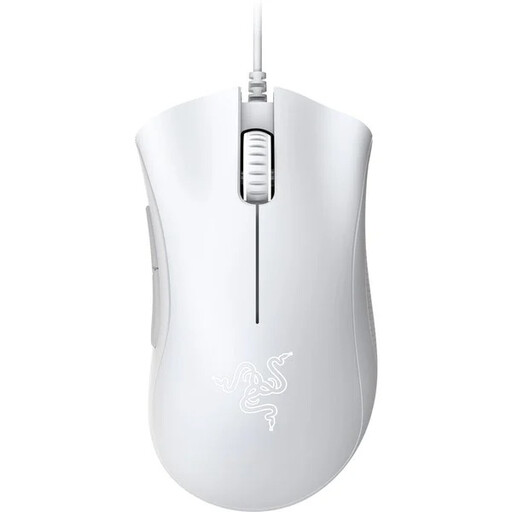
What makes it stand out The Razer DeathAdder Essential focuses on the essentials: a proven, ergonomic shape and reliable performance at an accessible price point. The iconic form of the DeathAdder series is renowned for its exceptional comfort. With a 6,400 DPI optical sensor and durable mechanical switches, it provides a solid foundation for getting into gaming.
Pros
Who it's for This model is an excellent choice for beginners, budget-conscious buyers, or gamers looking for a straightforward and reliable wired mouse without unnecessary frills. Its comfortable shape also makes it suitable for long gaming nights.
The models presented here already cover a broad spectrum. However, if you have different requirements, prefer another design, or want to compare more options from brands like Logitech gaming mouse or Razer gaming mouse, it's worth taking a look at our entire range.
Discover our full selection of Gaming Computer Mice and find the perfect model for your setup.
The ideal DPI setting is subjective and depends on the game, screen resolution, and personal preference. Most gamers use values between 400 and 3200 DPI. A high maximum DPI value from the sensor (e.g., over 20,000) is an indicator of a modern sensor but is rarely maxed out in practice. More important is the ability to flexibly adjust the DPI levels.
Yes, modern wireless gaming mice are in no way inferior to their wired counterparts in terms of performance. Technologies like Razer HyperSpeed or Logitech LIGHTSPEED ensure extremely low latency that is indistinguishable from a wired connection to the human senses. The decision is therefore primarily a matter of comfort and budget.
A lightweight gaming mouse (typically under 80 grams) reduces inertia and the force required for movements. This can lead to faster reactions and less arm fatigue during long gaming sessions. A low weight can be particularly beneficial in fast-paced FPS games that require quick and wide mouse movements. Ultimately, however, the preferred weight is a matter of personal preference.