
Lieferung heute & morgen

Qualitätsgarantie

Willkommens-Angebote freischalten: KOSTENLOSE Lieferung | Bis zu 80 % RABATT | Kostenlose 30-Tage-JoyPlus-Testphase
App herunterladen
A gaming mouse should impress you with more than just high DPI values or eye-catching RGB lighting. What really matters is whether the sensor, shape, button layout and connection suit the way you use it. If you focus only on marketing terms, you could end up with a model that becomes uncomfortable after a short time, offers unnecessary features or fails to work reliably at your desk.
A gaming mouse with a high DPI rating can significantly increase sensor sensitivity. However, that does not automatically mean it will work more precisely at every setting. For many games and applications, the sensitivity actually used is well below the maximum value. More important are a clearly specified optical sensor, consistent tracking and a suitable DPI adjustment range.
An ergonomic gaming mouse should suit your hand size, grip style and preferred hand. A heavily contoured right-handed mouse will not be suitable for every user. Weight and cable routing also affect how it feels to use. An especially lightweight model can make quick movements easier, while some users may find a heavier mouse more controlled.
Figures such as ‘up to 10 million clicks’ or ‘up to 70 million clicks’ are technical manufacturer specifications, not a guarantee of a particular service life. The cable, scroll wheel, button mechanism and casing can also wear out. It is therefore important to consider the overall construction and handle the USB cable carefully.
Several specifications are relevant when choosing a precise gaming mouse:
For office work, browsing and casual gaming, 800 to 1,600 DPI is often sufficient. If you switch between several games or work profiles, you can benefit from a directly accessible DPI button or software profiles.
A gaming mouse with programmable buttons can accommodate additional functions, macros or keyboard shortcuts. Several side buttons are often useful for strategy games, MMOs and productivity tasks. For competitive gaming, however, a simple layout with a few easily accessible buttons may be more practical.
Before buying, check the following:
A wired gaming mouse or USB gaming mouse does not need charging and is ready to use straight away. The cable should, however, be long enough and not pulled taut. A lightweight gaming mouse may appeal to those who make quick movements; a weight of 75 to 101 grams already covers a range of preferences.
When it comes to shape, the side of the hand is crucial. Symmetrical models are often suitable for both left- and right-handed users, while right-handed models usually feature a pronounced thumb rest. RGB lighting does not change how the mouse functions, but it can add to the look of your workstation.
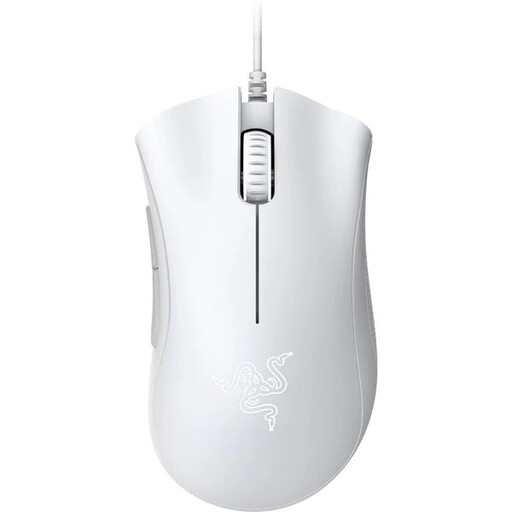
Why this product suits this profile: This USB mouse combines a 6,400 DPI optical sensor with a contoured right-handed shape and five programmable buttons. It is well suited to PC gaming without unnecessary complexity.
The key technical specifications are clearly stated: optical sensor, USB connection, five programmable buttons and a weight of 96 grams.
Ergonomic design, 6,400 DPI and, according to the manufacturer, switches rated for up to 10 million clicks.
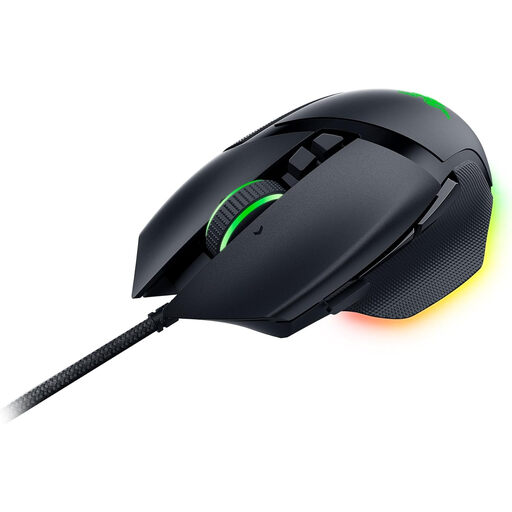
Why this product suits this profile: This model is aimed at right-handed users who want plenty of customisable controls, adjustable RGB lighting and onboard profiles.
The 11 programmable buttons, four-way scroll mechanism and support for up to five profiles are clearly specified. Its right-handed shape should be considered before buying.
Focus+ optical sensor with up to 26,000 DPI, 11-zone Razer Chroma RGB and, according to the manufacturer, up to 70 million clicks.
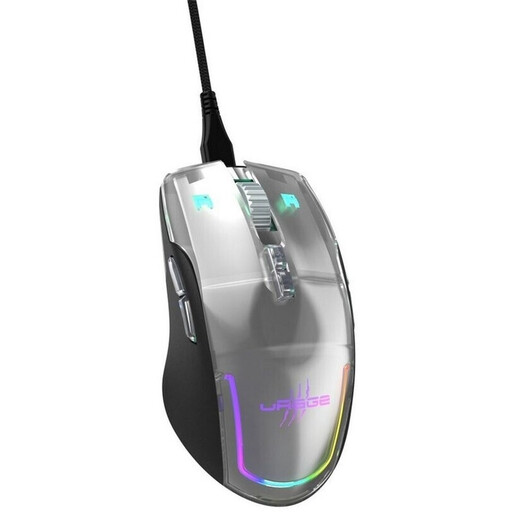
Why this product suits this profile: For frequent users who want to combine low weight, multiple profiles and flexible button assignments, this model offers a clearly defined set of features.
Rather than simply promoting its lighting, the product description specifies the sensor resolution, polling rate, weight, number of buttons and cable type.
78-gram weight, PixArt-PMW3360 sensor with up to 12,000 DPI, 1,000 Hz polling rate and nine programmable buttons.
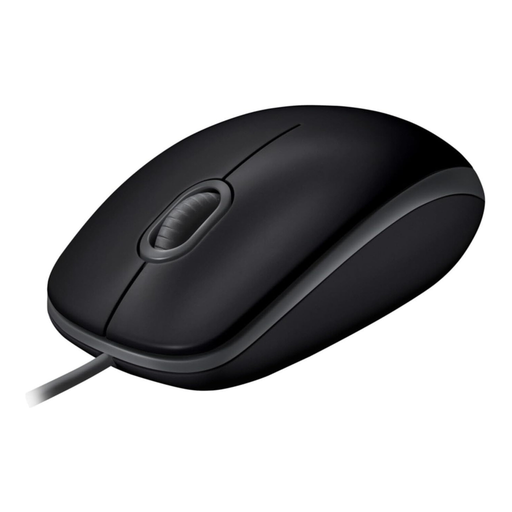
Why this product suits this profile: If you are looking for a simple mouse for the office, home working and occasional gaming, this symmetrical USB model offers a plug-and-play connection.
The feature set is refreshingly straightforward: three buttons, optical tracking, 800 DPI and use without installing additional drivers.
Ambidextrous shape, optical sensor and quieter clicks according to the product details, making it suitable for shared working environments.
We have put together a complete, regularly updated list of products that fully meet these strict selection criteria and the safety regulations applicable in the EU.
For many PC games, medium settings of around 800 to 1,600 DPI are sufficient. A higher maximum value is mainly relevant if you use several sensitivity profiles or want to use the mouse with high-resolution screens as well. Precise, consistent tracking remains the key consideration.
A wired gaming mouse does not need a battery and connects directly to your PC via USB. This reduces maintenance and charging times. However, the cable can affect movement if it is too short or rubs against the edge of the desk. The right choice therefore depends on your desk setup, playing style and preference for mobility.
Its lifespan depends on how often you click, the strain placed on the cable, cleaning and the quality of the individual components. Manufacturer specifications for switches, such as a stated number of clicks, should be viewed as a technical guide. A strain-relieved cable, a clean surface and regular breaks during long sessions can all make everyday use more comfortable.