
Lieferung heute & morgen

Qualitätsgarantie

Willkommens-Angebote freischalten: KOSTENLOSE Lieferung | Bis zu 80 % RABATT | Kostenlose 30-Tage-JoyPlus-Testphase
App herunterladen
A gaming mouse should respond precisely, feel comfortable in your hand and suit the games you play. In practice, however, high DPI figures, eye-catching RGB lighting and lots of buttons don’t automatically make for a better buying decision. What matters is which features you’ll actually need in everyday use.
This buying guide explains what PC gamers, keen players, esports players and office users in Germany should look for. It covers wired and wireless models, different hand sizes and weights, connection types and customisation options.
A gaming mouse with a high DPI can offer a very high maximum sensitivity. That doesn’t automatically mean it will be more accurate at every setting, though. For many games, finely adjustable DPI levels, consistent tracking and a well-positioned sensor matter more than the highest possible maximum.
So look for:
A gaming mouse with an 8000 Hz polling rate sends its position data to the computer more frequently than a 1000 Hz model. This can reduce input lag, but it also increases the amount of data processing required. How noticeable the difference is in practice depends on the game, monitor, processor and software you’re using.
Before buying, check:
A lightweight gaming mouse can make fast movements easier. But an extremely low weight won’t feel comfortable for everyone or suit every playing style. If you use your mouse for many hours every day, you should also consider its shape, width, thumb rest and button placement.
An ergonomic gaming mouse won’t necessarily suit every hand, either. Right- and left-handed users, as well as people with large hands, often need different shapes.
Optical sensors are common in today’s gaming mice. Figures such as 12,000, 26,000 or 44,000 DPI describe the adjustable sensitivity range, not the overall quality of the product. What matters when choosing a mouse is consistent tracking and sensible sensitivity increments.
A programmable gaming mouse lets you switch between DPI levels using buttons or software. This can be useful, for example, in games with different movement requirements.
The polling rate is measured in hertz. 1000 Hz means one report every millisecond, while 8000 Hz works out at one report every 0.125 milliseconds. These figures should always be considered alongside the connection type, receiver and system performance.
A wireless gaming mouse may also offer a choice of 2.4 GHz wireless, Bluetooth and wired connections. Gaming mice with 2.4 GHz connections are often designed for low latency. Bluetooth, on the other hand, is handy for laptops, tablets and everyday office use.
The models covered here range in weight from around 54 to 160 grams. A lightweight gaming mouse weighing under 70 grams may appeal if you make quick movements in shooters. Heavier models may offer more buttons, a larger palm rest or additional features.
Also look for:
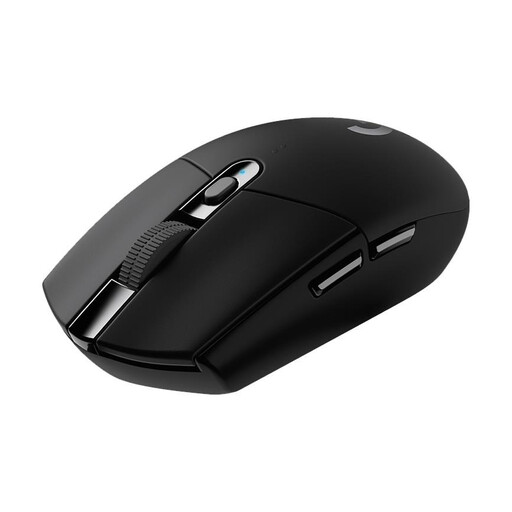
Why this product suits this profile: This wireless gaming mouse combines a HERO sensor offering up to 12,000 DPI with six programmable buttons and a single AA battery. It’s a good choice if you want to play without a charging cable and keep maintenance simple.
The stated battery life of up to 250 hours and 1 ms report time make its day-to-day requirements clear, rather than relying on a high DPI figure alone.
Wireless LIGHTSPEED connection, six programmable buttons and compatibility with PC and Mac.
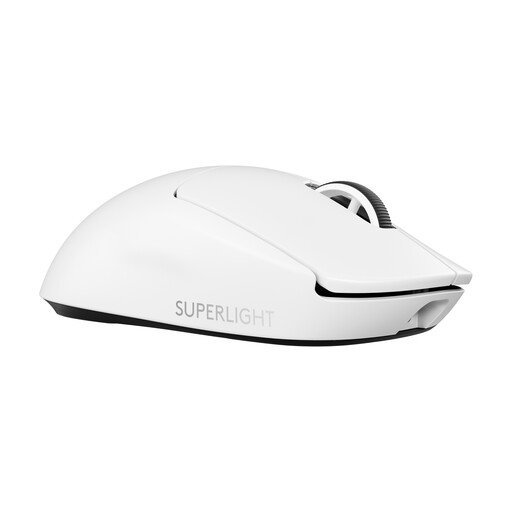
Why this product suits this profile: Weighing 60 g, this model is designed for players who want a lightweight mouse, USB-C charging and a performance-focused wireless connection.
As well as offering up to 44,000 DPI, it has clearly stated specifications for weight and sensor performance, 95 hours of battery life and an available 8000 Hz polling rate.
60 g weight, HERO 2 sensor, LIGHTFORCE switches and USB-C connection.
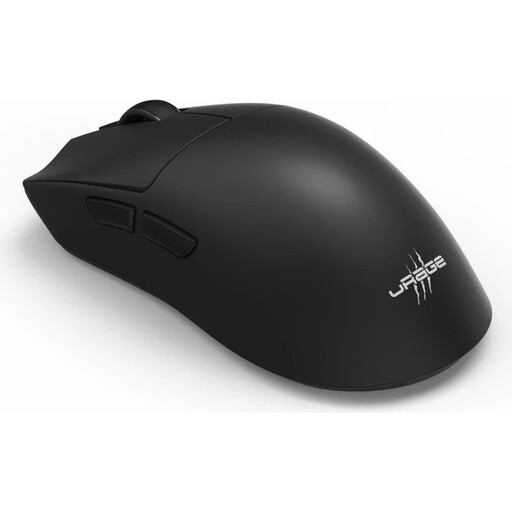
Why this product suits this profile: This model supports 2.4 GHz wireless, Bluetooth 5.3 and USB-C. Weighing 57 g, with six programmable buttons and a stated battery life of up to 72 hours, it’s designed to work across different gaming and work setups.
Three connection options mean you don’t have to rely on a single connection standard. The 8000 Hz rate is listed as an adjustable feature and should be set to suit your system.
26,000 DPI, 8000 Hz, Bluetooth 5.3, 2.4 GHz wireless and USB-C charging.
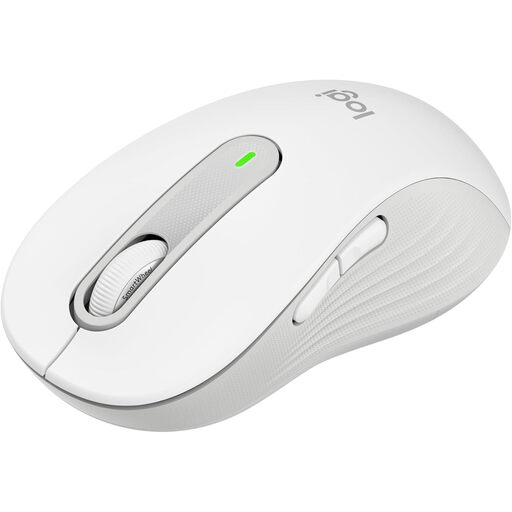
Why this product suits this profile: This ergonomic wireless mouse is designed for right-handed users with large hands. Bluetooth Low Energy and Logi Bolt let you use it with a PC, Mac and other compatible devices.
This choice takes hand size, quiet clicks, side grips and a stated battery life of up to 24 months into account, rather than focusing solely on gaming features.
SilentTouch clicks, SmartWheel, customisable side buttons and multi-device compatibility.
We’ve put together a complete, regularly updated list of products that meet these strict selection criteria and the safety regulations applicable in the EU.
Before buying, check which operating systems are supported and whether you’ll need specific software. Some gaming software offers its full range of settings only on Windows. According to the product details, the Logitech G305 is compatible with PC, Mac and Chromebook. On other models, features such as RGB control, macros or profiles may depend on the manufacturer’s software.
Bluetooth and multi-device functionality are handy for office and everyday use. For competitive gaming, a stable 2.4 GHz receiver or a direct USB connection is often a better choice.
There’s no single ideal figure. Many users play with settings well below the sensor’s maximum. What matters is being able to adjust the levels in small increments, having reliable tracking and using software that lets you create custom profiles.
It depends on the connection type. Modern 2.4 GHz systems are designed for low latency. Bluetooth is better suited to flexible device connections and everyday use. Check the manufacturer’s stated polling rate and battery life, and see whether a receiver is included.
Its lifespan depends on the switches, cable, battery, care and how heavily you use it each day. Manufacturers sometimes quote click ratings or battery life figures that apply under specific conditions. Keeping the surface clean, taking care of the cable and having regular breaks during long sessions can help you get the most out of your mouse.