Menu and map navigation
If you often switch between views and navigate on a large screen, check the scroll wheel and pointer speed. Microsoft Support describes pointer speed as an adjustable Windows setting.


Choose a mouse that suits your hand and how you sit, then test the pointer speed on the screen you actually use; a high maximum DPI on its own won't solve control issues. If you sit further away from your computer, consider where the receiver will go and how the mouse is powered. For frequent menu actions, an easy-to-use scroll wheel and accessible extra buttons can make a difference – provided the game supports the bindings you want.
If you often switch between views and navigate on a large screen, check the scroll wheel and pointer speed. Microsoft Support describes pointer speed as an adjustable Windows setting.
If you don't use your mouse right next to your PC, the connection, receiver placement and power supply need to suit your setup. Don't rely on the word ‘wireless’ alone to determine the range you can expect.
If you want to assign frequently used game commands to mouse buttons, accessible buttons and suitable configuration software matter. SteelSeries and Logitech G describe programmable buttons on certain models; also check which actions your game supports.
Start by checking pointer control and fit, then look at the connection and power supply. Only consider the buttons and scrolling features you actually want to use in the game.
| What to consider | What to look for | Who it's especially important for |
|---|---|---|
| Pointer control and navigation | Test the pointer speed in your operating system and, if available, in the game. Treat Windows display scaling separately from mouse speed; Microsoft Support describes them as separate settings. | When I'm navigating lots of menus and small controls on a large screen, I want to be able to adjust the pointer movement to suit me. Around 33% of consumers put pointer control and navigation first. |
| Freedom of movement | Check your seating position, the USB port for the receiver, and the charging or battery setup of the specific model. | When I'm not sitting right next to my computer, I don't want a cable to restrict my mouse movement; the receiver and power supply also need to suit my setup. Around 25% of consumers prioritise this freedom of movement. |
| Extra buttons and scroll wheel | Check which game commands you want to use and whether the buttons are within reach. For scroll modes, consider how easy they are to use in the game's menus. | When I want to trigger repeated actions using my mouse, I need bindings that work in the game and buttons I can reach comfortably. Around 25% of consumers put shortcuts and scroll wheel features first. |
| Fit and ease of use | Consider whether the mouse suits your handedness, its shape and how easily you can reach the main buttons; weight alone doesn't guarantee a comfortable fit. | When I'm looking for straightforward controls and a shape that suits my hand, I don't want to compromise on a comfortable fit for features I won't use. Around 17% of consumers prioritise fit and simplicity. |
A sensor's maximum DPI doesn't tell you what pointer speed will suit the way you use your mouse. Windows settings for the mouse pointer and display scaling are separate.
Test the pointer speed on the screen you use and adjust display scaling separately before focusing on a top-end figure.
The Logitech G502 HERO and G502 LIGHTSPEED are different models. Sensor specifications can also vary between G502 X LIGHTSPEED versions.
Compare the full model name, product number and specifications for the exact version on offer.
A high button count doesn't guarantee that your game supports the commands you want or that you can comfortably reach the buttons.
Decide which game commands you want to use first, then check which buttons suit your grip.
Wireless models need a power supply; depending on the model, charging or changing the batteries will be part of using it. The German Environment Agency generally recommends using rechargeable batteries rather than single-use ones where a portable power source is needed.
Before you buy, check how the specific model is powered and what charging accessories are included.
Depending on the model, charging or changing the batteries will be part of day-to-day use.
The G502 models featured here include wired and wireless versions. The full model name matters, as the G502 HERO and G502 LIGHTSPEED are not the same model.
The Basilisk models featured here are worth considering if you want different scroll wheel modes and assignable buttons. The wired Basilisk V3 35K and wireless Basilisk V3 Pro 35K are different models.
The Aerox models featured here differ in the number of programmable buttons, which may make one more suitable than another depending on the bindings you want.
The M64 Wireless featured here is a wireless right-handed mouse for buyers who aren't primarily looking for a large bank of side buttons.
The Joybuy products below include wired and wireless gaming mice, with models featuring programmable buttons and different scrolling options.
 No image available
A good option if you want to play wirelessly and assign a few commands to the mouse; five buttons are listed.
64 g; Focus Pro 30K sensor; 2.4 GHz wireless with USB receiver; five DPI profiles.
 No image available
A wireless option if you want to consider using six programmable buttons for the game commands you use.
54 g; Focus Pro 35K sensor; 2.4 GHz wireless with USB receiver; six programmable buttons; 8000 Hz.
 No image available
Worth considering if you want a wired mouse with different scroll modes and several extra buttons; make sure the cable routing suits your setup.
35,000 DPI optical sensor; 11 programmable buttons; right-handed shape; customisable scroll wheel with tilt function and multiple scroll modes.
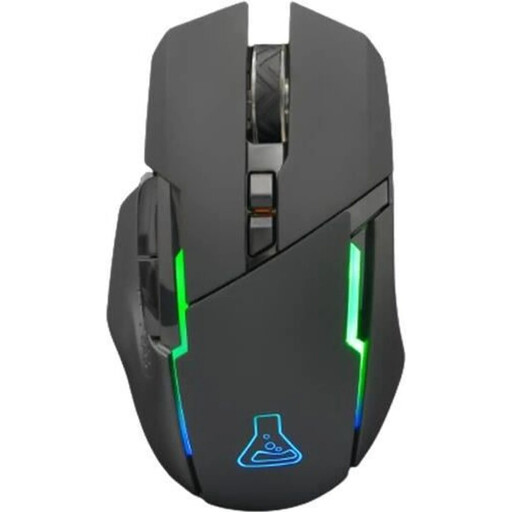 No image available
A wireless option if six programmable buttons are enough for the game commands you want to use.
2.4 GHz wireless with USB receiver; rechargeable battery; six programmable buttons; adjustable resolution from 400 to 7,200 DPI.
Battery life is listed as up to 32 hours.
 No image available
A good option if you want to play wirelessly and use several buttons and different scroll modes.
13 programmable buttons; LIGHTSPEED wireless with USB receiver; scroll wheel with free-spin and ratchet modes.
Battery life is listed as up to 140 hours. Sensor specifications can vary by version, so check them against the exact model.
No, not just for that reason. First, try adjusting the pointer speed and display settings on the screen you use: Microsoft Support explains that Windows settings for the mouse pointer and display scaling are separate. Whether a game has its own sensitivity controls depends on the game.
First, check which commands can be assigned in the game. Logitech G explains how to configure the 11 buttons on the G502 HERO using G HUB; you'll need to check in the game whether a particular command works.
Check the receiver connection and power supply for the specific model. The German Environment Agency generally recommends rechargeable batteries rather than single-use ones where a portable power source is needed. Before handing in an old device for disposal, remove the batteries if you can do so easily.
According to the Verbraucherzentrale, online consumer contracts generally come with a 14-day right to cancel after you receive the goods; you must notify the seller that you wish to cancel. If an item is faulty, statutory rights against the seller are separate from a voluntary guarantee; repair or replacement may be the first step.
Yes, if the specific product is covered by the relevant harmonised EU rules. The Bundesnetzagentur explains that CE marking is required for products within scope; by applying the mark, the manufacturer declares that the product meets the applicable requirements. It isn't a blanket individual approval by the authorities.