Players who prioritise how a mouse feels
If you change direction repeatedly, the shape should suit your grip before you compare technical headline figures. The PCGH guide highlights ergonomics as an important factor when choosing a gaming mouse.


Start by choosing a shape you can control comfortably and confidently through repeated, quick movements. Then check the sensor, sensitivity and connection on the specific model. A wireless mouse keeps your movement path clear, but you’ll need a suitable receiver and a way to power it. With a wired mouse, there’s no battery to manage, but the cable could get in the way.
If you change direction repeatedly, the shape should suit your grip before you compare technical headline figures. The PCGH guide highlights ergonomics as an important factor when choosing a gaming mouse.
If you need plenty of freedom to move your mouse across your desk, weigh up the risk of a cable getting in the way against the need for a battery and wireless receiver. These are considerations for both wireless and wired models.
If you also use the same space for office work or multiple devices, check which connections and connection types fit your day-to-day needs. ASUS lists USB, 2.4 GHz wireless and Bluetooth for the ROG Harpe Ace Aim Lab Edition.
| What matters when buying | What to look for | Who it matters to most |
|---|---|---|
| Shape and grip | Shell shape and dimensions; whether the side buttons are easy to reach when changing direction quickly. | If I want to control the mouse confidently through repeated movements and reach the buttons comfortably, grip matters more than a single headline figure. Around 36% of consumers put finding the right shape first. |
| Consistent tracking | The sensor and sensitivity settings on the exact model; the connection needed for the polling rate you want. | If I want to recreate my training settings and adjust sensitivity precisely, I check the specific options rather than just the maximum figure. Around 29% of consumers prioritise controllable tracking settings. |
| Freedom of movement | Cable management or room for the wireless receiver; suitable connections and charging options. | If a cable could restrict my movement across the desk, a suitable wireless connection is important, even if I also need to consider the battery and receiver. Around 21% of consumers prioritise an unobstructed movement path. |
| Training and office work | The devices and connections you need; the connection types and button assignments you’ll actually use. | If I want to use the mouse with both my training computer and work devices, I should only pay for the connections and features I’ll actually use. Around 14% of consumers prioritise using their mouse for multiple purposes. |
High maximum figures don’t tell you whether a mouse suits your hand and grip. The PCGH guide emphasises ergonomics, which can’t be replaced by a single headline specification.
Check whether the shape and button reach suit your hand. Then compare the sensitivity and settings you actually want to use for training.
The wired HyperX Pulsefire Haste 2 and the Pulsefire Haste 2 Wireless are different models. Their connection types and specifications aren’t interchangeable.
Before ordering, check the full model name, connection type and specifications for the exact version.
A product description alone doesn’t tell you whether the exact version you want is currently available to order.
Just before buying, check availability, model name and connection type on the product page.
The PRO X Superlight 2 is a 2.4 GHz wireless option if a cable could get in the way during wider movements.
The Viper V3 Pro is a symmetrically designed wireless mouse for anyone considering a lightweight shape.
The wired OP1 8k v2 is worth considering if you want to train without a wireless receiver or battery.
The Pulsefire Haste 2 is available as a wired mouse and as a separate wireless version.
According to ASUS, the Harpe Ace Aim Lab Edition offers several connection types for a desk that doubles as a workspace.
This selection includes lightweight wired and wireless gaming mice for repeated movements at your desk. The key is finding a shape, connection and settings that work for your training.
 No image available
A wireless option if a cable could get in the way of your movement.
54 g; 2.4 GHz wireless; Focus Pro 35K sensor; sensitivity up to 35,000 DPI. According to the product description, 8,000 Hz requires a HyperPolling Wireless Dongle, sold separately.
 No image available
A wired option if you want to avoid managing a battery and the cable won’t get in the way on your desk.
HyperX 26K sensor; up to 8,000 Hz; 1.8 m cable.
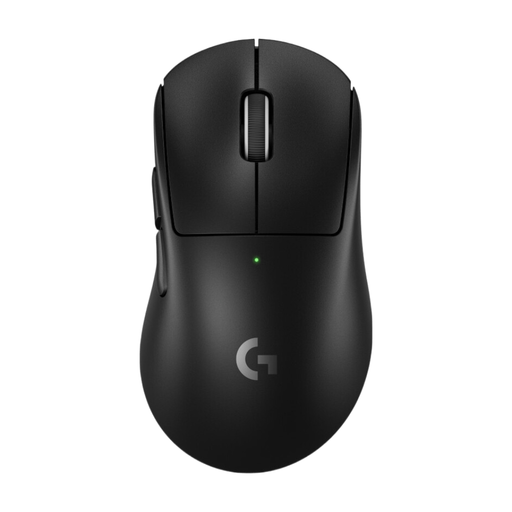 No image available
A wireless option designed for right-handed users if you want a clear movement path across your desk.
60 g; LIGHTSPEED wireless; HERO 2 sensor; adjustable DPI up to 44,000 DPI. Wireless use requires a USB-A receiver and a charging option.
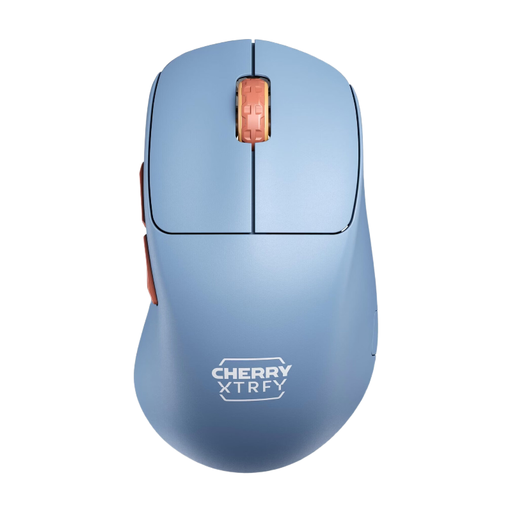 No image available
A right-handed wireless mouse if you want a wireless connection and settings you can adjust directly on the device.
53 g; 2.4 GHz USB dongle; adjustable CPI and polling rates; up to 90 hours of battery life according to the product name. The product description says to charge it only from a computer USB port; powerful power adapters could damage the device.
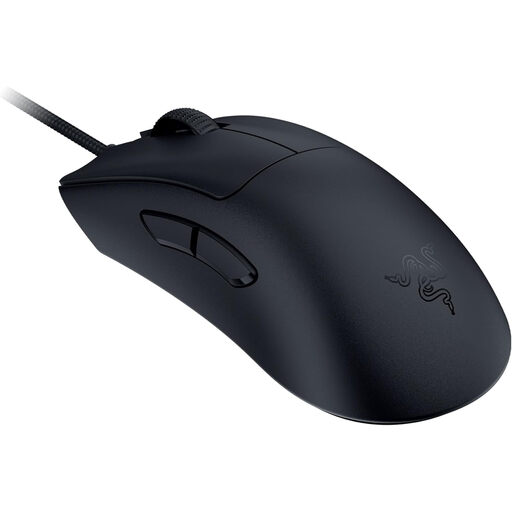 No image available
A wired option if you don’t want to factor in a battery or wireless receiver.
59 g; Focus Pro 30K sensor; adjustable DPI settings; wired USB operation. The cable could get in the way during wide movements across your desk.
No. The highest DPI figure alone doesn’t tell you whether a mouse suits your grip or training. Check the shape and controls first, then see whether you can adjust the sensitivity to suit your needs.
Check which USB receiver you need, what connections your computer has and how to charge the mouse. If it offers several connection types, choose the mode you’ll actually need for training and work.
For newly purchased goods, consumers can generally exercise their statutory rights against the seller within two years of receiving the item. The Verbraucherzentrale distinguishes these statutory rights from a voluntary guarantee; if a product is faulty, the first step may be to request that the seller put things right.
An old gaming mouse shouldn’t go in household rubbish. The German Environment Agency recommends recycling centres and suitable retail take-back points. Batteries or rechargeable batteries should be removed and handed in separately if they can be taken out easily.