Gaming mice at Joybuy
This selection includes wired and wireless gaming mice to suit different preferences for pointer sensitivity, button assignments and connectivity. Before buying, check the specific listing for marking requirements and German-language documentation.
 No image available
Razer Basilisk V3 35K, wired
A wired option for a fixed gaming setup where you don’t need a wireless connection.
The product name lists an optical sensor with 35,000 DPI and 11 programmable buttons.
Position the USB cable so it doesn’t get in the way of your mouse movements.
View at Joybuy
 No image available
Logitech G502 X LIGHTSPEED, white
A wireless option for a gaming setup where you want to avoid a mouse cable.
The product name lists a right-handed shape, an optical sensor and a white finish.
Allow for the required wireless receiver and charging the mouse.
View at Joybuy
 No image available
ATTACK SHARK X11, black
A wireless option if you want to choose between the connection types listed in the product name.
The product name lists 22,000 DPI, 2.4 GHz wireless, Bluetooth, USB-C, five programmable buttons and an RGB charging dock.
Bear in mind that the built-in battery needs to be powered.
View at Joybuy
 No image available
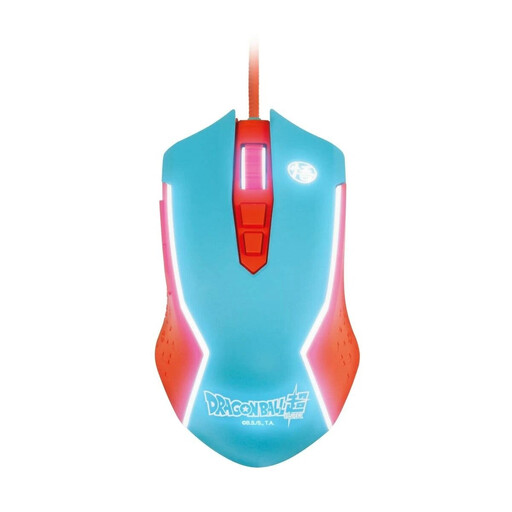
Blade Dragon Ball Goku wired gaming mouse
A wired gaming mouse for PC, if a USB cable suits your gaming setup.
The product name lists a wired PC connection.
Position the cable to suit the space you have for your mouse.
View at Joybuy
 No image available
Razer Naga V2 HyperSpeed
A wireless MMO mouse for shoppers who want to assign several recurring commands and can comfortably reach the buttons.
The product name lists 19 programmable buttons, 2.4 GHz wireless, Bluetooth and a Focus Pro 30K optical sensor.
The product name lists a battery life of up to 250 hours. It runs on an AA battery, so you’ll need to plan for a battery change.
View at Joybuy
Frequently asked questions
Do I automatically need a particularly high DPI setting for a large screen?
No. Screen size alone doesn’t determine the right setting. Try the adjustable settings at your actual resolution and with typical placement tasks; the guide for the wired Logitech G502 X describes several DPI settings.
How do I set up extra buttons for building?
First check the commands available in your specific game, and assign only the functions you actually use. Electronic Arts lists undo and redo, as well as object rotation, among the commands for The Sims 4; Logitech explains how to customise the wired G502 X using G HUB. Then test your button assignments in the game.
What should I consider when it comes to power for a wireless mouse?
It depends on the version: Corsair says the DARK CORE RGB PRO charges via USB-C and can be used wired while charging; Razer lists an AA battery for the Basilisk V3 X HyperSpeed. Check the power requirements and what’s included with the specific model.
What are my rights when buying online in Germany if the mouse doesn’t fit or is faulty?
Online purchases generally come with a 14-day right to cancel; you must notify the other party to the contract that you wish to cancel. If a product is faulty, you have statutory rights against the seller, which are separate from any voluntary manufacturer’s guarantee. The consumer advice centre says new goods are generally covered by a two-year statutory guarantee. For sales contracts made from 31 July 2026, the period may be extended once by 12 months if you choose a repair.
Which markings and documents are relevant for a gaming mouse in Germany?
Devices covered by the relevant EU harmonisation legislation must carry CE marking when placed on the market. The Federal Network Agency also says retailers must check that the required accompanying documents, such as the user manual and safety information, are available in German.


