Players who use push-to-talk
If you want to reach a talk button while gaming, check its position and whether your chosen button mapping works in your desktop voice chat app or game. Discord explains how to set up hotkeys in its desktop app.


Choose a mouse based on whether you need an easy-to-reach push-to-talk button, how much room you have to move it and whether a cable would get in the way at your gaming setup. A mouse can’t replace a microphone or voice chat. Check that the button mapping works in the desktop app or game you actually use, and adjust the pointer speed for your own screen. More buttons and a higher maximum DPI aren’t automatically more useful.
If you want to reach a talk button while gaming, check its position and whether your chosen button mapping works in your desktop voice chat app or game. Discord explains how to set up hotkeys in its desktop app.
If you’re moving the pointer across a large display, adjust its speed to suit your screen, seating position and game, rather than choosing based solely on the maximum DPI. Microsoft Support explains pointer speed and DPI settings.
If a mouse cable would get in the way where you sit, compare the wireless connections and power requirements of each version against your setup. If you’d rather not worry about charging, a wired mouse could be an option, provided the cable won’t get in the way.
First check that your preferred voice chat button mapping is supported, then consider pointer control on your screen, and finally look at connectivity and handling at your gaming setup.
| What to consider | What to look for | Who it matters to |
|---|---|---|
| Easy-to-reach talk button | Button position and mapping software; support for your chosen action in the desktop app or game. | If I want to use push-to-talk while gaming, I make sure I can reach the button reliably. Around 36% of consumers put an easy-to-reach talk button first. |
| Controllable pointer movement | Adjustable sensitivity and enough room to move the mouse; test pointer speed on the system you actually use. | If I want the pointer to move in a way that suits the game on my large screen, I check the settings on my own setup. Around 29% of consumers put pointer control first. |
| Connectivity and power | Check that the cable route, USB port or receiver, and power requirements match the specific model version. | If a cable would get in the way where I sit or I’d rather not worry about charging, I compare both connection types. Around 21% of consumers put suitable connectivity at their gaming setup first. |
| Handling and button reach | Consider the size, grip style and reach of the buttons you’ll actually need. | If I want to use the mouse comfortably and confidently during longer practice sessions, I check that its shape and button positions suit my hand. Around 14% of consumers put handling first. |
Pointer movement also depends on your chosen settings and the space available to move the mouse. A high maximum DPI alone won’t fix a pointer speed that doesn’t suit you.
Start by checking your available space and the adjustment options. Then fine-tune the speed on your own screen.
Your app or game needs to support the button mapping you want. Discord explains how its hotkey feature works in the desktop app.
Decide which action you want to assign, then test the button in the client you actually use after connecting the mouse.
HyperX lists wired and wireless versions with different connections. The wireless version needs to be charged.
Check the full model name, connection type and power requirements for the specific version.
A result may be for a different version of the model or marked as unavailable.
Before placing an order, check the product identity, availability and details in the specific listing.
The Pulsefire Haste 2 is available as a wired model and as a separate wireless version.
The Aerox 5 Wireless is aimed at players who want to assign several commands to their mouse.
The ROG Harpe Ace Aim Lab Edition offers several connection options for different setups.
The G502 X LIGHTSPEED is an example of a wireless mouse with several configurable controls.
The Cobra Pro and DeathAdder V3 HyperSpeed differ in features including controls and design.
The following Joybuy listings include wired and wireless gaming mice with different button-mapping and connection options.
 No image available
For a wired setup with several assignable buttons. Make sure the right-handed design suits your hand.
USB cable; 11 programmable buttons; optical sensor with 35,000 DPI; adjustable DPI settings.
 No image available
For a setup where you want to choose between wireless use and a USB-C connection. Remember to charge it when using it wirelessly.
2.4 GHz, Bluetooth and USB-C; five programmable buttons; 22,000 DPI; 62 g; charging dock and grip tape included.
 No image available
For a setup where you want to switch between wireless and USB-C, and customise the buttons and DPI. Wireless use means planning for charging.
Bluetooth, 2.4 GHz and USB-C; 24,000 DPI; 63 g; charging dock.
 No image available
For a setup where you want to assign several buttons and choose between wireless and USB-C connectivity. Remember to charge it when using it wirelessly.
Bluetooth 5.0, 2.4 GHz and USB-C; seven programmable buttons; 12,000 DPI; 67 g; 400 mAh battery.
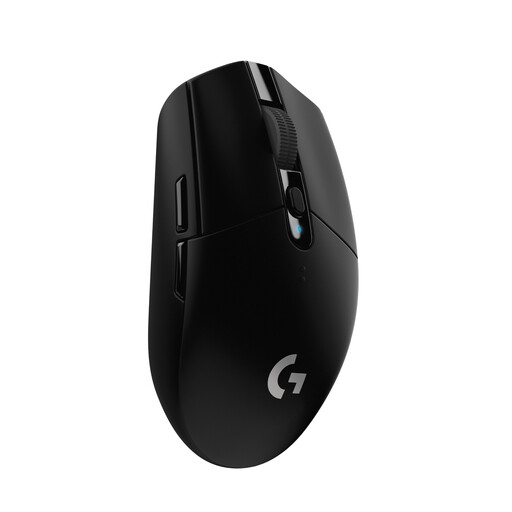 No image available
For a wireless setup with a USB receiver and several assignable buttons. According to the product details, it’s powered by an AA battery.
LIGHTSPEED wireless connection; six programmable buttons; HERO sensor with 12,000 DPI; stated battery life: 250 hours.
No. Voice communication requires a microphone and voice chat in a game or app. Discord offers features including voice activation and push-to-talk. Check that your chosen button mapping works in the version you use.
Once it’s connected, adjust the pointer speed on your own system. In Windows, you’ll find a slider in the mouse settings. Choosing a suitable DPI setting on the mouse can also help you fine-tune it.
No. Discord explains how its hotkey feature works in the desktop app. Discord also directs users to the desktop app for system-wide push-to-talk.
The Verbraucherzentrale explains that online purchases generally come with a 14-day right to cancel; exceptions and the exact start of the cancellation period should be taken into account. Your statutory rights against the seller are separate from any voluntary guarantee.
The German Federal Ministry for the Environment states that used batteries must be returned to retailers or other collection points.