What should you look for when buying?
Lightweight symmetrical wireless mouse
Best for: Frequent wide swipes or repositioning, if a symmetrical shape suits your hand.
Things to consider: Check the feel, receiver and charging requirements. A high advertised polling rate doesn’t guarantee a noticeable advantage in a match.
Asymmetrical wireless mouse
Best for: If you prefer a contoured palm rest to a symmetrical shape, a model such as the EC2-DW could be worth considering.
Things to consider: The shape needs to suit your hand. Manufacturer claims about reducing fatigue are no substitute for checking the fit yourself.
Wired mouse
Best for: If you want to avoid a battery and wireless receiver, and the cable won’t get in the way of your aiming movements.
Things to consider: Allow for cable management and enough room to move. Wired and wireless versions in the same range can differ in weight and sensor.
| Buying priority |
What to check |
Who should consider it? |
| Aim control and sensitivity |
Match DPI and in-game sensitivity to your usable mousepad area, and check how the mouse behaves when lifted. |
If you want to keep your in-game aim controlled and reposition your mouse frequently, finding the right settings is key. Around 36% of consumers put aim control first. |
| Grip, shape and weight |
Compare the mouse with your hand size and grip, and check button reach and how secure it feels when lifted. |
If you want a secure grip and easy access to the buttons, fit matters more than any single weight figure. For around 29% of consumers, fit is the most important buying consideration. |
| Connectivity and responsiveness |
Check the connection mode, receiver, cable routing and your setup’s refresh rate. |
If you prioritise freedom of movement or a straightforward connection, weigh up the pros and cons of wireless and wired options. Around 21% of consumers prioritise a reliable, interference-free setup. |
| Charging and model variants |
Check the full model name, connection type and specifications for the exact model. |
If you want to minimise ongoing effort and avoid confusing similar-sounding models, clear connection and model details are important. This is the top priority for around 14% of consumers. |
The DPI figure describes the sensor’s sensitivity, but it isn’t a one-size-fits-all setting for every in-game camera. A high polling rate is only one part of the input chain, too; consider it alongside your game, screen and actual setup.
Gaming mice at Joybuy
The Joybuy products below include both wired and wireless gaming mice. Compare their shape, connection and listed features with your game and desk setup.
 No image available
Razer DeathAdder V3 Pro Wireless, 64 g
A wireless option if you’re looking for an ergonomic shape to suit your setup.
The product name lists a weight of 64 g and a Focus Pro 30K sensor.
View at Joybuy
 No image available
Razer Viper V3 Pro Wireless Esports, 54 g
A lightweight, symmetrical wireless option if its shape suits your grip and aiming movements.
The product name lists a weight of 54 g, a Focus Pro 35K sensor and 8,000 Hz; these figures alone don’t prove an advantage in a match.
View at Joybuy
 No image available
Razer Basilisk V3 35K, wired
A wired option if you want to avoid a wireless receiver and charging, and the cable works with your desk setup.
The product name lists an optical sensor with 35,000 DPI, 11 programmable buttons and a right-handed shape.
View at Joybuy
 No image available
Logitech G PRO X2 SUPERSTRIKE LIGHTSPEED
A wireless option if you’re considering a Logitech G mouse for your gaming setup.
The product name describes a wireless gaming mouse with LIGHTSPEED.
View at Joybuy
 No image available
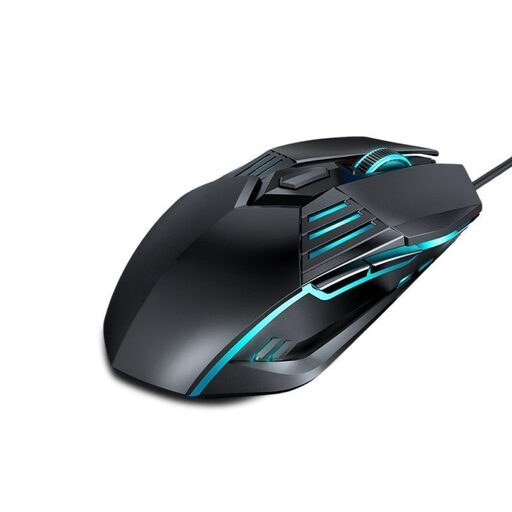
G560 wired gaming mouse
A wired option if you want to avoid a receiver and charging, and the cable won’t get in the way of your movements.
The product name describes a gaming mouse with lighting and DPI switching.
View at Joybuy
Frequently asked questions
Do I automatically need the highest possible DPI for a large screen?
No. Set the sensitivity for the game you’re playing, taking into account its resolution, the aiming movements you want to make and the space available for your mouse. Screen size alone doesn’t determine your DPI; it’s a sensitivity setting, not a universal requirement for in-game cameras.
How do I set up a wireless mouse for ranked matches?
Check which receiver the specific model is designed to use, then set the DPI and, if available, lift-off distance to suit your game. If the mouse supports both Bluetooth and 2.4 GHz, don’t assume the modes are identical: check which one you want to use with your setup.
How can I keep a reliable grip when repositioning the mouse repeatedly?
First, check that the grip and side buttons suit your hand, then test lifting and setting the mouse down on your surface. You can adjust the lift-off distance on supported models. Follow the instructions for your specific model when cleaning and charging it.
What are my rights in Germany if a product is faulty or I buy online?
If a product is faulty, your statutory consumer rights are against the seller; a manufacturer’s guarantee is separate and voluntary. For a typical online consumer purchase, you generally have a right to cancel, usually within 14 days. The Verbraucherzentrale explains these rights, but check the terms of your specific contract.
What should I check to make sure a wireless mouse complies with German product regulations?
For the relevant electrical and radio products, the Bundesnetzagentur’s market surveillance requirements include CE marking, product traceability, accurate manufacturer details and German instructions with any required usage and safety warnings. Check these details on the specific product listing; the mention of a model doesn’t confirm that it complies.


