Replay navigators
If you often jump through long recordings, it’s worth comparing controlled scrolling with fast scrolling. Whether the scroll wheel can control the time increments you want depends on your replay software.


If you often navigate long replays, start by checking the scroll modes and whether you can assign the buttons you need. For longer sessions, choose a shape that suits your hand and grip. Extra buttons are only useful if your replay software supports the commands you want; with wireless models, you’ll also need to consider charging and receiver requirements, depending on the connection.
If you often jump through long recordings, it’s worth comparing controlled scrolling with fast scrolling. Whether the scroll wheel can control the time increments you want depends on your replay software.
For longer viewing sessions, the most important thing is finding a shape that suits your hand and grip. A high sensor specification can’t make up for controls that don’t suit you.
If you want to assign frequently used playback commands to mouse buttons, check both their position and whether your software supports them.
| What matters | What to check before buying | Who is it most relevant to? |
|---|---|---|
| Navigating replays | Scroll modes and side-to-side wheel inputs; check which commands your replay application supports. | When I’m searching through long recordings, I want to choose between controlled scrolling and fast scrolling. Navigation is likely to be the main buying consideration for around 36% of consumers. |
| Comfort during longer sessions | Check the shape, hand orientation and button reach against your own grip. | During longer sessions, I want to reach the wheel and buttons comfortably without constantly adjusting my hand position. Fit is likely to be the main priority for around 29% of consumers. |
| Assigning frequently used commands | Compare the shortcuts you need with the buttons that can actually be assigned and are within easy reach. | If I use the same playback commands repeatedly, I want to trigger them comfortably. Around 21% of consumers are likely to focus mainly on having suitable buttons to assign. |
| Connectivity and switching workstations | Consider your preferred connection, available ports and whether you’re happy to charge the mouse. | When I switch between computers or ways of working, I want to connect the mouse in the way that suits me. Connection flexibility is likely to be decisive for around 14% of consumers. |
How easy a mouse is to use and the software features available also matter when reviewing footage. A high sensor resolution alone doesn’t tell you whether replays will be easier to control.
First, check the scroll wheel, buttons and available in-app shortcuts. Choose a sensitivity setting that suits the way you use the mouse.
A button may be awkwardly positioned or have a different function. For example, according to Logitech, the scroll wheel mode switch on the Logitech G502 LIGHTSPEED can’t be programmed.
Check the model documentation to see which inputs can actually be assigned and reached comfortably with your grip.
Wireless gives you more freedom to move, but a wired mouse can work just as well at a fixed workstation.
Choose a connection that suits your desk and whether you switch between computers – don’t base your decision on the word ‘Wireless’ alone.
The wired Basilisk V3 35K is worth considering if you want to explore different scroll wheel modes and customisable inputs.
The G502 HERO and G502 LIGHTSPEED offer wired and wireless options respectively, with additional controls. The G PRO Wireless is a separate, ambidextrous product line.
The M50 Wireless is an option if you want to switch between wireless, Bluetooth and wired connections at your home workstation.
According to the manufacturer, the Aerox 5 Wireless combines a lightweight design with several programmable buttons.
The wired Pulsefire Core is an option if you want programmable buttons without relying on a wireless connection.
This selection includes wired and wireless mice for replay navigation, assignable commands and flexible connectivity. The features you can use also depend on your replay software and workstation.
 No image available
For right-handed users looking for an ergonomic shape and wireless use.
Listed in the product name: 64 g and Focus Pro 30K sensor.
 No image available
A wired option for replay navigation and assignable inputs.
The product name lists 11 programmable buttons and an optical sensor with 35,000 DPI. Razer lists tactile, free-spin and automatic switching scroll modes; Synapse 4 is required to configure the automatic mode.
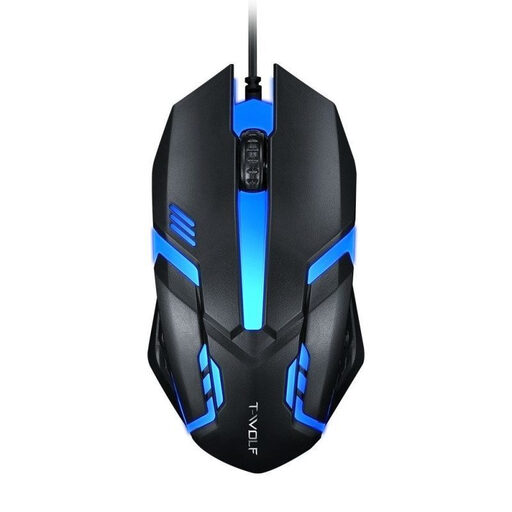 No image available
A wired option for a fixed desk setup.
The product name lists an optical USB connection for desktop PCs and laptops.
 No image available
For users who want to switch between several connection types and assign extra buttons.
The product name lists 2.4 GHz wireless, Bluetooth and USB-C, five programmable buttons, a charging dock and a weight of 62 g.
 No image available
A wireless option if you want to use different connection types.
The product name lists a charging dock, Bluetooth, 2.4 GHz wireless and USB-C, as well as a PAW3311 sensor with 24,000 DPI.
No. Mouse specifications alone don’t guarantee frame-by-frame control. Check which commands your replay application offers and whether you can assign them to mouse buttons. For example, VLC documents its own keyboard shortcuts; a freely scrolling wheel doesn’t automatically provide frame-by-frame control.
First, note down the playback commands you actually use. Then check whether you can assign them to suitable buttons using your mouse software. Test the setup in your replay application afterwards. CHERRY lists five on-board profiles for the M50 Wireless.
Depending on the model, plan for charging and handling a receiver. CHERRY also says the M50 Wireless can be used via cable; the advertised maximum battery life doesn’t automatically apply to every setting.
In general, when you enter into a distance contract with a business, you have 14 days from receiving the goods to withdraw from the contract; exceptions and contract terms apply. Your Europe explains this rule for distance purchases. Your statutory rights if goods are faulty, which you exercise against the seller, are separate from a voluntary manufacturer’s guarantee, as explained by the Verbraucherzentrale.
No, not on that basis alone. The Workplace Ordinance concerns the protection of employees and includes specific provisions for teleworking workplaces. Using a mouse at home doesn’t, by itself, mean that you have a workplace that qualifies as a teleworking workplace in law, nor does it mean you have to buy a particular mouse model.