First, measure the space available for your mouse and check that the shape suits your hand and grip – extra buttons can’t make up for a poor fit. If you want to trigger lots of RPG abilities with your thumb, a well-positioned side panel can be useful; for occasional actions, a simpler mouse may be enough. With a wired model, you’ll need room to manage the cable. With a wireless mouse, remember to factor in the receiver, ports and power supply.
Which mice are right for different players?
RPG players with limited mouse space
If there’s not much room on your desk, movement space and a suitable shape are key. CHIP highlights ergonomics as an important factor when choosing a mouse; Sharkoon lists the Drakonia II as measuring 127 × 83 × 42 mm.
Players with lots of abilities
If you want to trigger frequently used RPG commands with your thumb, consider the button layout, how easy the buttons are to reach and how long it may take to get used to them. Razer, Corsair and SteelSeries describe different side layouts for their respective models.
Players with a flexible workspace
If you also need to clear your desk for other tasks, consider cable management or the wireless receiver, as well as the power supply. Razer, Corsair and Logitech G list different connection and power options for their models.
What should you look for when buying?
Compact mouse with a few extra buttons
A good fit if: you have little desk space and want to assign just a few RPG actions to your mouse.
The trade-off: With a large ability bar, you’ll still need to use the keyboard or in-game menus for more actions.
Mouse with a thumb grid
A good fit if: you want to control lots of abilities with your mouse and the thumb reach and footprint work for you.
The trade-off: A densely packed button grid takes time to get used to and won’t make up for a shape that doesn’t suit your hand.
A middle ground with several thumb buttons
A good fit if: you want to move a few frequently used commands to your mouse but don’t need a densely packed 12-button grid.
The trade-off: More buttons don’t automatically mean a smaller mouse. Check the dimensions and the specific layout.
| What matters |
What to look for when buying |
Who it matters most to |
| Movement space and mouse size |
Compare the mouse’s length and width with the space you actually have available; also consider the distance from your keyboard and the room you need to move the mouse. |
If there’s little room next to your keyboard, you’ll need to be able to move the mouse freely there; around 36% of consumers put available movement space first. |
| Easy-to-reach RPG buttons |
Compare the number and layout of the buttons with your most-used commands and thumb reach; if the button assignments can be customised, check software compatibility. |
If you want to trigger frequently used abilities with your thumb, buttons that are easy to reach matter more than a high overall button count; around 29% of consumers prioritise button layout. |
| Grip and comfort |
Check how the shape and thumb rest feel in your hand, and consider the weight of the specific model. |
If you want the mouse to feel comfortable during longer gaming sessions, a good fit matters more than extra features; around 21% of consumers prioritise grip and comfort. |
| Wired or wireless connection and power |
For wireless mice, check the exact connection type and whether a receiver is needed; also consider whether it uses an AA battery or a rechargeable battery, and how it is powered. |
If you want to keep your desk clear of cables, you’ll also need to plan for the receiver, ports and power supply; around 14% of consumers focus on connectivity and ongoing requirements. |
RPG mouse buying pitfalls
-
Confusing the total number of buttons with the number of thumb buttons
For the Razer Naga V2 HyperSpeed, Razer distinguishes between the total number of buttons, programmable controls and the 12-button thumb grid. These figures don’t mean the same thing.
Compare the actual side layout with the RPG commands you use most often.
-
Assuming a multi-button mouse will save space without checking
According to the manufacturer, the wired Sharkoon Drakonia II has six thumb buttons and is 83 mm wide. On a small desk, the mouse’s width, movement space and cable management matter just as much as the buttons.
Consider all these points together and compare the dimensions with the space you actually have available.
-
Assuming similarly named variants are identical
The title and connection details in a product listing may not match. This can make it unclear whether the mouse described is wired or wireless.
Before buying, check the full model number and connection details in the specific listing.
Key brands at a glance
Razer
The Naga V2 HyperSpeed is aimed at players who want to access lots of RPG commands using a thumb grid.
- Razer lists a 12-button thumb grid and 2.4 GHz and Bluetooth connectivity for this model. The figures of 19 buttons in total and 21 programmable controls, including scroll functions, use different counting methods.
- Check that the thumb buttons are within reach and that the mouse fits your hand; the manufacturer’s performance claims aren’t independent user tests.
Corsair
According to Corsair, the SCIMITAR ELITE WIRELESS SE has an adjustable side panel for players who want to position it to suit their grip.
- For this specific SE variant, Corsair lists 16 programmable buttons, including a sliding 12-button panel, as well as wireless, Bluetooth and USB connectivity.
- Check whether the buttons are easy to reach with your hand. Manufacturer battery-life figures apply under the stated conditions, such as with RGB switched off.
SteelSeries
The Aerox 5 Wireless is an option for players who want several controls on the side panel rather than a 12-button grid.
- SteelSeries lists five controls on the side panel and nine programmable buttons in total for this model.
- The number of buttons alone won’t tell you whether the up/down switch suits your grip.
Sharkoon
The wired Drakonia II is worth considering if you play RPGs and want to assign several commands to side-mounted thumb buttons.
- Sharkoon lists six side-mounted thumb buttons, twelve programmable buttons in total and dimensions of 127 × 83 × 42 mm for the Drakonia II.
- Take the width and cable management into account on your small desk. These details apply to the Drakonia II, not every mouse from the brand.
Logitech G
The wired G502 X and wireless G305 are different options, so their features should be considered separately.
- Logitech G lists a weight of 89 g and a dual-mode scroll wheel for the G502 X. For the G305, the manufacturer claims up to 250 hours of battery life from one AA battery.
- These features belong to different models and don’t mean they have the same button layout or fit in the same way.
Joybuy products for RPGs on a small desk
The following Joybuy listings include wired and wireless gaming mice with different button layouts. Compare each mouse’s specific shape, grip and connection with your desk setup.
 No image available
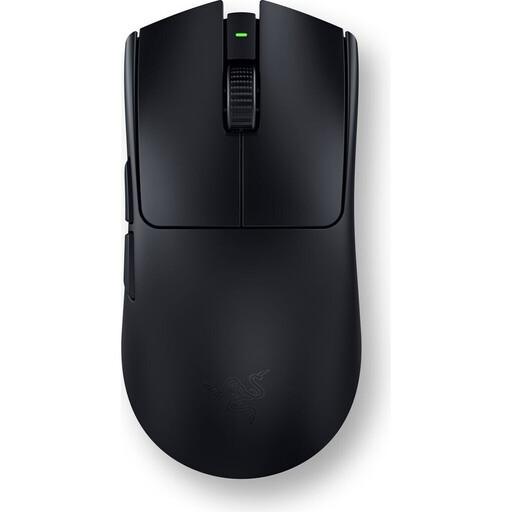
Viper V3 Pro – Black
If you want to assign several RPG actions to your mouse, the product description lists six programmable buttons.
The description gives a weight of 54 g, wireless connectivity and an ambidextrous shape.
Joybuy
 No image available
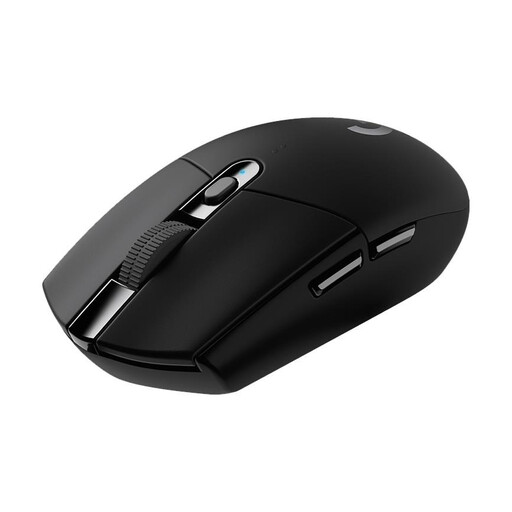
Logitech G G305 LIGHTSPEED
If you’re looking for a wireless mouse with several assignable gaming actions, the listing specifies six programmable buttons.
The design described measures 11,66 × 6,22 × 3,82 cm. It connects via a USB nano receiver and is powered by an AA battery. Logitech G claims up to 250 hours of battery life from one AA battery.
Joybuy
 No image available
AULA SC620 Wireless Gaming Mouse – White
If you want to assign several gaming actions to your mouse, the listing specifies seven programmable buttons.
The variant described weighs 67 g and supports Bluetooth 5.0, 2.4 GHz wireless and USB-C. The listing specifies a 400-mAh rechargeable battery.
Joybuy
 No image available
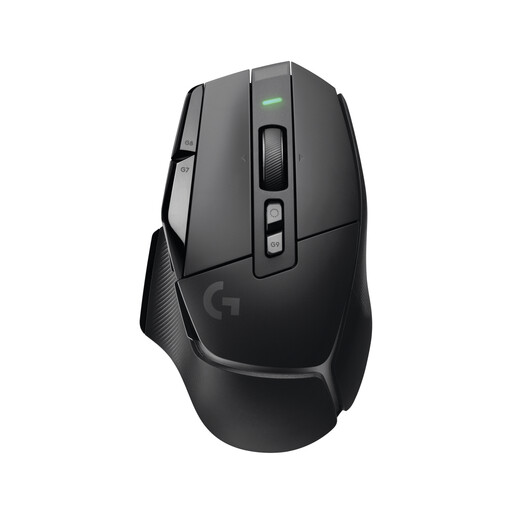
Logitech G G502 X LIGHTSPEED
If you want to assign several RPG commands to your mouse, the listing specifies 13 programmable controls.
The wireless connection described uses LIGHTSPEED and a USB receiver. The listing specifies five profiles; the POWERPLAY charging system is sold separately.
Joybuy
 No image available
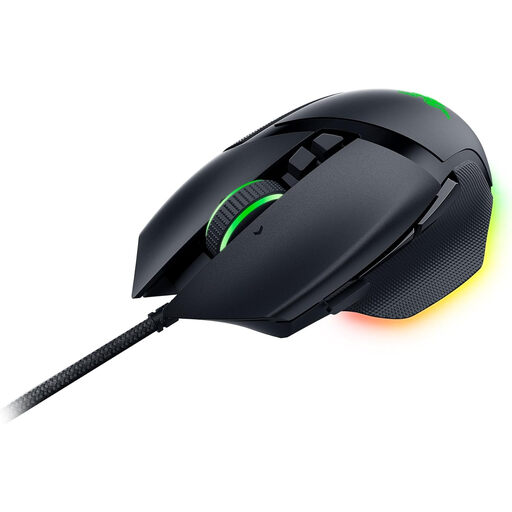
Razer Basilisk V3 Wired RGB
If you want to assign several gaming actions to your mouse and use a thumb rest, the listing specifies eleven programmable buttons.
The variant described is wired, designed for right-handed users and connects via USB. According to the product description, the scroll wheel supports four-way scrolling.
Joybuy
Frequently asked questions
How can I check whether a mouse will fit on my small desk?
Measure the space next to your keyboard and compare it with the mouse’s listed dimensions. Also check that you can reach all the buttons you need with your grip; the dimensions alone don’t guarantee a comfortable fit.
What do I need to set up button assignments and connectivity?
Start by deciding which in-game commands you use most often, then assign them to buttons that are easy to reach. Before buying, check the configuration software for the specific model and, for wireless mice, whether you’ll need a receiver or Bluetooth connection.
What ongoing costs and consumer rights should I consider?
A mouse powered by an AA battery will need replacement batteries over time; a rechargeable mouse needs charging. If you buy from a trader in the EU, you’re generally entitled to a legal guarantee of at least two years from the date you receive the goods. A voluntary manufacturer’s warranty doesn’t replace this, as Your Europe, the European Union’s portal, explains.
What should I look for in a German listing and when disposing of the mouse?
For electrical equipment placed on the market, the Bundesnetzagentur lists requirements including correct CE marking, clear product identification and German-language instructions. Wireless mice are also subject to the relevant requirements for radio equipment; these general details don’t confirm that a particular listing is compliant. Waste electrical equipment should be collected separately. Removable batteries should also be returned separately where this can be done without damaging the product, as recommended by the Umweltbundesamt.


