What to consider when choosing
First decide how many actions you regularly need to perform directly on your mouse. Then compare button reach, how it feels to use at your desk and which connection suits your setup.
When buying a gaming mouse for role-playing games at a desk that also serves as a workplace, each percentage below shows the concern consumers consider most important.
| Priority |
What to check when buying |
Who is this particularly important to? |
| Lots of in-game actions |
Distinguish side buttons from the total number of programmable inputs; check their positions and which buttons you can reach. |
If I want to trigger lots of recurring actions with my thumb, an accessible button panel matters most to me. Around 33% of consumers prioritise having lots of mouse buttons for commands they need to use directly. |
| Comfort for work and play |
Consider grip, thumb reach and space for your mouse, keyboard and arm together. The Federal Institute for Occupational Safety and Health recommends leaving enough room for flexible positioning. |
If you also use your mouse for work, check that your hand and arm have enough room to move at your desk. Around 27% of consumers prioritise a comfortable setup for both work and play. |
| Fewer commands and scroll-wheel use |
Compare the extra buttons you actually need and the scroll functions available on the specific model. |
If I use the keyboard for most in-game actions and scroll frequently at work, I don’t necessarily need a dense thumb-button panel. Around 20% of consumers prioritise fewer extra commands and scroll-wheel functionality. |
| Cable management and power |
Check the connection and power supply for the exact variant, such as a 2.4 GHz receiver or Bluetooth, and disposable or rechargeable battery power. |
If a cable gets in the way on a shared desk, keeping my mouse movement unrestricted is my main priority. Around 20% of consumers prioritise using a mouse without a cable. |
Joybuy products for role-playing games and everyday work
This selection includes wireless mice with programmable extra buttons, as well as wired models offering different scroll-wheel features and desk-space requirements.
 No image available
Razer Naga V2 HyperSpeed
If you want to trigger lots of recurring in-game actions wirelessly with your thumb, check whether the fixed side panel suits your grip.
Razer lists 12 side buttons; the product name specifies 19 programmable buttons. Connections: 2.4 GHz and Bluetooth. Runs on one AA battery.
View at Joybuy
 No image available
AJAZZ AJ200 AI MC Wireless Gaming Mouse
If you’re looking for a wireless mouse for gaming and office work, check the listed connections and whether the driver software suits the way you plan to use it.
The product name lists Bluetooth, 2.4 GHz and USB-C, as well as a weight of 63 g. The product description mentions custom button assignments and macros through driver software.
View at Joybuy
 No image available
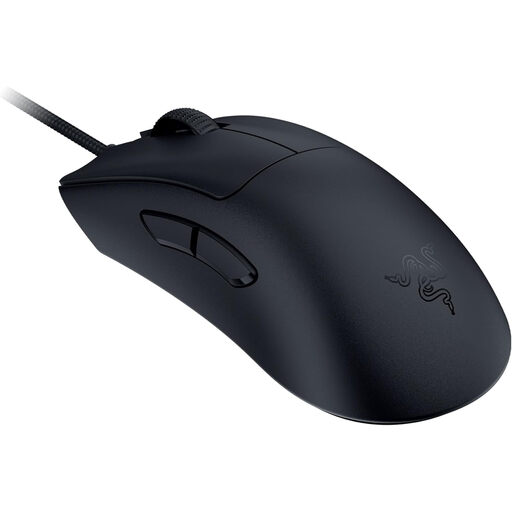
Razer DeathAdder V3 Wired Esports Gaming Mouse
If a cable works with your desk setup, you can compare this wired model with the extra buttons you need and consider how to manage the cable.
The product description lists a weight of 59 g, a Focus Pro 30K sensor and 8K HyperPolling.
View at Joybuy
 No image available
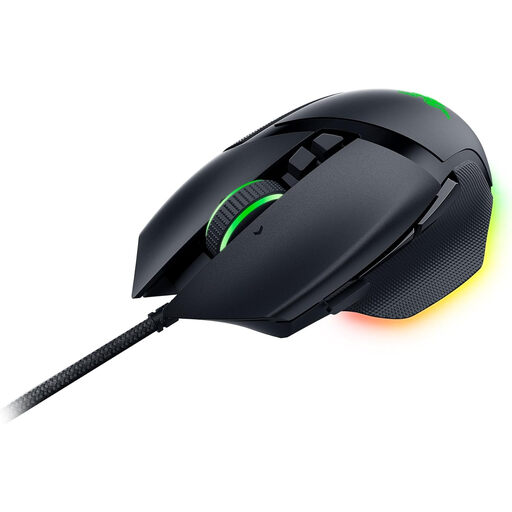
Razer Basilisk V3 Wired RGB Gaming Mouse
If you’re looking for a few programmable buttons and different scrolling options, check whether the wired version suits your desk setup.
The product description lists 11 programmable buttons, a scroll wheel with free-spin and tactile modes, and up to five saved profiles. The product name specifies an optical sensor with 26,000 DPI.
View at Joybuy
 No image available
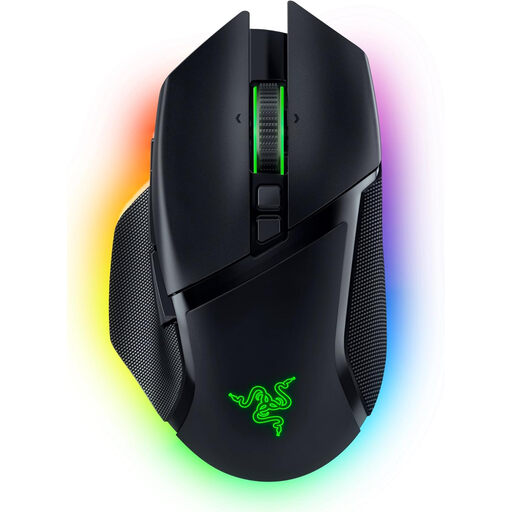
Razer Basilisk V3 Pro Adjustable Wireless Gaming Mouse
If you want to combine wireless use with multiple scroll-wheel modes, compare the controls and connection options with your everyday work needs.
The product description lists 10+1 programmable buttons, a HyperScroll wheel with multiple modes, and 2.4 GHz wireless, Bluetooth and USB-C. The rechargeable battery charges via the USB-C cable, according to the description.
View at Joybuy
Frequently asked questions
Are 12 side buttons useful for every role-playing game?
No. What matters is which assignable actions you use regularly in the game and whether you can reach the buttons with your grip. Compare like with like: the total number of programmable inputs may include other controls too.
What should I check in my work and gaming setup?
Leave enough room to position your mouse and keyboard flexibly, and to move your hand and arm. The Federal Institute for Occupational Safety and Health recommends allowing this kind of space. Start by assigning only the actions linked to buttons you can comfortably reach in your usual posture.
What should I know about power when choosing a wireless mouse?
It depends on the specific variant: with a model that uses disposable batteries, you’ll need to replace them; with a rechargeable model, you’ll need to charge it. Before buying, check whether the product information specifies a disposable or rechargeable battery.
Can I return a mouse bought online if it doesn’t fit?
According to the consumer advice centre, online consumer contracts generally come with a 14-day right to cancel, starting from the day you receive the goods. You must notify the retailer that you wish to cancel; check the terms of your specific purchase.
Who should I contact if the product is faulty?
The retailer is responsible for your statutory rights if the product is faulty; these are separate from any voluntary manufacturer’s guarantee. The consumer advice centre recommends asking the retailer to put the fault right first.


